Announcing the budget-friendly, Linux-based Dell Precision mobile workstations

May 1, 2019

Now available Precision 3541 mobile workstation, dev edition


Dell makes some pretty brawny Linux-based workstations. Witness the uber-powerful Dell Precision 7000 tower and rack workstations.  These beefy systems can be ordered with either Ubuntu or Red Hat preloaded and are perfect for exploring intensive workloads like Artificial Intelligence (AI) and Machine Learning (ML).

Getting started at the right price

If you’re just starting out however and are looking to get going with a budget-friendly mobile workstation you may find some of these workstations a bit out of your price range.  Well look no further.
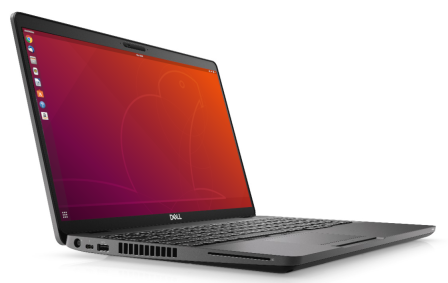
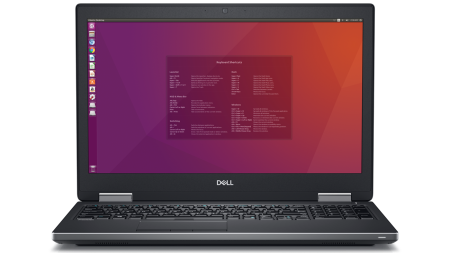
Dell Precision 3540 - front side_cropped

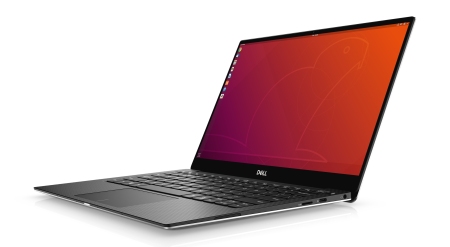
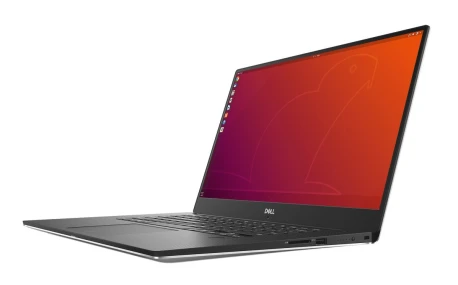
Introducing the Ubuntu-based Dell Precision 3540 mobile workstation, developer edition

Today we are announcing the latest addition to the Project Sputnik line up — the next generation of the Dell Precision 3000 series mobile workstations, the Dell Precision 3540 and 3541 developer editions.

The Precision 3540 which is available today, is our most affordable mobile workstation and comes with all the essentials (see specs below).  The Dell Precision 3541 mobile workstation, which will be available in late May, kicks it up a notch offering the option of either a 9th generation 8-core Intel® Core™ or 6-core Xeon® processor and NVIDIA Quadro graphics (4GB).

Dell Precision 3540 and 3541 specifications

Dell Precision 3540 mobile workstation, developer edition Available today

Power within reach

  • Latest 4-core Intel® Core ™ 8th generation processors
  • Ubuntu 18.04 LTS preloaded
  • Certified for Red Hat 8.0
  • Up to 32GB of DDR4 memory
  • Optional AMD Radeon® Pro graphics with 2GB of dedicated memory
  • Up to 4TB of storage
  • Optional Thunderbolt™ 3 connectivity
  • Starting at 4.04 pounds
  • Available worldwide

Dell Precision 3541 mobile workstation, developer edition

Powerful, yet affordable

  • 9th generation 8-core Intel® Core™ and 6-core Xeon® processor options
  • Ubuntu 18.04 LTS preloaded
  • Certified for Red Hat 8.0
  • Up to 32GB of DDR4 memory, Optional ECC memory with Xeon processor
  • Next generation NVIDIA Quadro® professional graphics with 4GB of dedicated memory
  • Up to 4TB of storage
  • Thunderbolt™ 3 connectivity
  • Starting at 4.34 pounds.
  • Available worldwide

We want to hear from you

Dell’s Project Sputnik has been driven since day one by input from the community.  While we have continued to gather input on an ongoing basis we recently decided that it was time to step back and get a broader view.  To that end we have partnered with Canonical to produce the 2019 Desktop developer desktop survey

If you have the time, please fill out this short survey and help us deliver software and hardware to better meet your needs.

Stay tuned

Project Sputnik keeps rolling and today’s announcement represents the first of the fifth generation of the Precision developer editions.  If you’re a developer, data scientist or student and are looking for a Linux-based mobile workstation at a budget-friendly price you owe it to yourself to check out the Dell Precision 3540 and 3541 mobile workstations.

Watch this space for more news in the upcoming months around the Project Sputnik portfolio.

Extra-credit reading

  • The Dell Precision 3540 and 3541 Mobile Workstations – Making Workstation-Class Performance Accessible for All Budgets – Direct2Dell

Pau for now…


The new Dell XPS 13 developer edition now available in the US, Europe and Canada

January 23, 2019

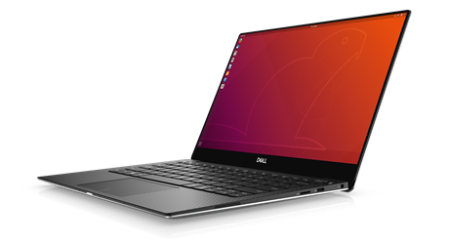
Last January the Dell XPS 13 developer edition (9370) made its debut.  Today we’re excited to announce that one year later its successor, the XPS 13 developer edition (9380), is now available in the US, Canada and Europe.  (Note: both the 9370 and 9380 will coexist for a period of time.)9380 xps 13 developer edition 3500x1924

Project Sputnik

The 9380 represents the eighth generation of Dell’s Ubuntu-based XPS 13 developer edition series.  The first generation of the developer edition debuted over six years ago and it, along with the Ubuntu-based Precision mobile workstations that launched in 2015, make up Project Sputnik.  In case you’re not familiar with it, Project Sputnik is Dell’s skunkworks initiative driven by input from the developer community (see the timeline at the end of the post for the complete XPS 13 developer edition progression).

Dell XPS 13 developer edition (9380) — System highlights

Although there are many great features and specs that characterize the latest developer edition (see below), the one that will likely bring the most joy is the new placement of the webcam.  In the 9370 the camera is located directly below the screen.  In the new 9380 the camera has been moved to the top, providing a much more flattering view of the user while still maintaining the system’s sleek, compact design.

Not only that but the 8th generation developer edition supports Suspend-to-idle natively which allows the system to resume much more quickly from sleep.

 9380 Specifications

  • Intel 8th generation i3, i5 and i7 processors (Intel Whiskey Lake U, 15W, non-vPro)
  • Ubuntu 18.04 LTS preloaded
  • InfinityEdge display with top camera placement
  • Easier to open
  • FHD and UHD resolution support
  • Up to 16GB of LPDDR3 memory at 2133MHz
  • 1 x NVMe slot for 2230-128GB / 2280 up to 2TB
  • Thunderbolt 3 (x2) with USB3.1 Gen2 + type-C x1 with USB3.1 Gen2 speed
  • Improved Thunderbolt runtime power management
  • Killer® 1435 802.11ac [2×2] + Bluetooth 4.2

The United States and Canada 

In the US and Canada there are four base configs that can be configured in a multitude of ways, yielding 22 configurations.  These base configs are:

  • i7 QC|8GB|256GB|FHD T
  • i7 QC|8GB|256GB|UHD T
  • i7 QC|16GB|512GB|UHD T
  • i7 QC|16GB|256GB|UHD T

(Note: unlike Europe, in the United States and Canada the developer edition can only be purchased in the “For Work” section.)

Europe

Beating the US and Canada to the punch, on January 9th the first configurations of the new XPS 13 developer edition became available in Europe.  At the end of last week two more joined to complete the lineup:

  • i7 QC|16GB|512GB|UHD T
  • i7 QC|16GB|1TB|UHD T
  • i7 QC|8GB|256GB|FHD NT
  • i7 QC|16GB|512GB|FHD NT

The above configurations are available in both the “For Home” and “For Work” sections on Dell.com and are available online in the following countries:

  • Austria
  • Belgium (Dutch and French)
  • Switzerland (German and French)
  • Germany
  • Denmark
  • Spain
  • France
  • Ireland
  • Italy
  • The Netherlands
  • Norway
  • Sweden
  • The United Kingdom <- The developer editions will be added to shortly to the 9380 product page.  Until then, the systems can be purchased via chat on the product page or by calling the number that pops up.

Stay tuned

Being able to announce the next generation of the XPS 13 developer edition is a great way to begin the year.  Watch this space to see what is next on the agenda for 2019.

XPS 13 developer edition timeline

2012

2013

2015

  • 4th gen Dell XPS 13 developer edition in US and Europe — April 9, 2015

2016

2018

Extra-credit reading

  • Exclusive: Dell Opens Up About Its Linux Efforts And Project Sputnik – Forbes
  • Dell Shipped Linux On 162 Unique Platforms In Fiscal Year 2019 – Forbes


Pau for now…


Ubuntu 18.04 LTS now available on Dell Precision mobile workstations

December 17, 2018

We wanted to end 2018 on a high note.  As of Friday, the developer editions of the Precision 5530 and 3530 mobile workstations are now available with Ubuntu 18.04 LTS.

pr5530nt_lnb_00055lf110_gy-1280×1280

The Precision 7530 and 7730 mobile workstations, built for even more compute-intensive workloads, will be offered with Ubuntu 18.04 LTS soon.

How did we get here: A quick look back

It all started back on November 15, 2013 when the Precision M3800 mobile workstation unofficially joined Project Sputnik.  This came about thanks to the efforts of Dell Linux architect Jared Dominguez.   Ever since Sputnik launched there was a group of customers who were asking for a beefier system beyond the original XPS 13 developer edition.  With this in mind, Jared got his hands on an M3800 and put together a rough set of instructions explaining how to get Ubuntu up and running on the system.  Rather than satiating folks however, Jared’s instructions only made the customers’ hungrier for an officially available, workstation-class system.  On January 27, 2015 that request was answered and the Precision M3800 joined the XPS 13 as a part of the Project Sputnik portfolio.

From there, the rest is history

A double click on the specs

As a refresher, here are the specs of the newly upgraded systems:

Dell Precision 5530 mobile workstation developer edition

Dell’s thinnest, lightest and smallest 15″ mobile workstation with enhanced graphics, and a stunning design and display

  • Available in Platinum Silver or Brushed Onyx, with a 15.6-inch display fit into a 14-inch chassis.
  • Next-gen graphics up to NVIDIA® Quadro P2000.
  • 8th Gen Intel® Core™ and next-generation Xeon® processors, including i9 processors
  • Enhanced 2666MHz memory speeds up to 32GB
  • Up to 4TB of storage
  • Thunderbolt 3.0 with x4 PCIe, USB 3.1 and HDMI 2.0 ports
  • Available worldwide

Dell Precision 3530 mobile workstation, developer edition

15-inch fully customizable and high-performance mobile workstation at an entry-level price point

  • 8th Gen Intel® Core™ and next-generation Xeon® processors
  • Memory speeds up to 2666MHz up to 32GB
  • PCIe storage capacity up to 2TB
  • NVIDIA Quadro® P600 professional graphics cards with 4GB of memory
  • Support for 4K video to an external monitor at 60fps via HDMI 2.0
  • Ports include HDMI 2.0, Thunderbolt and VGA
  • Available worldwide

Closing out 2018

2018 has been a particularly busy one for Project Sputnik.  The year had barely begun when the 7th generation XPS 13 developer edition debuted.  In Spring the 16.04-based Precision xx30 mobile line began rolling out and in mid-summer the XPS 13 was upgraded from 16.04 to 18.04.  With today’s news we’re closing out the year with an upgrade of the Precision mobile line.

Looking forward, as of 2019, Dell has been shipping Linux preloaded on client systems for 20 years.  We’ll be making some noise around that and we have a bunch of other things up our sleeves as well.

Happy Holidays and stay tuned for 2019!


Extra-credit reading

Precision xx30 developer edition line, News and Reviews

  • Dell Precision 5530 with Ubuntu Review – Linux Unplugged (review starts at ~36min and goes to ~52min)
  • Dell Precision 5530, Ubuntu Pre-Installed – This Week in Linux (13:44)
  • Dell Unveils New Ubuntu Laptops — OMG!UBUNTU!
  • Dell Precision ‘Developer Edition’ mobile workstations run Ubuntu Linux and are RHEL certified – betanews
  • Dell refreshes Precision laptops with Ubuntu Linux pre-installed – ZDnet
  • Dell stuffs Intel Coffee Lake CPUs and Ubuntu into latest Precision workstations – The Inquirer
  • Dell launches new Precision mobile workstation line-up powered by Ubuntu – Softpedia
  • Dell Precision 5530 sale a la venta con Ubuntu y certificado para RHEL » MuyLinux
  • Welcome the new Dell Precision developer editions – Barton’s blog
  • Developer Editions of Precision Workstations Now Available — Direct2DellEMC
  • Introducing the Dell Precision 7530 and 7730 with Ubuntu — Ubuntu blog
  • Precision Developer Editions 7530/7730 now online — Welcome the power pair – Barton’s blog

Pau for now…


Sputnik turns 6! Presenting the folks behind it

November 29, 2018

Six years ago today the first Project Sputnik system appeared on dell.com.

It all started at the beginning of 2012 with a pitch to an internal innovation committee.  A month after the pitch, on the ides of March, the committee gave the go ahead for an exploratory project to test out the idea of a developer laptop.

The original XPS 13 developer edition

Thanks to the interest and support of the community, eight months later, the project became a product.

On November 29, 2012 the Dell XPS 13 developer edition was born.


It takes a village

Beyond the developer community, the reason why Project Sputnik is alive and thriving today is because of the support, both official and unofficial, from dozens of people across Dell.

These individuals have come from marketing, engineering, sales, finance, PR, operations… Here are some of the key contributors over the last six years

From then to now

With help from the folks above, Project Sputnik has continued to evolve.

The XPS 13 developer edition, which debuted with only one config and Ubuntu 12.04 LTS, is now in its 7th generation, comes with Ubuntu 18.04 and boasts multiple configurations.  Along the way the project also expanded when the Linux-based mobile Precision workstation line joined the effort.

This year was a particularly busy one for the project with new versions of all five Sputnik platforms launching:

Thanks

Thanks once again to the community and everyone within Dell who has driven Project Sputnik from idea, to product, to product line.

Stay tuned and see where we go next!


Project Sputnik timeline

2012

  • Project Sputnik announced — May 7, 2012
  • Project Sputnik to go from Pilot to Product — July 18, 2012
  • 1st gen Dell XPS 13 developer edition in the US — November 29, 2012

2013

  • 2nd gen developer edition in US and Europe — February 18, 2013
  • 3rd gen developer edition in US along with instructions on getting Ubuntu up and running on a Precision 3800 mobile workstation — November 15, 2013
  • 3rd gen developer edition in US and Europe — December 20, 2013 

2015

  • Dell Precision M3800 mobile workstation joins Project Sputnik  — January 27, 2015
  • 4th gen Dell XPS 13 developer edition in US and Europe — April 9, 2015

2016

  • 5th gen XPS 13 Developer Edition in US, Ubuntu-based Workstations (5510, 3510, 7510, 7720) available worldwide — March 3, 2016
  • 5th gen XPS 13 developer edition in Europe — March 31, 2016
  • 6th gen XPS 13 Developer Edition in Europe and US — October 04, 2016

2017

  • Next gen Ubuntu-based Precision line-up announced, 5520 and 3520 available — January 9, 2017
  • Precision 7520 and 7720 available — March 18, 2017
  • Precision All-in-One available – April 18

2018

  • 7th gen XPS 13 Developer Edition in Europe and US – January 4
  • Next gen Precision line announced, 3530 available – March 24
  • Precision 7530 and 7730 available – July 2
  • XPS 13 developer edition upgrades to 18.04 – July 27
  • Precision 5530 available – August 31

(For a detailed project history please see last year’s 5th anniversary blog)

Extra-credit reading: news and reviews

Overall program

  • An update from Dell’s Barton George on their Linux initiative Sputnik – Linux Unplugged (starts at 40min)

XPS 13 developer edition


Precision xx30 developer edition line

  • Dell Precision 5530 with Ubuntu Review – Linux Unplugged (review starts at ~36min and goes to ~52min)
  • Dell Precision 5530, Ubuntu Pre-Installed – This Week in Linux  (13:44)
  • Dell Unveils New Ubuntu Laptops — OMG!UBUNTU!
  • Dell Precision ‘Developer Edition’ mobile workstations run Ubuntu Linux and are RHEL certified – betanews
  • Dell refreshes Precision laptops with Ubuntu Linux pre-installed – ZDnet
  • Dell stuffs Intel Coffee Lake CPUs and Ubuntu into latest Precision workstations – The Inquirer
  • Dell launches new Precision mobile workstation line-up powered by Ubuntu – Softpedia
  • Dell Precision 5530 sale a la venta con Ubuntu y certificado para RHEL » MuyLinux
  • Welcome the new Dell Precision developer editions – Barton’s blog
  • Developer Editions of Precision Workstations Now Available — Direct2DellEMC
  • Introducing the Dell Precision 7530 and 7730 with Ubuntu — Ubuntu blog
  • Precision Developer Editions 7530/7730 now online — Welcome the power pair – Barton’s blog

Pau for now…


Dell Precision 5530 Developer Edition Now Available!

August 31, 2018

We are happy to announce that the last of the Ubuntu-based Precision xx30 Mobile line is here.

The Dell Precision 5530 mobile workstation developer edition features the latest Intel Core and Xeon processors, blazing-fast memory and professional graphics.

Dell Precision 5530 mobile workstation, developer edition

The 5530 joins the already available:

A double click on the specs

Dell Precision 5530 mobile workstation developer edition

Dell’s thinnest, lightest and smallest 15″ mobile workstation with enhanced graphics, and a stunning design and display

  • Available in Platinum Silver or Brushed Onyx, with a 15.6-inch display fit into a 14-inch chassis.
  • Next-gen graphics up to NVIDIA® Quadro P2000.
  • 8th Gen Intel® Core™ and next-generation Xeon® processors to include i9 processors
  • Enhanced 2666MHz memory speeds up to 32GB
  • Up to 4TB of storage
  • Thunderbolt 3.0 with x4 PCIe, USB 3.1 and HDMI 2.0 ports
  • Ubuntu 16.04 LTS preinstalled
  • RHEL 7.5 certified (details below)
  • Available worldwide

RHEL 7.5 certification and drivers

  • As mentioned above The Precision 5530 mobile workstation, developer edition is certified for RHEL 7.5 and the needed drivers will be included in the distro.  That being said, the NVIDIA drivers that come with 7.5 are inbox drivers.  We will be posting drivers for all graphic cards that will include professional features not included in the inbox drivers.  Stay tuned

Enjoy!

Extra-credit reading

  • Dell Unveils New Ubuntu Laptops — OMG!UBUNTU!
  • Precision workstations: Artificial Intelligence, Virtual Reality and Machine Learning solutions – com
  • Dell Precision ‘Developer Edition’ mobile workstations run Ubuntu Linux and are RHEL certified – betanews
  • Dell refreshes Precision laptops with Ubuntu Linux pre-installed – ZDnet
  • Dell stuffs Intel Coffee Lake CPUs and Ubuntu into latest Precision workstations – The Inquirer
  • Dell launches new Precision mobile workstation line-up powered by Ubuntu – Softpedia
  • Welcome the new Dell Precision developer editions – Barton’s blog
  • Developer Editions of Precision Workstations Now Available — Direct2DellEMC
  • Introducing the Dell Precision 7530 and 7730 with Ubuntu — Ubuntu blog
  • Precision Developer Editions 7530/7730 now online — Welcome the power pair – Barton’s blog

Pau for now…


The XPS 13 Developer Edition goes Bionic, Welcome 18.04!

July 27, 2018

When project Sputnik debuted over five years ago, we launched with one config of our XPS 13 developer edition and it came with Ubuntu 12.04 LTS.

Today, thanks to the interest and support of the community, we are announcing that in the US our seventh generation XPS 13 developer edition now comes with Ubuntu 18.04.  Europe and Canada will soon be following suit.

XPS 13 with 18.04

18.04 represents Project Sputnik’s fourth preloaded LTS as we have progressed from Precise Pangolin (12.04) to Trusty Tahr (14.04) to Xenial Xerus (16.04) and today, Bionic Beaver.

What’s an LTS

In case you’re not familiar with it, LTS stands for “Long Term Support” and a new LTS release comes out every two years.  Ubuntu’s LTS releases are supported and receive updates for five years, versus nine months for the interim releases.  It is the LTS releases that Dell certifies and preloads on our Ubuntu-based systems.

That was then, this is now

Project Sputnik’s first system debuted at the end of November in 2012 and, as mentioned above, it came with Ubuntu 12.04 preloaded.

The HUD small

The HUD in 12.04 — image from webupd8.org

Back then there was only one configuration of the XPS 13 developer edition and it boasted: 8GB RAM, a 256GB SSD and a 1,280 x 720 display.

On the OS side, Ubuntu 12.04 introduced the HUD “a revolutionary new way of interacting with application menus on the desktop.” 12.04 was also the release when people started to see the value of Ubuntu’s default user interface, Unity.

Fast forward to today

The XPS 13 developer edition is now in its seventh generation with 13 configurations.  The top of the line developer edition comes with 16GB RAM, a 1TB SSD and a UHD (3,840 x 2,160) display.  The big news of Ubuntu’s 18.04 LTS is the removal of Unity and the return of the GNOME desktop.

There is also a new “Minimum Install” option which excludes extras such as music players, office suites etc.  In its place you get a slimmed down version comprised of GNOME, a web browser, a terminal and basic apps.

Looking forward

Speaking of systems, right around the corner is the new Precision 5530 mobile workstation, developer edition.  Stay tuned

And if we look further on the horizon you can just make out Sputnik’s LTS number five, 20.04 😊


Extra-credit reading

  • Ditching Windows: 2 Weeks With Ubuntu Linux On The Dell XPS 13 – Forbes
  • 5 Reasons You Should Switch From Windows To Linux Right Now – Forbes
  • Dell XPS13 Developer Edition ships with Ubuntu 18.04 LTS pre-installed – Ubuntu blog
  • Ubuntu 18.04 LTS: The Linux for AI, clouds, and containers – ZDnet
  • Leave it to Beaver: Unity is long gone and you’re on your GNOME – The Register
  • Dell Unveils New Ubuntu Laptops — OMG!UBUNTU!
  • Dell refreshes Precision laptops with Ubuntu Linux pre-installed – ZDnet
  • Dell stuffs Intel Coffee Lake CPUs and Ubuntu into latest Precision workstations – The Inquirer

Pau for now…


Precision Developer Editions 7530/7730 now online — Welcome the power pair

July 2, 2018

Not long ago I introduced the next gen of Project Sputnik’s Linux-based Dell Precision Mobile workstations: the 3530, 5530, 7530 and the 7730.  At that time the 3530 was available for purchase.

Today I’m happy to announce that the uber-powerful 7530 and 7730 are now live on dell.com

Note: to get to the Ubuntu option, hit “more” in the Operating System section.

7730 and 7530 with screenfill

These new thinner, lighter, premium-built Precision mobile workstations come preloaded with Ubuntu and have been RHEL certified.  The 7530 and 7730 feature the latest Intel Core and Xeon processors, blazing-fast memory and professional graphics.

Of particular note is the increased core count and memory.  In fact the maximum memory has doubled to 128GB which helps with cloud developer local workloads.  In the case of the 7730, it supports up to 8TB of PCIe NVME storage, the most PCIe storage on the market today.  The 7730 is also the first AI/ML ready mobile workstation available.

A double click on the specs

Although the following information was in the previous blog, I wanted to include it here so that you had all the info in one place.

Dell Precision 7530 Mobile Workstation, developer edition

The world’s most powerful 15″ mobile workstation, redesigned to be thinner, lighter

  • 8thGen Intel® Core™ and Xeon® processors
  • AMD Radeon Pro WX and NVIDIA Quadro® professional graphics
  • 1st 15” Ready for VR mobile workstation with the NVIDIA Quadro P3200 graphics card
  • Largest & fastest memory on the market for mobile workstations up to 128GB of system memory & SuperSpeed memory of 3200MHz
  • Largest PCIe SSD storage capacity available for a 15-inch mobile workstation: up to 6TB
  • Single cable docking and Thunderbolt™ 3 connectivity
  • Ubuntu 16.04 LTS preinstalled
  • RHEL 7.5 certified (details below)
  • Available worldwide

Dell Precision 7730 Mobile Workstation, developer edition

The world’s most powerful 17″ mobile workstation, redesigned to be thinner, lighter 

  • AI developer platform
  • 8thGen Intel® Core™ and Xeon® processors
  • AMD Radeon Pro WX and NVIDIA Quadro® professional graphics
  • Largest & fastest memory on the market for mobile workstations up to 128GB of system memory & SuperSpeed memory of 3200MHz
  • Largest PCIe storage capacity available for a mobile workstation (up to 8TB)
  • Single cable docking and Thunderbolt™ 3 connectivity
  • Ubuntu 16.04 LTS preinstalled
  • RHEL 7.5 certified (details below)
  • Available worldwide

RHEL 7.5 certification and drivers 

As mentioned above, these systems will be certified for RHEL 7.5 and the needed drivers will be included in the distro.  That being said, the AMD and NVIDIA drivers that come with 7.5 are inbox drivers.  We will be posting drivers for both graphic cards that will include professional features not included in the inbox drivers.  Stay tuned!

Next up, the 5530.  Stay tuned!

Extra-credit reading

  • Introducing the Dell Precision 7530 and 7730 with Ubuntu — Ubuntu blog
  • Developer Editions of Precision Workstations Now Available — Direct2DellEMC
  • Dell Unveils New Ubuntu Laptops — OMG!UBUNTU!
  • Precision workstations: Artificial Intelligence, Virtual Reality and Machine Learning solutions – Dell.com
  • Welcome the new Dell Precision developer editions – Barton’s blog
  • Dell Precision ‘Developer Edition’ mobile workstations run Ubuntu Linux and are RHEL certified – betanews
  • Dell refreshes Precision laptops with Ubuntu Linux pre-installed – ZDnet
  • Dell stuffs Intel Coffee Lake CPUs and Ubuntu into latest Precision workstations – The Inquirer
  • Dell launches new Precision mobile workstation line-up powered by Ubuntu – Softpedia

Pau for now….


Welcome the new Dell Precision developer editions! Gen 3 of the beefy line up

May 24, 2018

Project Sputnik keeps rolling on!

Today I’m proud to announce the new the Linux-based Dell Precision Mobile workstation line: the 3530, 5530, 7530 and the 7730.  These systems, which represent the fourth generation of the Precision developer editions, come preloaded with Ubuntu and have been RHEL certified.

These new thinner, lighter, premium-built Precision mobile workstations feature the latest Intel Core and Xeon processors, blazing-fast memory and professional graphics.

The new Precision 3530

Available today 

Coming soon

  • Dell Precision 5530 Mobile Workstation, developer edition
  • Dell Precision 7530 Mobile Workstation, developer edition
  • Dell Precision 7730 Mobile Workstation, developer edition

A double click on the specs

Dell Precision 3530 Mobile Workstation, developer edition

15-inch fully customizable and high-performance mobile workstation at an entry-level price point

  • 8th Gen Intel® Core™ and next-generation Xeon® processors
  • Memory speeds up to 2666MHz up to 32GB
  • PCIe storage capacity up to 2TB
  • NVIDIA Quadro® P600 professional graphics cards with 4GB of memory
  • Support for 4K video to an external monitor at 60fps via HDMI 2.0
  • Ports include HDMI 2.0, Thunderbolt and VGA
  • Ubuntu 16.04 LTS preinstalled
  • RHEL 7.5 certified (details below)
  • Available worldwide

Dell Precision 5530 Mobile Workstation, developer edition

Dell’s thinnest, lightest and smallest 15″ mobile workstation with enhanced graphics, and a stunning design and display

  • Available in Platinum Silver or Brushed Onyx, with a 15.6-inch display fit into a 14-inch chassis.
  • Next-gen graphics up to NVIDIA® Quadro P2000.
  • 8th Gen Intel® Core™ and next-generation Xeon® processors
  • Enhanced 2666MHz memory speeds up to 32GB
  • Up to 4TB of SSD storage
  • USB Type C with x4 PCIe, Thunderbolt™ and HDMI 2.0 ports
  • Ubuntu 16.04 LTS preinstalled
  • RHEL 7.5 certified (details below)
  • Available worldwide

Dell Precision 7530 Mobile Workstation, developer edition

The world’s most powerful 15″ mobile workstation, redesigned to be thinner, lighter

  • 8th Gen Intel® Core™ and Xeon® processors
  • AMD Radeon WX and NVIDIA Quadro® professional graphics
  • Largest & fastest memory on the market for mobile workstations up to 128GB of system memory &  SuperSpeed memory of 3200MHz
  • Largest PCIe SSD storage capacity available for a 15-inch mobile workstation: up to 6TB
  • Single cable docking and Thunderbolt™ 3 connectivity
  • Ubuntu 16.04 LTS preinstalled
  • RHEL 7.5 certified (details below)
  • Available worldwide

Dell Precision 7730 Mobile Workstation, developer edition

The world’s most powerful 17″ mobile workstation, redesigned to be thinner, lighter 

  • 8th Gen Intel® Core™ and Xeon® processors
  • AMD Radeon WX and NVIDIA Quadro® professional graphics
  • Largest & fastest memory on the market for mobile workstations up to 128GB of system memory &  SuperSpeed memory of 3200MHz
  • Largest storage capacity available for a mobile workstation (up to 8TB)
  • Single cable docking and Thunderbolt™ 3 connectivity
  • Ubuntu 16.04 LTS preinstalled
  • RHEL 7.5 certified (details below)
  • Available worldwide

RHEL 7.5 certification and drivers

As mentioned above, all four developer editions will be certified for RHEL 7.5 and the needed drivers will be included in the distro.  That being said, the AMD and NVIDIA drivers that come with 7.5 are inbox drivers.  We will be posting drivers for both graphic cards that will include professional features not included in the inbox drivers.  Stay tuned!

How did we get here?

Project Sputnik launched at the end of 2012 with the svelte XPS 13 developer edition.  While this fit the bill for a lot of folks, there was a set of folks who needed something beefier.  The demand stayed steady so Sputnik team member Jared Dominguez decided to take it upon himself to get Ubuntu up and running on the Precision M3800.

Jared hammock hacking

From this he created step-by-step instructions and posted them to Dell Tech Center for community members to follow.

While customers were excited to be able get Ubuntu going on their systems, they wanted more.  Given this sustained demand, in early in 2015 the M3800 developer edition became an official product.

In Spring of the following year our Linux-based Precision offering went from one system to four and the 5510, 3510, 7510 and 7710 developer editions debuted.  Last year this line was revved and the next gen, the 5520, 3520, 7520, 7720 were announced along with the addition of the Precision 5720 All-in-One.  And today… (see above)

Stay tuned

Watch this space for the upcoming availability of the Dell Precision 5530, 7530 and 7730 developer editions as well as the AMD and NVIDIA graphics drivers for RHEL 7.5 .

Extra-credit reading

The History of the Ubuntu-based Dell Precision mobile workstation line

  • November 15, 2013 — Instructions posted to get Ubuntu up and running on a Precision M3800 mobile workstation
  • January 27, 2015 — Precision M3800 officially joins Project Sputnik
  • March 3, 2016 — Ubuntu-based Precision line 5510, 3510, 7510, 7710 announced
  • January 9, 2017 — Next gen Ubuntu-based Precision line-up announced, 5520 and 3520 available
  • March 18, 2017 — Precision 7520 and 7720 available
  • April 18, 2017 — Precision 5720 All-in-One available

Pau for now…


XPS 13 Developer Edition — the 7th gen is here!

January 4, 2018

-> Updated June 22, 2018 – Three 16GB/FHD configs added to the line up in the US

-> Updated Jan 26, 2018 – Added list of countries that offer the XPS 13 developer edition offline.

Today I am excited to announce the availability of the 7th generation of the Ubuntu-based XPS 13 developer edition.  Project Sputnik’s latest and greatest system is now simultaneously available in Europe, Canada and the United States.

The new XPS 13 developer edition (9370) features the 8th Generation Intel Quad Core, a brand new chassis, an improved display and smaller borders.

The 9370 is even thinner, lighter and smaller than its already svelte predecessor, the 9360. (Note, the 9370 does not replace the 9360, as the two will coexist.)  If you want more detailed specs, please scroll down dear reader. Before we get to the product details however, here’s a quick Project Sputnik backgrounder.

Project Sputnik, a recap

It all started back in 2012 with the wacky idea of creating a high-end Linux laptop targeted at developers.   An internal innovation fund gave the scrappy project team a little bit of money and six months to see if this idea would fly.

From day one, project Sputnik publically solicited input from the developer community.  It was this input and the tremendous community support that pushed the effort from project to a product.

The initial XPS 13 developer edition, available only as one configuration, debuted on November 29, 2012.  Fast forward five years and not only are we announcing the 7th generation of that initial product but the project itself has now expanded to become a full line of developer-targeted systems.

US and Canadian configurations

In North America, as mentioned above, the new XPS 13 developer edition is available in both the US and Canada.  The following are the available configurations in the two countries (Note: the links below point to the US configurations).

CPU | Memory | Storage | Display

Available as of April 3, 2018

European configurations

The new XPS 13 developer edition is available online in Europe in the following countries:

Online: UK, Ireland, Germany, Austria, France, Italy, Spain, Switzerland (French and German), Belgium, Netherlands, Sweden, Norway, Denmark.

In the following countries you can get a hold of the XPS 13 developer edition offline (phone or chat):

Offline: Czech Republic, Denmark, Emerging countries , Finland, Greece , Luxembourg, Poland, Portugal, Russia, Slovakia, Turkey, South Africa.

The following configurations are available both online and offline.

CPU | Memory | Storage | Display

  • i7 | 16GB |      1TB | UHD touch (3840 x 2160)
  • i7 | 16GB | 512GB | UHD touch (3840 x 2160)
  • i7 | 16GB | 512GB | FHD non-touch (1920 x 1080)
  • i7 |  8GB | 256GB | FHD non-touch (1920 x 1080)

9370 Specifications

Here’s a bit more detail behind the system specs.  These options are available as noted above.

  • 8th Generation Intel® Quad Core™, i5 (US and Canada only) and i7 versions
  • Memory options: 4GB, 8GB or 16GB Dual Channel SDRAM
  • Storage options: 128GB, 256GB, 512GB or 1TB
  • Ports
    • 2x Thunderbolt™ 3
    • Noble lock slot
    • Headset jack
    • DC-In & DisplayPort 1x USB-C 3.1
    • MicroSD card reader
  • Display options
    • UltraSharp 4K Ultra HD (3840×2160) InfinityEdge touch display
    • FHD (1920 x 1080) InfinityEdge display
  • Ubuntu 16.04 LTS preloaded
  • 1 year ProSupport

Who’d a thunk it

I gotta admit that five years ago the team and I would never have thought that we would be posting a blog announcing the 7th generation of the XPS 13 developer edition.  The thought of even a third generation would have bogled our minds.

Five years ago, thanks to the support of the community, Project Sputnik reached escape velocity.  This support, input and direction has not only continued but has grown over the last five years, enabling the Sputnik team to stop focusing on survival and instead focus on supporting a broader range of developer needs.

As we go forward, please keep driving us by sharing your input and experiences, be they be good, bad or ugly. 🙂

Thanks!

Barton

Extra-credit reading

  • 2018 starts with the best Linux laptop by Dell – Swap and I discuss the new system – VIDEO
  • Meet the New XPS 13: Stylish, Powerful and Better by Every Measure – Direct2Dell
  • Line up — New XPS 13 developer edition —  (9370)
  • Line up — XPS 13 developer edition — (9360)
  • Project Sputnik Turns Five! – November 29, 2017
  • 2012 — year one

Pau for now…


Project Sputnik Turns Five!

November 29, 2017

It was five years ago today, on November 29, 2012, that the first Project Sputnik system was launched.  Who would have thought we would have made it this far.

The reason why Project Sputnik is not only still around but keeps growing is because of the developer community.

In fact, without the input and support of the community, Project Sputnik would have been an interesting idea that disappeared after six months.

So how did we get here?

In the beginning

The project began back in early 2012 when I pitched the idea of creating a Linux-based developer laptop.  My audience was three guys in Dell who had put together an innovation fund and were asking employees to bring them their ideas.

When I made my pitch I stressed that in order to be successful, equally as important as what we created, was how we created it.  Development of the system needed to be in the open, and based on input directly from the developer community.  The committee asked me a few questions and told me they’d get back to me.

Ready, set, go

A month later I heard back from the committee.  They had given me the thumbs up, a little pot of money and six months to see if the idea of a developer laptop would fly.  From there I recruited some top and passionate talent and we had ourselves a team.

We started by cobbling together an initial install image that people could test.  In parallel we also sanity checked the idea with a local developers and a couple of web companies.  Since nobody threw up on the idea, on May 7, 2012 we went public.

The power of the community

In the blog post that introduced Project Sputnik we explained that project was “a six month effort to explore the possibility of creating an open source laptop targeted directly at developers.”  We pointed people at our rough install image and asked them to head to the Storm Session we had created and submit feedback, comments and ideas.

The amount of interest and input our initial post generated far exceeded anything we expected.  From there interest kept growing.  The tipping point however, came in response to our beta program.  We asked interested individuals to submit an online form.  We expected a few hundred responses, we got over 6,000.  Senior management was convinced and from there it was the march to launch.


Lift off and beyond

On November 29, 2012, a little over 6 months after the initial blog post, the first XPS 13 developer edition became available.  This first system, which came preloaded with Ubuntu 12.04 LTS and 1 year pro support, was available only as one configuration.  We chose to go with the highest end config we offered:  3rd gen Intel core i7 (Ivy Bridge), 8GB RAM, 256GB SSD and a screen resolution of 1366×768.

Less than two months later the second generation XPS 13 developer edition was launched.  From there the line has continued to grow and grow (see timeline below).  We will soon be introducing the 7th generation XPS 13 developer edition and over this past year we have rolled out four Ubuntu-based Precision mobile workstations as well as the new Precision All in One.

Thank you

On behalf of myself and the whole Sputnik team we would like to thank the developer community for making project Sputnik possible.  Over the last five years you have let us know what you’ve liked and where we could do better.  It’s because of this amazing support that we are still here today.

Thank you!

Project timeline

2012

2013

  • 2nd gen developer edition in US and Europe — February 18, 2013
  • 3rd gen developer edition in US along with instructions on getting Ubuntu up and running on a Precision 3800 mobile workstation — November 15, 2013
  • 3rd gen developer edition in US and Europe — December 20, 2013 

2015

  • Dell Precision M3800 mobile workstation joins Project Sputnik  — January 27, 2015
  • 4th gen Dell XPS 13 developer edition in US and Europe — April 9, 2015

2016

  • 5th gen XPS 13 Developer Edition in US, Ubuntu-based Workstations (5510, 3510, 7510, 7720) available worldwide — March 3, 2016
  • 5th gen XPS 13 developer edition in Europe — March 31, 2016
  • 6th gen XPS 13 Developer Edition in Europe and US — October 04, 2016

2017

2018

  • 7th gen XPS 13 developer edition to become available


Extra-credit reading

  • Original input from the community with regards to what they wanted in a developer laptop – Dell Idea Storm
  • Dell, Developers & Desktop Linux: the story of Dell’s project Sputnik – Video interview
  • How Dell’s Project Sputnik came to life – CIO.com
  • Project Sputnik News & Reviews, 2012 – 2017


Pau for now…


EdgeX – Open Source IoT effort hosted by the Linux Foundation

November 27, 2017

Last month at the Cloud Foundry Summit Europe, not only did I attend various sessions, but I got to deliver one myself.  The talk, entitled “EdgeX Foundry – Open Interop Platform for the IoT Edge,” gives a high level overview of the EdgeX Foundry which is an open source effort hosted by the Linux Foundation.  The presentation talks about the IoT roadblocks the Foundry addresses and how they plan to tackle them.

Here is a recording of the talk.  Directly below the video I have put an EdgeX Foundry cheat sheet and further down I have included my slides.

Enjoy!


EdgeX Foundry — The basics

Vision: Create a common interoperability framework that enables an ecosystem of plug-and-play, “EdgeX certified” components.

  • A vendor-neutral, open source project hosted by The Linux Foundation — launched in April 2017
  • 125,000 lines of code, 50+ members at launch
  • The result of customer and industry feedback

Goals

  • Build and promote EdgeX as unifying the IoT edge via a common open platform.
  • Enable plug-and-play components to allow solutions providers to create ecosystem of interoperable components around EdgeX platform architecture.
  • Certify components to ensure interoperability and compatibility.
  • Provide tools to quickly create EdgeX-based IoT edge solutions that can easily adapt to changing business needs.
  • Collaborate with relevant open source projects, standards groups, and industry alliances to ensure consistency and interoperability across the IoT.


Dell goes big on IoT

Coincidentally the same week as the summit Dell announced our new IoT division and how we plan to spend $1 billion over the next three years.  My talk doesn’t mention the announcement but I have put a few related articles below.


Extra-credit reading

Dell’s new IoT division

Pau for now…


Harnessing Kubernetes – Cloud Foundry Container Runtime

November 13, 2017

A few weeks ago I attended Cloud Foundry summit Europe 2017 held in Basel, Switzerland.  One of the more interesting topics that came up was the “Cloud Foundry Container Runtime,” an effort formerly known as “Kubo.”

Kubo, which comes from “Kubernetes on Bosh,” was created jointly by Pivotal and Google in order to provide a simple way to deploy and operate production-ready Kubernetes clusters on premise and in the cloud.  Back in June, the Kubo code was donated to the Linux Foundation as an open source project.

To learn more about Cloud Foundry Container Runtime (nee Kubo) and the larger context it fits within I sat down with Ian Andrews, Vice President of Products at Pivotal.  Armed with only a pen and paper Ian provides an overview of the container runtime and explains how it differs from the Cloud Foundry application runtime, as well as which workloads are most appropriate for each.

Ian ends by walking us through the recently announced, Pivotal Container Service (PKS) that VMware and Pivotal worked on together with help from the Google cloud team (PKS is based on the Cloud Foundry container runtime with extra goodies thrown in).

Time markers

  • 00:00 –07:25      Intro/background: How Kubo came about and how it and Cloud Foundry (CF) elastic runtime were renamed “Cloud Foundry container runtime” and “Cloud Foundry application run time”
  • 07:25 – 24:00      Sketches out the CF architecture.  From there he goes through each of the two components that sit on top of BOSH:   CF container runtime and CF application run time.  He then compares the two runtimes
  • 24:00 – 28:55      Goes through Pivotal’s implementation of the above: Pivotal Cloud Foundry and Pivotal Container Service.

Extra-credit reading

  • Take Kubernetes, and bish bash BOSH, you’ve got Container Runtime – The Register
  • Cloud Foundry Morphs Kubo into Container Runtime – sdxcentral
  • VMware teams up with Pivotal, Google Cloud on new container service – ZDNet
  • Google, VMware and Pivotal team for on-premises Kubernetes – The Register
  • Choosing the Right Tool for Your App Modernization Project – VMware | Blogs

Pau for now…


Open Source Summit videos – Sputnik, Bitnami, ARM and OpenShift

October 24, 2017

Last month I attend Open Source Summit (OSS) North America which was held in Los Angeles from September 11- 14.

This year the Linux Foundation brought four conferences under the umbrella name,  “The Open Source Summit” (OSS).  The four conferences were LinuxCon, ContainerCon, CloudOpen plus the new “Open Community Conference.”

Interviewing and being Interviewed

While at the conference, besides giving away an Ubuntu-based XPS 13 developer edition aka “project Sputnik,” I found myself on both sides of the camera.  I was interviewed by Swapnil Bhartiya around the history of Project Sputnik and I in turn interviewed representatives of ARM, Red Hat’s OpenShift, and Bitnami’s Kubernetes effort.

Enjoy!

Project Sputnik

Here I am holding forth with regards to the origins and ideas behind Project Sputnik, our line of Linux-based developer systems.


Bitnami and Kubeless

  • Sebastian Goasguen’s Kubernetes-focused company SkipBox was recently acquired by Bitnami – the name comes from “(Skip)per” like Kubernetes and Tool(box) — which helps onboard people to Kubernetes.
  • Bitnami acquired SkipBox as a way to get into the Kubernetes space.  SkipBox’s key offering was “Kubeless,” a Kubernetes-native serverless framework which helps people move from Physical machines/VMs/cloud to containers and then to Kubernetes.


ARM’s development platform

  • Julio Suarez of ARM walks us through their demo at the Open Source summit.  The team was demoing their server enterprise development platform “Mali.”  Unlike Raspberry Pi, Mali is pretty beefy with 10GB Ethernet ports, SATA, PCI etc.
  • The platforms are clustered into a group of three using Docker Swarm (could also use Kubernetes, Marathon Mesos).  The swarm is running an ecommerce website, ported to ARM from x86.  The website is composed of 14 microservices.


Red Hat’s OpenShift

  • Harish Pillay talks about Red Hat’s Container as a Service offering, OpenShift.  While OpenShift began life with its own version of containers, they have pivoted to employ industry standard containers and Kubernetes.
  • Different pieces and technology can be swapped in and out as long as they are written to standards.

Conference reflections

Given the continued growth in the number of Linux Foundation projects and the number of sub events, the attendance of little over 1,900, albeit from 37 different countries, seemed a bit light.  Additionally the show floor seemed sparse compared to past.

I’m guessing that high level Open Source events don’t have the allure they once did, particularly since open source is a given in most environments today.  In turn, people are seeking out more targeted events around specific technologies eg DockerCon, KubeCon.  All that said it was a valuable conference thanks to the always interesting hallway track.

Dell EMC’s presence

I would be remiss if I didn’t at least mention my employer’s presence at the summit.

Dell EMC was represented by the rebranded “{code}” team who now represents the open source efforts across Dell Technologies.  While {code}’s press release introduced their new name and remit, the news they led with concerned REX-Ray:

REX-Ray, an established open source container orchestration engine that enables persistence for cloud-native workloads, now includes plugins for 15 storage integrations, with the addition of NFS, local block services and VFS, immediately making those storage platforms CSI-compatible.

Extra-credit reading

  • Open Source guides:  At the event the Linux foundation introduced a set of succinct Open Source guides targeted at enterprises to help
    • guide their use of and contribution to open source software and communities
    • explain the value of open source to management
    • formalize and organize their existing open source efforts
  • Videos: The keynote sessions were recorded and are available to watch.
  • Event Photos: To view a selection of photos from the events visit the Linux Foundation’s website.

Pau for now…


Video Interviews from Cloud Foundry Summit

August 10, 2017

Back in June I attended the Cloud Foundry Summit in Santa Clara, CA and grabbed a bunch of interviews.  As an example, here is a quick summary of the summit as seen through the eyes of Tech evangelist and commentator Ben Kepes:

Ben Kepes

  • Ben  talks about the great vibe and community as well as how Cloud Foundry and “serverless” computing do or do not fit together.
  • He also gives his thoughts about what over the next year, Cloud Foundry needs to do and watch out for.
  • Ben ends by talking about what he thinks is the most exciting technology/development out there today (spoiler alert, its developer tools).

Some context

Before we get to the rest of the videos here are some quick notes:

There was a bunch of announcements at the event, two of the biggest being Microsoft joining the Cloud Foundry Foundation and the announcement of the Foundation’s inclusion of the Kubo project which is designed to help manage containers using Kubernetes by applying Cloud Foundry’s BOSH.

On the Dell EMC  side we gave a bunch of talks and had a booth where we showed of the work that our “Dojo” is doing in writing and contributing code to the Cloud Foundry foundation.  We also featured our Native Hybrid Cloud offering, which is a turnkey developer platform based on Pivotal Cloud Foundry.

Interviews from the front 

Below are the rest of the videos I captured at Cloud Foundry Summit.  Featured are representatives of Google, Datadog, GE Predix, the Cloud Foundry foundation, anynines and Dell EMC.

Enjoy!

Datadog: 

  • Ray Colletti of Datadog talks about what they do, where they’ve been and where they’re going.  (Datadog is infrastructure monitoring platform that plays well with everyone from Cloud Foundry to AWS to Azure to Google Cloud and more).
  • Ray discusses how Datadog has adapted to the changes in the industry over the last four years, the announcement of Datadog’s official Cloud Foundry integration and general integrations with other ecosystem players.
  • He ends by discussing their focus on alerts over the next year.


http://https://www.youtube.com/watch?v=bU6NI-GgTvo

Native Hybrid Cloud: 

  • Drew Dimmick of Dell EMC’s Native Hybrid Cloud team talks about what this Pivotal Cloud Foundry-based offering is made of and what it allows organizations to do.
  • Drew talks about Dell EMC’s value-add on top of Pivotal Cloud Foundry, the Developer Workbench. The Workbench is made up of the Access tool as well as Fractal.
  • He also explains the different focuses of Native Hybrid Cloud and Enterprise Hybrid Cloud.


Kubo: 

  • Chip Childers, CTO of the Cloud Foundry Foundation talks about Kubo which just joined the Cloud Foundry Foundation.
  • Kubo is a packaging of Kubernetes that can be deployed by Cloud Foundry’s “BOSH” onto any cloud infrastructure.
  • Chip also discusses Microsoft joining the Cloud Foundry Foundation.


anynines: 

  • Talking to Julian Fischer, founder and CEO of anynines which is based in Germany. AnyNines’ main focus is building data services around Cloud Foundry.
  • Julian see’s the Cloud Foundry runtime as one of its key assets but became aware of its need for production grade data services. As a result they have chosen to focus on these services.
  • Key segments they focus on are insurance and manufacturing which are currently undergoing digital transformation.


Google Cloud Platform

  • Colleen Bryant of Google talks about her team which handles Open source integration with google cloud platform as well as her specific focus on the GCP service broker for Cloud Foundry.
  • She explains how Cloud Foundry, GCE (Google’s VM offering) and GCP all work together as well as what the heck’s a “tile.”


GE Predix

  • Talking with Ryan Bohm, a Developer evangelist within GE digital, focusing on their Predix Platform.
  • Ryan talks about their Cloud Foundry-based platform and its focus on the Industrial Internet of Things and specifically the analysis of big data.
  • She explains their efforts to build their developer program and the dev certification program they launched recently.


Extra-credit reading

Cloud Foundry Summit-related news

Video playlists from other events

Pau for now…


Ubuntu-based All-in-One joins the brawn brothers

April 18, 2017

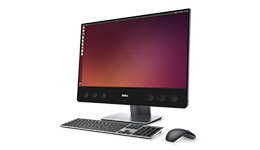
Today we are happy to announce, that the Dell Precision 5720, a 27” All-in-One workstation class machine is available for purchase.  The system can be ordered preloaded with either Ubuntu 16.04, RHEL 7.3 or Windows 10.

What were they thinking

When the team designed the 5720, they focused on the front of screen experience with the 27” 4K UHD display, support for multiple displays out, and an integrated high-end sound bar that delivers best in class audio in an AIO, no need for added speakers.

Also supported are the latest generation Intel CPUs, including an option for Xeon CPUs, as well as the latest AMD Radeon Pro professional graphics.

The Precision line roll out

The availability of the 5270 marks the last of the Ubuntu-based Precision mobile workstations announced back in January.  In January, the Precision 5520, the world’s thinnest and lightest 15” mobile workstation and Precision 3520, an affordable and fully customizable 15” mobile workstation were available for purchase.  Under the heading, “coming soon,” were the 7720 the 7520 and, new to the lineup, the 5720 All-in-One.

Two weeks ago the world’s most powerful 15″ and 17″ laptops, the Precision 7520, and the Precision 7720 became available.  These two brawny brothers debuted in two flavors, Ubuntu and Windows (drivers are also available for RHEL 7.3).

A look at the Precision line thanks to LAS

The week before last, Chris Fisher and Noah Chelliah of the Linux Action Show made their way from the Pacific Northwest to Dell.  Besides recording LAS on site, Chris and Noah conducted a bunch of interviews.  The episode above is the first of two.  In this episode you not only get to learn about Dell’s Linux-powered coffee machine but you get an overview of the Precision line of systems.

The Dell segment starts at 35:36 and the overview of the Precision line, starting with the new 5720 All-in-One, begins at 37:20.  When you get to the part about the 7720, which starts at around $1,699, you’ll learn what you get if you decide to drop $10K and max it out.

[If you’re interested, here’s second LAS — Dell’s Secret Sauce | Linux Action Show 465]

How to get the Ubuntu or RHEL flavors

To get the preloaded Ubuntu or RHEL versions of the 5720, simply head to the landing page. Once there, click on the green “Customize & Buy” button on the right.  This will take you to the “Select Components” page where under “Operating System” you can choose either Ubuntu 16.04, RHEL 7.3 or Windows and away you go!

Extra-credit reading

  • Order here: The Dell Precision 5720, 27” All-in-One workstation class machine
  • Dell’s Secret Sauce | Linux Action Show 465
  • Dell Precision 5520 is a beauty and a beast, This the best laptop for Linux power users — CIO
  • Dell Launches World’s Most Powerful 15″ and 17″ Laptops Powered by Ubuntu Linux – Softpedia
  • Dell lancia cinque nuovi sistemi Linux — Techninja
  • Five new systems join Dell XPS 13 Developer Edition that come with Ubuntu pre-installed — Linux Magazine
  • Dell doubles down on high-end Ubuntu Linux laptops – ZDnet
  • Why Dell’s gamble on Linux laptops has paid off –  TechRadar
  • Dell lanza nuevo Precision con Ubuntu y no será el único – SYSGURU
  • PODCAST: Jan-17-2017, Dell Linux Hardware w/Barton George – The Lunduke Hour
  • PODCAST: Project Sputnik Interview | LINUX Unplugged 179
  • Welcome the new Ubuntu-based Precision line-up – Ubuntu insights
  • Dell’s new Precision mobile workstation PCs available with Ubuntu or Windows – Liliputing
  • Dell lanza nuevo Precision con Ubuntu y no será el único – muylinux

Pau for now…


Welcome the new Ubuntu-based Precision line-up — Mobile Workstations plus a new All-in-One

January 9, 2017

Update: Precision 7520 and 7720 available as of March 28;  Dell Precision 5720, a 27” All-in-One available as of April 18.

Today I am excited to announce the next generation of our Ubuntu-based Precision mobile workstation line.  Not only have we rev’d the current line-up but we have also added the Precision 5720 All-in-One.  This follows the introduction back in October of the 6th generation XPS 13 developer edition.

23536-sb-workstation-precision-27-5720-260x150

Dell Precision 5720 All-in-One

Available today

All of the systems above, which will be available worldwide, come preloaded with Ubuntu 16.04 LTS, feature 7th generation Intel® Core™ and Intel® Xeon™ processors and support Thunderbolt 3 (scroll down for more detailed specs).

How did we get here

Four and a half years ago a scrappy skunk works project by the name of “Project Sputnik” was kicked off at Dell to gauge interest in a developer-focused laptop.  The project received an amazing amount of interest and support from the community and as result, nine months later this project became an official product — the ultra-mobile XPS 13 developer edition.

jared-in-canoe

Jared hacks in a hammock

While the XPS 13 was a big hit the team soon started getting a steady stream of requests to add a bigger, beefier system.  This caught the attention of team member Jared Dominguez (on twitter) who decided to work on his own time to get Ubuntu running on the Dell Precision M3800 mobile workstation.  Jared documented his work and then posted the instructions publicly.

Jared’s efforts got so much interest from the community that a little over a year later it debuted as an official product.   A little over a year after that, one Ubuntu-based Precision workstation became four and today we are announcing the next generation of this line-up along with the new Precision 5720 All-in-One.

A double-click on the specs

Dell™ Precision 3520, mobile workstation – Available now!

Affordable, fully customizable 15” mobile workstation

Key features

  • Preloaded with Ubuntu 16.04 LTS
  • 7th generation Intel® Core™ and Intel® Xeon™ processors
  • 15.6” HD (1366×768), FHD (1920×1080) and FHD touch
  • Up to 32GB of memory and 2TB of storage
  • ECC memory, Thunderbolt 3 and NVIDIA graphics
  • Availability: worldwide


Dell Precision 5520, mobile workstation  – Available now!

World’s thinnest and lightest 15” mobile workstation

Dell Precision 5520

Dell Precision 5520

Key features

  • Preloaded with Ubuntu 16.04 LTS
  • 7th generation Intel® Core™ and Intel® Xeon™ processors
  • 15.6” UltraSharp™ FHD (1920×1080) or UltraSharp™ UHD (3840×2160)
  • Up to 32GB of memory and 2TB of storage
  • Thunderbolt 3
  • NVIDIA Quadro graphics
  • Availability: worldwide


Dell Precision 7520, mobile workstation – Available now!

World’s most powerful 15” mobile workstation

Key features

  • Preloaded with Ubuntu 16.04 LTS
  • 7th generation Intel® Core™ and Intel® Xeon™ processors
  • 15.6” FHD (1920×1080), UltraSharp™ FHD (1920×1080) both Touch and Non-Touch, UltraSharp™ UHD (3840×2160)
  • Up to 64GB of memory and 3TB of storage
  • Thunderbolt 3
  • NVIDIA Quadro® and Radeon Pro™ graphics options
  • Availability: worldwide


Dell Precision 7720, mobile workstation – Available now!

World’s most powerful mobile workstation

Key features

  • Preloaded with Ubuntu 16.04 LTS
  • 7th generation Intel® Core™ and Intel® Xeon™ processors
  • 17.3” HD+ (1600×900), UltraSharp™ FHD (1920×1080) or UltraSharp™ UHD (3840×2160)
  • Up to 64GB of memory and 4TB of storage
  • Thunderbolt 3
  • NVIDIA Quadro® and Radeon Pro™ graphics options
  • Availability: worldwide


Dell Precision 5720, All-in-One – Available now!

27” All-in-One workstation class machine

Key features

  • Preloaded with Ubuntu 16.04 LTS
  • 7th generation Intel® Core™ and Intel® Xeon™ processors
  • 27” UltraSharp™ UHD (3840×2160) both touch and non-touch
  • Up to 64GB of memory and Up to (1) M.2 PCIe SSD and up to (2) 2.5” SATA
  • Thunderbolt 3
  • Radeon Pro™ graphics
  • Availability: worldwide


How do I order a 5520, 7520, 7720 or 3520 today

In the case of the US, you can get to the Ubuntu-based version of  the Dell™ Precision 5520 Dell™ or Precision 3520, mobile workstation by going to their respective landing pages: Precision 5520, Precision 7520Precision 7720Precision 3520. Once there, click on the green “Customize & Buy” button on the right.  This will take you to the “Select Components” page where under “Operating System” you choose Ubuntu 16.04 and away you go!

With regards to availability for the rest of the line-up, watch this space!

Extra credit reading

  • New Precision 5520 – Buy now
  • New Precision 3520 – Buy now
  • New Precision 7520 – Buy now
  • New Precision 7720 – Buy now
  • New Precision 5720 All-in-One – Buy now
  • Ubuntu-based Developer and Engineering systems line-up – Dell.com

Project milestones

  • The New XPS 13 Developer Edition Lands in Europe, United States and Canada — October 04, 2016
  • Live in Europe: Next gen XPS 13 developer edition — March 31, 2016
  • XPS 13 Developer Edition launches in US, Ubuntu-based Workstations available worldwide — March 3, 2016
  • 4th gen Dell XPS 13 developer edition available! — April 9, 2015
  • Welcome the Dell Precision M3800 mobile workstation, developer edition — January 27, 2015
  • Sputnik 3 online in Europe just in time for Holidays — December 20, 2013 
  • Introducing Sputnik 3 and its unofficial big brother — November 15, 2013
  • Sputnik 2 is here: Dell XPS 13 Developer Edition goes 1080p and lands in Europe — February 18, 2013
  • Sputnik has landed! Introducing the Dell XPS 13 Laptop, Developer Edition — November 29, 2012
  • Project Sputnik to go from Pilot to Product — July 18, 2012
  • Introducing Project Sputnik: Developer laptop — May 7, 2012

Pau for now…


Video Walk thru of the Dell XPS 13 Developer Edition (9350)

December 15, 2016

Last night as I was surfing the interwebs, I came across a “Tech Pills” video that covers the XPS 13 developer edition (9350).  [The 9350 is the generation that proceded the current offering (9360) which came out in October.  The two systems utilize the same chassis and the former features the Skylake processor whereas the latter comes with Kabylake.]

The host does a great job of running through the developer edition from both a hardware and software perspective.  In his case, his distro of choice is Arch and the review was originally posted on the Arch Wiki.

Check it out:

Extra-credit reading

Pau for now…


Digital Transformation: The Perils and the Keys to Success

November 2, 2016

The week before last Dell EMC held its first Dell EMC World here in Austin.  The event was full of keynotes, breakouts and Dell EMC and partner booths.  On the expo floor a stage was set up where partners and various Dell EMC employees, from Michael Dell on down, were interviewed as a part of Dell EMC World Live.

I was fortunate enough to participate in two of the live sessions, one about speeding up app development for the digital enterprise, and the one embedded below.  The session below was entitled “Stop Hitting Yourself. Tips for Succeeding at Digital Transformation” and featured Richard Seroter and Michael Cote of Pivotal as well as myself.

Check it out

Some of the ground Cote, Richard and I cover

  • How Uber delivered a Digital-transformation wakeup call to ordinary enterprises
  • Evolving your business to being a software-enabled business
  • It’s not about software for software’s sake, it’s about developing a more intimate relationship with the customer
  • The last 20 years for IT has been about driving efficiencies rather than improving the customer relationship
  • Moving from silos to platforms
  • Often support will come from the CEO down and the developers up but it’s the those in the middle who have the toughest time

Extra-credit reading

Pau for now…


Speeding Up App Development for the Digital Enterprise – A conversation

October 27, 2016

Last week over 9,000 people attended the first Dell EMC world here in Austin.  As you would expect there were keynotes, breakout sessions and an expo floor.  On the floor itself, besides the various Dell EMC and partner booths, was an area set up for Dell EMC World Live.

Dell EMC World Live featured a full roster of  live interviews on a variety of topics with everyone from Michael Dell on down.  One of the two sessions I was fortunate enough to participate in was “Speeding Up Application Development for the Digital Enterprise.”  My co-conspirator was Trey Layton, CTO and SVP, Converged Platform and Solutions Division in Dell EMC.

Take a listen

Some of the ground Trey and I cover

  • The challenges of moving to a cloud-native architecture and the need for software to become a core competency of today’s enterprises.
  • The use of company names as verbs e.g. “don’t get Uber-ed”
  • “Two pizza” teams vs. hundreds of developers
  • The “Square of Despair” — Complexity, Procurement, Legacy and Security
  • The need to abstract the complexity of the infrastructure away from developers so that they can focus on writing code
  • Unleashing the power of the mind

Extra-credit reading

  • Allianz Fireside Chat –  Dr. Andreas Nolte, CIO, Allianz – Cloud Foundry summit
  • UK gov keynote – ‘Open’ as a Disruptor for Government – Liam Maxwell, UK National Technology Advisor – Cloud Foundry summit
  • ComputerWorldUK – Allianz app deployment goes from ‘days to minutes’ with Pivotal Cloud Foundry PaaS and agile practices –

Pau for now…


The New XPS 13 Developer Edition Lands in Europe, United States and Canada

October 4, 2016

Today, on the 59th anniversary of the launch of the Sputnik satellite, the 6th generation XPS 13 developer edition makes its debut in both the US, Canada and Europe.  This Kaby Lake-based system comes with Ubuntu 16.04LTS preloaded and features the InfinityEdge display.

A Quick RefresherDino

As you may remember, these systems began life four years ago as Project Sputnik, an open-ended exploratory project.  From the very begining, the effort was designed to solicit and incorporate input from the developer community as to what they wanted in a laptop.

Courtesy of nasaimages.org

Courtesy of nasaimages

With the community’s input, Project Sputnik became an official product and continues to evolve.  Recently, as the ultimate honor, Linus Torvalds selected the XPS 13 developer edition as his mobile laptop.

Additionally, as a happy by product of the program, an initial investment of $40,000 from an internal innovation fund has turned into in tens of millions of dollars in revenue, helping to keep the effort humming along 🙂

Thanks everyone for all your support!!

Specifications — Next gen XPS 13 developer edition

Here is what the 6th generation developer edition (9360) features:

  • 7th generation Intel® Core™Processors
  • Ubuntu 16.04 LTS preloaded.  Augmented with the necessary hardware drivers (drivers are upstreamed to allow a variety of distros to work)
  • Killer Wireless cards*
  • InfinityEdge™ display, FHD (1920×1080) and QHD+ (3200×1800) versions available

*Killer cards are a branding of Qualcomm Atheros.  Their Linux drivers are open source and the firmware is now upstream.

US Configurations

As was the case last time, the US is offering four configs.  This time around we are offering the following (including one in Rose Gold):

  • i5/8GB/128GB, FHD – $949.99rose-and-silver-xps13s
  • i5/8GB/256GB, FHD – $1,349.99
  • i7/8GB/256GB, QHD+ (touch) – Rose Gold – $1,599.99
  • i7/16GB/512GB, QHD+ (touch) – $1,799.99

You’ll find the XPS 13 developer edition collocated with Windows version on the following page.  The easiest way to see the Ubuntu line up is to select “Ubuntu” in the “Operating System” pull-down menu on the far left.

Canada

European Configurations

The following configurations are available both online and offline in Europe.  All of three of the XPS 13 developer edition configurations come with the Killer Wireless card and international keyboards can be selected.

  • i5/8GB/256GB, FHD
  • i7/8GB/256GB, QHD+ (touch)
  • i7/16GB/512GB, QHD+ (touch)

Where to order your system

As is the case in the United States, both versions of the XPS 13, Ubuntu and Windows, are featured on the same product page. Click on the country name below and it will take you to the XPS 13 landing page.  Once on the page, you can get to the Ubuntu-based configs by scrolling right to the last three systems.

There is a second group of nations where the developer edition is available by contacting your local Dell representative.

Extra credit reading