Dell’s Developer line turns 10 — Looking back at a Project Sputnik’s first decade

April 13, 2025

Originally published February 3, 2023

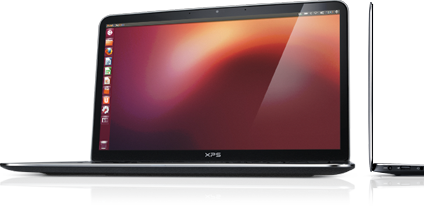
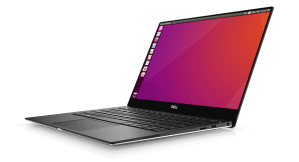
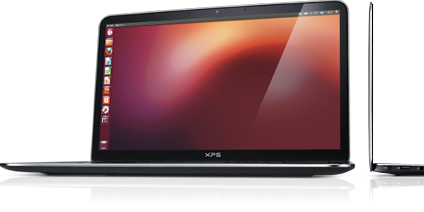
10 years ago, Dell’s first developer system, the Ubuntu-based XPS 13 developer edition became available in the US and Canada.  What made this product unique was not only that it had been developed out-of-process and by a team largely made up of volunteers, but it targeted a constituency completely new to Dell.  On top of that, nine months prior to launch the offering was nothing more than a recommendation supported by a handful of slides.
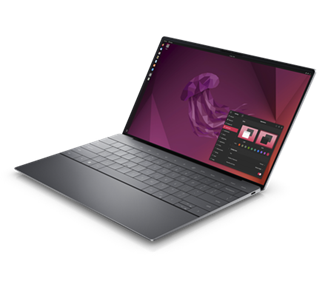
Today’s 12th generation Dell XPS Plus developer edition

Fast forward a decade and that initial developer edition is in now its 12th generation and has grown into an entire portfolio of developer systems.   In addition to the XPS 13 developer edition, this portfolio now includes the Linux-based Precision mobile and fixed workstations, targeted not only at developers but data scientists as well.

You may be wondering not only how this volunteer-driven effort, targeted at what was seen as a niche audience, has survived, and thrived over the last 10 years.  To learn this and what’s next for Dell and developers, read on….

We loved the idea! Unfortunately, we knew that our client group would never go for it.  The customer segments that Dell traditionally supported required huge volumes and a developer laptop would be seen as serving a “niche” market.  We filed the idea away under, “great but impractical.”

Hark, an innovation fund

A few months later however, providence shown in the form of a recently established innovation fund.  We realized that if we were ever to get support for our idea, this fund would be our best shot.  

In order to put together a realistic proposal we started by enlisting a couple of interested engineers to provide a technical perspective.  Next, we reached out to Canonical, the commercial sponsor behind Ubuntu, to gauge their interest (they were all in).   With the help of Canonical, our little team performed some back of the envelope calculations to determine the resources needed to deliver a developer laptop.  Based on our quick analysis we decided that it looked do-able and that we would worry about the details later.  

The pitch

The deck I ended up delivering to the innovation team was far from a typical Dell presentation.  The deck contained no numbers, no cost estimates and no revenue projections.  Instead, I described the influence that developers had in the IT buying process and explained that the goal of the program was not to make money* but to raise Dell’s visibility with an influential community.  By delivering a high-end Linux-based developer system, not only would we have something that no other major OEM offered, but more importantly it would help us to build trust within this community.  This in turn would not only benefit our client business but the broader Dell as well.  

  1. Involve the community
  2. Be transparent
  3. Contribute back

I finished my presentation and rather than a standing ovation the innovation team thanked me for my time and told me they’d get back to us.

*Note: the program has not only paid for itself but has delivered tens of millions of dollars in revenue

Don’t look stupid

A month later, on the Ides of March, we were contacted and told that we were being given 6 months and a little pot of money to prove the value and viability of a developer laptop.  We immediately formed an “official” core team and circled back with Canonical.  Together we dug in and began determining what was needed to ensure that, directly out of the box, Ubuntu would run flawlessly on the XPS 13.

At the same time, we needed to make doubly sure that if we went public the community wouldn’t see Dell as tone deaf and “not getting it.”  To help us determine this, we enlisted three local application developers, aka “alpha cosmonauts,” to act as sanity checkers and to provide early guidance. In parallel I headed to the west coast and met with both Google and Amazon and told them what we were proposing.  While neither company placed an order for 10,000 units, I wasn’t laughed out of the room.  Seeing this as a positive sign and with the support of our alpha cosmonauts, our team had the confidence to move forward.

Drivers, patches and contributing code

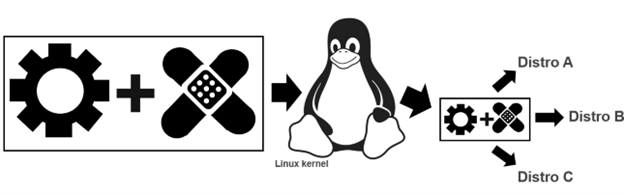
To ensure that Ubuntu works flawlessly on a Dell system, Dell, Canonical and device manufacturers need to work together.  The process starts when the device manufacturers write open source drivers, allowing their devices (eg wireless cards, trackpads etc) to work on a specific Dell laptop or workstation.   Next, to go from “works pretty well” to “just works“ these drivers need to be tweaked. 
Tux attribution: gg3po, Iwan Gabovitch, GPL , via Wikimedia Commons

This tweaking comes in the form of open source patches which are jointly created by Dell and Canonical.  These patches are then added to the original driver code and all of which is contributed upstream to the mainline Linux kernel.  

While these drivers and corresponding patches are initially created to be used with Ubuntu, because code from the mainline kernel makes its way back downstream, all distros eg Fedora, OpenSuSE, Arch, Debian etc. can use it.  This sharing of the code gives the community the ability to run the distro of their choice beyond Ubuntu.

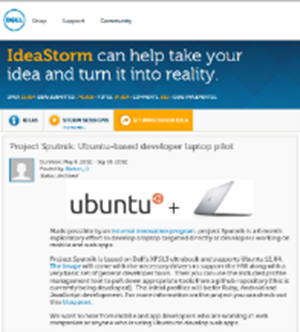
After a couple of frantic months of coding and patching together internal support, the team was ready to get public feedback. To reflect the project’s exploratory nature, rather than issuing a press release or posting an announcement on Dell’s corporate blog, we decided to post the announcement on my blog. 

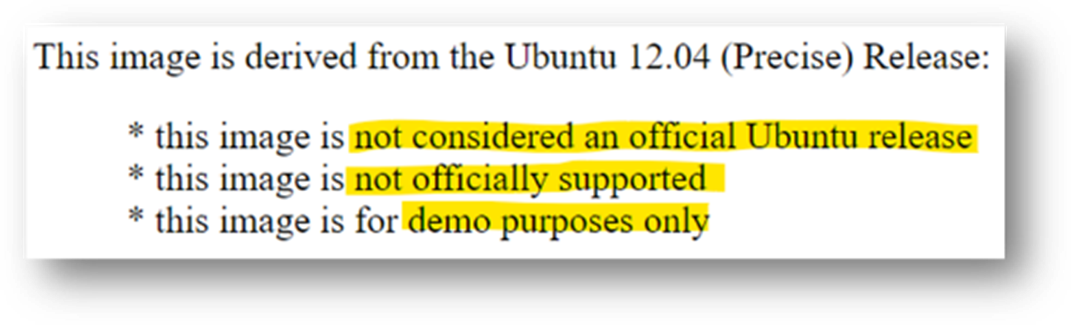
So that developers knew what they were getting into the OS image was clearly marked

We explained that the image was based on Ubuntu 12.04 LTS and came with a basic set of tools and utilities along with the requisite drivers/patches.  The exception being the touchpad driver which at that point didn’t provide full support and lacked, among other things, palm rejection.  This meant that if the user’s palm brushed the pad the cursor would leap across the page.  We clearly stated the issue explaining that we had contacted the vendor and in parallel we were working with Canonical to deliver an interim solution. 

Our ask of the community was to provide their feedback on the system, the OS and the overall project.  More specifically we wanted to know what they most wanted to see in a developer laptop.  

The response from the community

From there, interest kept growing and over the next few weeks we received global coverage from publications including The Wall Street Journal, Hacker News, Venture Beat, ZDNet, The Register, Forbes, USA Today, and Ars Technica.

Community input. 

When Project Sputnik was announced, developers were asked to tell us what they wanted in a Linux laptop.  Their requests were surprisingly modest.
Top 5 requests

  1. Don’t make it more expensive than Windows
  2. Make it work with the vanilla Ubuntu image
  3. At least 8GB of RAM
  4. No Windows Preinstalled
  5. No CD/DVD

Based on the response, along with the amount of input we received from the community, we quickly sketched out a beta program.  This turned out to be the tipping point.  We asked that anyone interested in participating in the program submit an online form.  We expected a few hundred responses, we got over 6,000. 

Hello world

This overwhelming response convinced senior management that the project was viable.  We were given the go ahead and four short months later the Dell XPS 13 developer edition debuted in the US and Canada.
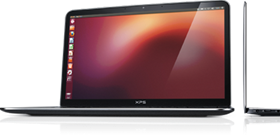
The 1st generation Dell XPS 13 developer edition. For this initial launch the team erred on the side of caution and offered only one configuration.  The config they chose was the highest available at the time: 3rd gen Intel core i7, 8GB RAM, 256GB SSD and a screen resolution of 1366×768.

At launch the product received more attention and coverage than our original announcement. There were however two complaints, the screen resolution was too low (1366×768), and the system wasn’t available outside the US and Canada.  We took this input to heart and two and a half months later we introduced a Full HD (FHD) display (1920 x 1080), and the XPS 13 developer edition debuted in Europe.

Going big with Precision

Something else we started hearing from a segment of the community was, although they liked the idea of a developer system, the svelte XPS 13 developer edition wasn’t powerful enough for their needs. They were looking for a bigger screen, more RAM and storage, and beefier processors.  The system they had their eye on was the Dell Precision 3800 mobile workstation.   Unfortunately, at that point our little team didn’t have the resources to enable and support an additional developer system.  Realizing this, team member Jared Dominguez, whose official job was on the server side of the house, took a 3800 home and got to work enabling Ubuntu on the mobile workstation.  Not only did Jared get the system up and running but he carefully documented the process and posted a step-by-step installation guide on Dell’s Tech blog.  People ate it up. 
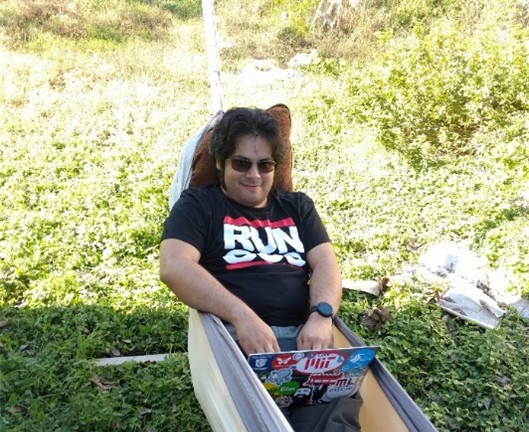
Jared hacking in his hammock
 How to get Ubuntu up and running on your Precision workstation

Instead of satisfying their desire for a more powerful system, Jared’s post only served to increase the demand for an officially price-listed offering. 

Community feedback in hand, the project Sputnik team took our learnings to the workstation group and convinced them of the opportunity.  The Precision team dug in and a year later the Ubuntu-based Dell M3800 Precision mobile workstation became available (virtually doubling Dell’s developer product line).  Not long after that, the developer portfolio more than doubled again when the Precision team expanded their mobile line up from one to four systems, each of which was available as a developer edition.

Today

Today the Dell XPS 13 developer edition is in its 12th generation.  On the Precision side, the mobile workstation line is in its 8th generation and has been joined by the fixed workstation line.  Besides Ubuntu, both the fixed and mobile workstations are certified to run Red Hat and, in the case of the fixed systems, they are available from the factory with Red Hat preloaded.  Additionally, the Precision portfolio now contains both developer-targeted systems as well as Data Science and AI-ready workstations. 

And while Dell’s developer line is its most visible Linux-based offerings, these offerings make up only a fraction of the over 100 systems that comprise Dell’s broader Linux portfolio.

Not always a cake walk

Over the last 10 years, while the project has gone from a single product to a broad portfolio, the first years weren’t exactly smooth sailing.  While there were always a variety of individuals and teams who were willing to help out, there were also many who saw the effort as a waste of resources.  In fact, in the first few years the team found themselves more than once in the cross hairs of one department or another.  

When we reached the three-year mark, it looked like Project Sputnik had finally used up its nine lives.  Dell was looking to focus resources and planned to pare down across the board.  Given the previous few years it was no surprise when we were told it was almost certain that the developer line would not make the cut.  At that point I remember thinking, we’ve had a good run and can be proud of having made it as far as we did. 

We still don’t know what happened, but once again providence shown and, for some reason, the axe never fell.

Going forward

As we head into our next decade, we find ourselves in a different environment. Ten years ago, most Dell employees saw developers as a niche market at best, today that’s changed.   With the continuous rise of DevOps and platform engineering, the broader Dell has recognized the importance of developers alongside operations. 

In light of this, Dell’s overall product portfolio, from laptops, to server and storage solutions is now being designed with developers in mind.  To ensure that developers’ requirements are being accurately reflected, Dell has recently established a developer relations team and has brought in key figures from the community to serve as developer advocates.

In the case of the existing developer portfolio, besides looking for more opportunities to connect client systems to back-end systems, Dell is looking at various ways to broaden the portfolio on the client side.  The team is currently in the early stages of brainstorming and are looking at a variety of options.  Stay tuned!
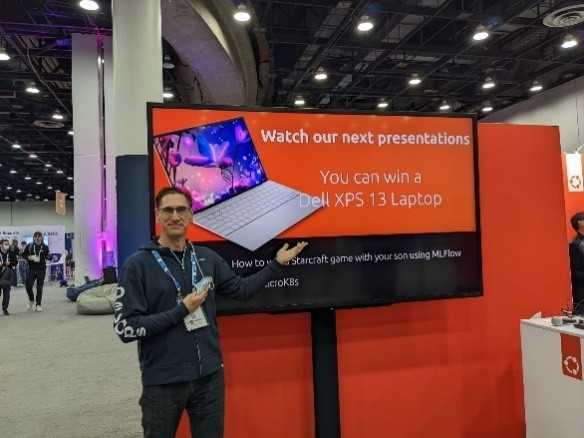
At Kubecon NA 2022 I came across the Dell XPS 13 Plus developer edition being offered as the grand prize at the Canonical booth

A few groups that need to be called out for making this possible:

A big thank you to Canonical who has worked hand in hand with us to deliver and expand our developer line and a shout out to those at Dell who, on top of their day jobs, have given their time and support.  Finally, a huge thank you the developer community for making project Sputnik a reality.  Over the last ten years you in the community have let us know what you’ve liked and where we could do better.  It’s because of this amazing support that not only are we still here 10 years later, but it looks like we’ll be around for awhile 😊

  1. Get a champion, be a champion – You need to have someone high up to go to bat for you at critical moments but on a day-to-day basis it’s you who must be a tireless champion
  2. Leverage, execute – It doesn’t matter if it’s your idea or not, delivery is what counts
  3. Start small – Don’t over promise, stay focused and err on the side of caution
  4. Communicate, communicate, communicateStay in constant contact with the community, speak directly and with empathy and when you screw up or fail to deliver, own it

Post Script – Why “Sputnik”?

You may be asking yourself, why did they name it “Sputnik” in the first place? The project name is a nod to Ubuntu founder and Canonical CEO, Mark Shuttleworth who, 10 years before the project itself, spent 8 days craft orbiting the earth in a Soviet space (while the ship was actually Soyuz, it didn’t have an inspiring ring to it so we went with “Sputnik” instead.)

Pau for now…


Introducing the 2020 XPS 13 Developer Edition — (this one goes to 32!)

January 1, 2020

We are proud to announce the latest and greatest Dell XPS 13 Developer Edition. The system, which is based on 10th Gen Intel® Core™ 10nm mobile processors, represents the 10th generation of the XPS 13 Developer Edition (see a list of the previous nine generations below).

This 10th generation system features an updated design and comes with Ubuntu 18.04 LTS preloaded.  Two areas of note are that the new XPS 13 will be available with up to 32GB of RAM as well fingerprint-reader support.  (suppport for the fingerprint-reader support will be available post launch and initially as an update.)

The Dell XPS 13 Developer Edition, 10th generation


The Developer Edition, as well as the 32GB Windows configs, will be available in February (initial Windows configs will be available on January 7).  When the Developer Edition launches next month it will be available in the US, Canada and Europe and start at US $1,199.99 (this represents an i5-based Developer Edition with 8GB of RAM, a 256GB SSD, an FHD display and with Ubuntu 18.04 LTS preloaded).

But wait, there’s more: Latitudes and monitors

As with the preceding generation, today’s announcement of the latest XPS 13 Developer Edition is not a decoupled event but is part of a broader Dell product unveiling. In addition to the XPS 13 Developer Edition and its Windows counterpart, Dell Technologies is introducing new products and software across its premium Latitude 9000 series and display portfolios.

Dell UltraSharp 43 4K USB-C Monitor

Latitude 9000 series: Featured as the first devices within the new 9000 series, the Latitude 9510 notebook and 2-in-1 laptops represent a new ultra-premium class of products targeted at executives and mobile professionals.  The 15” commercial PC delivers 5G mobile broadband capabilities, AI-based productivity capabilities, and targets 30-plus hours of battery life.

UltraSharp 27” 4K monitor:  In addition, the new family of monitors includes an 86”4K interactive touch monitor, an UltraSharp 27” 4K USB-C Monitor for creatives with VESA DisplayHDRTM 400 for true color reproduction, and the new Alienware 25” Gaming Monitor with 240Hz refresh rate and 1ms response time.

XPS 13: 32GB, FPR support, larger display & improved unboxing 

Returning to the Dell XPS 13 Developer Edition, as mentioned in the opening, many will be happy to know that when it debuts next month, it will be available with up to 32GB of RAM.  The addition of an option above 16GB is something is a direct request from the community and we are happy to be able to deliver on it.

Fingerprint-reader support:  Another awaited feature is fingerprint-reader support.  While not available at launch, support will soon follow, first as an OTA (over-the-air) update and then as part of the preloaded image.

Dell XPS 13 Developer Edition, 10th gen

4-sided InfinityEdge display:  What’s also very cool is that the latest XPS 13 boasts the first-ever 4-sided InfinityEdge display, which means it is virtually borderless.  In addition, the new display features a 16:10 aspect ratio (up from 16:9 on the prior gen) and while this may seem like a small detail, the extra screen space is noticeable. 

Keycaps and trackpad: A larger display, along with larger keycaps, and trackpad are all contained within a form factor both smaller and thinner than the previous generation.

Unboxing experience: As a result of customer feedback, both the XPS 13 Developer Edition and Windows variant will ship with an improved unboxing experience.  This experience is cleaner, simpler and based on more sustainable packaging. While all Dell packaging is sustainable, the new design greatly increases the ease of recyclability by eliminating foam and single use packaging.

XPS 13 Developer Edition specs in brief

The 2020 XPS 13 developer edition will be available with

  • 10th Gen Intel® Core™ 10nm mobile processors
  • Ubuntu 18.04 LTS
  • Fingerprint reader support (driver initially available via OTA update)
  • Up to 32GB memory
  • Up to 3x faster wireless with Killer™ AX1650 built on Intel WiFi 6 Chipset, supports up to 2TB PCIe SSD
  • Up to 4K Ultra HD+ (3840 x 2400) display

Project Sputnik and Dell’s Linux portfolio – from then to now

The first generation of the XPS 13 developer edition debuted over eight years ago and represents the first system in the Project Sputnik portfolio of developer systems. (See the list of the initial nine generations below).

Guided by feedback:  Project Sputnik, it began as an exploratory effort to find out what the community wanted in a developer-focused laptop. Since the project’s beginning it has been guided by direct input from the developer community and in fact it was the power of the community that pushed the effort from project to product.

Precision joins: Three years after it launched, the svelte XPS 13 developer edition was joined by a beefy Ubuntu-based Precision Mobile workstation.   Within a year this initial power system became a set of four systems and are now in their fourth generation.  Today the Sputnik portfolio consists of the 2020 XPS 13 developer edition along with the Ubuntu-based Dell Precision 5540, 3540, 3541, 7540 and 7740 mobile workstations.

150+ Linux systems:  While project Sputnik is the most visible Linux-based offerings from Dell, it is only a small fraction of the over 150 systems that make up Dell’s Linux portfolio.


The Dell XPS 13 Developer Edition through the generations


Generation One
(L321X) — November 29, 2012

  • Ubuntu 12.04LTS
  • CPU: 2nd Generation Intel® Core™ processor (Sandy Bridge)
  • RAM: 8GB
  • SSD: 256GB
  • Display: 1366×768

Generation Two (L322X) — February 18, 2013

New features

  • FHD display (1920 x 1080)
  • 3rd Generation Intel® Core™ (Ivy Bridge)

Generation Three (9333) — November 15, 2013

New features

  • Touch-enabled FHD display
  • 4th Generation Intel® Core™ (Haswell)

Generation Four (9343) — April 9, 2015

New features

  • Ubuntu 14.04
  • 5th Generation Intel® Core™ (Broadwell)
  • 512GB
  • QHD+ touch (3200×1800

Generation Five (9350)March 3, 2016

New features

  • 6th Generation Intel® Core™ (Skylake)
  • InfinityEdge™ display — FHD and QHD+ versions available
  • 16GB and 1TB

Generation Six (9360) —  October 04, 2016

New features


  • Ubuntu 16.04 LTS
  • 7th generation Intel® Core™ (Kaby lake)

Generation Seven (9370) — January 4, 2018

New features

  • Ubuntu 18.04 LTS (launched with 16.04 LTS upgraded to 18.04 in July 2018)
  • 8th generation Intel® Core™ (Kaby Lake R)

Generation Eight (9380) — January 23, 2019

New features

  • 9th generation Intel® Core™ (Wiskey lake)
  • 2TB
  • Camera moved to the top of the display

Generation Nine (7390) August 21, 2019

New features

  • 10th Generation Intel® Core, 6 cores (Comet Lake)


Extra-credit reading

  • The best Linux gifts to buy in 2019 – ZDNet
  • Dell’s Newest XPS 13 Ubuntu Laptop Just Got 16 Additional Configurations – Forbes
  • Dell bets big on Ubuntu Linux laptops for developers – ZDNet
  • Dell XPS 13 7390 Review: The Best Laptop For Desktop Linux Users – Laptop Capri
  • Dell announces new Linux XPS 13 developer edition 7390 laptop – TechBuzz


Pau for now…


Project Sputnik: Want to join the cause?

December 18, 2019

Passionate about Linux? About Developers? We’ll have we got the opportunity for you. 😊

The Project Sputnik team is planning to beef up our efforts and we’re looking for a passionate soul to join the cause and help drive Dell’s line of developer laptops and workstations.

This individual would have an opportunity to handle community engagement, represent Dell at developer and open source events as well as shape the future of Dell’s Sputnik program. Live in Austin?  Even better!

Operators are standing by

If the above sounds exciting to you and you are diplomatic, intuitive, have a passion for coding and Linux please DM me at @barton808 on Twitter.  At this point we are gathering names of interested individuals and will reach back out in the new year.

Extra-credit reading

  • Dell Opens Up About Its Linux Efforts And Project Sputnik – Forbes

Pau for now…


Dell’s Linux landing page goes live!

September 27, 2019

One subject we often get feedback on, and it doesn’t tend to be the positive kind, is the difficulty in finding Linux systems on Dell.com. The following tweet does a good job of summing up people’s frustrations

Im sure you get this all the time – but I dont understand why it’s so hard to just search for and find detail on which laptops ship with @ubuntu on a beautiful understandable page.

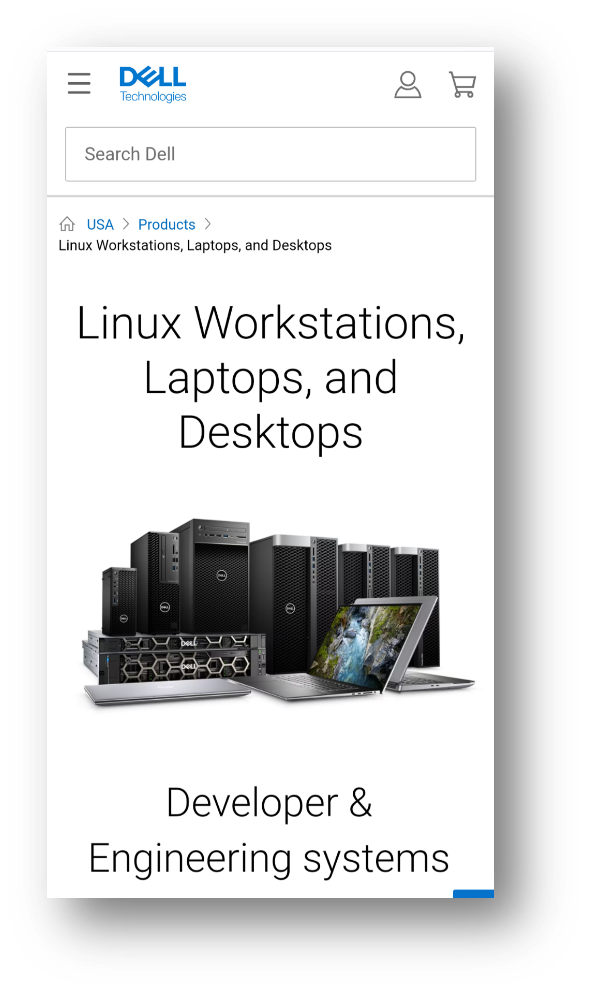
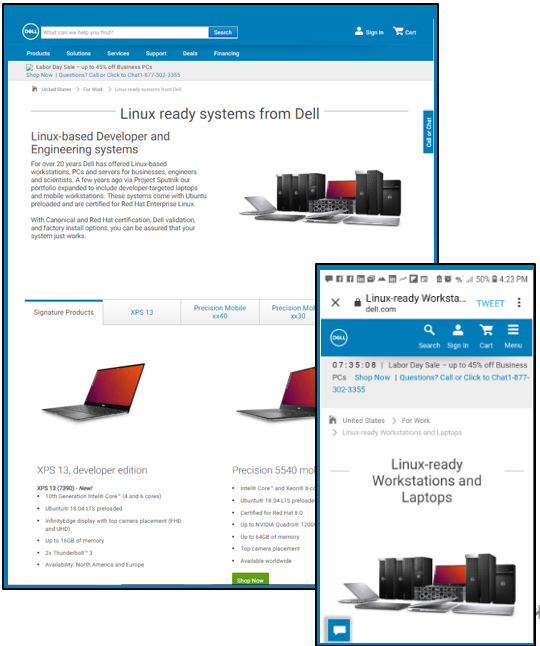
Earlier this month we took a big step in addressing this issue when launched the new Linux landing page, http://www.dell.com/linux.

Dell’s new responsive landing page as viewed on a mobile or desktop

Out with the old

While we had a previous landing page, it wasn’t anything to write home about and it certainly didn’t leverage the slick and responsive new dell.com template.  When our old page was taken down in a recent web clean up it gave us the push we needed to bump it up on our list of things to do.  The web team who helped us through the process was awesome and we got the new page up in record time. 

The page features the following product lines (we plan to add products over time):  

  • Dell XPS 13 developer edition
  • Dell Precision Mobile workstations, developer edition
  • Ubuntu-based and Red Hat-certified Dell Precision fixed workstations

All roads lead to…

Besides dell.com/linux you can get to the page using any of the following: 

  • dell.com/sputnik
  • dell.com/developer
  • dell.com/developers

A journey of a thousand miles

While we still have more to do to make Linux systems easy to find on dell.com we see this as a great first step and are looking forward to bringing you more good news in the future!

Extra-credit reading:

The new site

  • Dell Has A New Dedicated Site For Ubuntu And RHEL-Certified Linux Desktops And Laptops – Forbes
  • Dell Makes It Easier to Find Its Growing Linux Range – omg!ubuntu!
  • Dedicated Linux site for DELL  (starts @20:33)- LWDW 187
  • Dell’s new web page makes finding Linux laptops and desktops easier – Liliputing
Forbes
  • Linux Laptop Buyer’s Guide 2019: Tips And Resources To Find A Laptop That Meets Your Needs – Forbes
  • Dell’s Beautiful New Linux Laptop Features Ubuntu, 10th Gen Intel CPUs And Super Fast WiFi – Forbes
  • Dell Launches New Ubuntu-Powered XPS 13 9380. Nose Cam Not Included – Forbes
  • Exclusive: Dell Opens Up About Its Linux Efforts And Project Sputnik – Forbes
  • Dell Shipped Linux On 162 Unique Platforms In Fiscal Year 2019 – Forbes
  • Ditching Windows: 2 Weeks With Ubuntu Linux On The Dell XPS 13 – Forbes


Pau for now…


Welcome the new Dell Precision developer editions! Gen 3 of the beefy line up

May 24, 2018

Project Sputnik keeps rolling on!

Today I’m proud to announce the new the Linux-based Dell Precision Mobile workstation line: the 3530, 5530, 7530 and the 7730.  These systems, which represent the fourth generation of the Precision developer editions, come preloaded with Ubuntu and have been RHEL certified.

These new thinner, lighter, premium-built Precision mobile workstations feature the latest Intel Core and Xeon processors, blazing-fast memory and professional graphics.

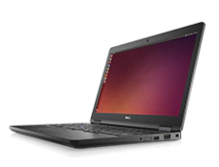
The new Precision 3530

Available today 

Coming soon

  • Dell Precision 5530 Mobile Workstation, developer edition
  • Dell Precision 7530 Mobile Workstation, developer edition
  • Dell Precision 7730 Mobile Workstation, developer edition

A double click on the specs

Dell Precision 3530 Mobile Workstation, developer edition

15-inch fully customizable and high-performance mobile workstation at an entry-level price point

  • 8th Gen Intel® Core™ and next-generation Xeon® processors
  • Memory speeds up to 2666MHz up to 32GB
  • PCIe storage capacity up to 2TB
  • NVIDIA Quadro® P600 professional graphics cards with 4GB of memory
  • Support for 4K video to an external monitor at 60fps via HDMI 2.0
  • Ports include HDMI 2.0, Thunderbolt and VGA
  • Ubuntu 16.04 LTS preinstalled
  • RHEL 7.5 certified (details below)
  • Available worldwide

Dell Precision 5530 Mobile Workstation, developer edition

Dell’s thinnest, lightest and smallest 15″ mobile workstation with enhanced graphics, and a stunning design and display

  • Available in Platinum Silver or Brushed Onyx, with a 15.6-inch display fit into a 14-inch chassis.
  • Next-gen graphics up to NVIDIA® Quadro P2000.
  • 8th Gen Intel® Core™ and next-generation Xeon® processors
  • Enhanced 2666MHz memory speeds up to 32GB
  • Up to 4TB of SSD storage
  • USB Type C with x4 PCIe, Thunderbolt™ and HDMI 2.0 ports
  • Ubuntu 16.04 LTS preinstalled
  • RHEL 7.5 certified (details below)
  • Available worldwide

Dell Precision 7530 Mobile Workstation, developer edition

The world’s most powerful 15″ mobile workstation, redesigned to be thinner, lighter

  • 8th Gen Intel® Core™ and Xeon® processors
  • AMD Radeon WX and NVIDIA Quadro® professional graphics
  • Largest & fastest memory on the market for mobile workstations up to 128GB of system memory &  SuperSpeed memory of 3200MHz
  • Largest PCIe SSD storage capacity available for a 15-inch mobile workstation: up to 6TB
  • Single cable docking and Thunderbolt™ 3 connectivity
  • Ubuntu 16.04 LTS preinstalled
  • RHEL 7.5 certified (details below)
  • Available worldwide

Dell Precision 7730 Mobile Workstation, developer edition

The world’s most powerful 17″ mobile workstation, redesigned to be thinner, lighter 

  • 8th Gen Intel® Core™ and Xeon® processors
  • AMD Radeon WX and NVIDIA Quadro® professional graphics
  • Largest & fastest memory on the market for mobile workstations up to 128GB of system memory &  SuperSpeed memory of 3200MHz
  • Largest storage capacity available for a mobile workstation (up to 8TB)
  • Single cable docking and Thunderbolt™ 3 connectivity
  • Ubuntu 16.04 LTS preinstalled
  • RHEL 7.5 certified (details below)
  • Available worldwide

RHEL 7.5 certification and drivers

As mentioned above, all four developer editions will be certified for RHEL 7.5 and the needed drivers will be included in the distro.  That being said, the AMD and NVIDIA drivers that come with 7.5 are inbox drivers.  We will be posting drivers for both graphic cards that will include professional features not included in the inbox drivers.  Stay tuned!

How did we get here?

Project Sputnik launched at the end of 2012 with the svelte XPS 13 developer edition.  While this fit the bill for a lot of folks, there was a set of folks who needed something beefier.  The demand stayed steady so Sputnik team member Jared Dominguez decided to take it upon himself to get Ubuntu up and running on the Precision M3800.

Jared hammock hacking

From this he created step-by-step instructions and posted them to Dell Tech Center for community members to follow.

While customers were excited to be able get Ubuntu going on their systems, they wanted more.  Given this sustained demand, in early in 2015 the M3800 developer edition became an official product.

In Spring of the following year our Linux-based Precision offering went from one system to four and the 5510, 3510, 7510 and 7710 developer editions debuted.  Last year this line was revved and the next gen, the 5520, 3520, 7520, 7720 were announced along with the addition of the Precision 5720 All-in-One.  And today… (see above)

Stay tuned

Watch this space for the upcoming availability of the Dell Precision 5530, 7530 and 7730 developer editions as well as the AMD and NVIDIA graphics drivers for RHEL 7.5 .

Extra-credit reading

The History of the Ubuntu-based Dell Precision mobile workstation line

  • November 15, 2013 — Instructions posted to get Ubuntu up and running on a Precision M3800 mobile workstation
  • January 27, 2015 — Precision M3800 officially joins Project Sputnik
  • March 3, 2016 — Ubuntu-based Precision line 5510, 3510, 7510, 7710 announced
  • January 9, 2017 — Next gen Ubuntu-based Precision line-up announced, 5520 and 3520 available
  • March 18, 2017 — Precision 7520 and 7720 available
  • April 18, 2017 — Precision 5720 All-in-One available

Pau for now…


XPS 13 Developer Edition — the 7th gen is here!

January 4, 2018

-> Updated June 22, 2018 – Three 16GB/FHD configs added to the line up in the US

-> Updated Jan 26, 2018 – Added list of countries that offer the XPS 13 developer edition offline.

Today I am excited to announce the availability of the 7th generation of the Ubuntu-based XPS 13 developer edition.  Project Sputnik’s latest and greatest system is now simultaneously available in Europe, Canada and the United States.

The new XPS 13 developer edition (9370) features the 8th Generation Intel Quad Core, a brand new chassis, an improved display and smaller borders.

The 9370 is even thinner, lighter and smaller than its already svelte predecessor, the 9360. (Note, the 9370 does not replace the 9360, as the two will coexist.)  If you want more detailed specs, please scroll down dear reader. Before we get to the product details however, here’s a quick Project Sputnik backgrounder.

Project Sputnik, a recap

It all started back in 2012 with the wacky idea of creating a high-end Linux laptop targeted at developers.   An internal innovation fund gave the scrappy project team a little bit of money and six months to see if this idea would fly.

From day one, project Sputnik publically solicited input from the developer community.  It was this input and the tremendous community support that pushed the effort from project to a product.

The initial XPS 13 developer edition, available only as one configuration, debuted on November 29, 2012.  Fast forward five years and not only are we announcing the 7th generation of that initial product but the project itself has now expanded to become a full line of developer-targeted systems.

US and Canadian configurations

In North America, as mentioned above, the new XPS 13 developer edition is available in both the US and Canada.  The following are the available configurations in the two countries (Note: the links below point to the US configurations).

CPU | Memory | Storage | Display

Available as of April 3, 2018

European configurations

The new XPS 13 developer edition is available online in Europe in the following countries:

Online: UK, Ireland, Germany, Austria, France, Italy, Spain, Switzerland (French and German), Belgium, Netherlands, Sweden, Norway, Denmark.

In the following countries you can get a hold of the XPS 13 developer edition offline (phone or chat):

Offline: Czech Republic, Denmark, Emerging countries , Finland, Greece , Luxembourg, Poland, Portugal, Russia, Slovakia, Turkey, South Africa.

The following configurations are available both online and offline.

CPU | Memory | Storage | Display

  • i7 | 16GB |      1TB | UHD touch (3840 x 2160)
  • i7 | 16GB | 512GB | UHD touch (3840 x 2160)
  • i7 | 16GB | 512GB | FHD non-touch (1920 x 1080)
  • i7 |  8GB | 256GB | FHD non-touch (1920 x 1080)

9370 Specifications

Here’s a bit more detail behind the system specs.  These options are available as noted above.

  • 8th Generation Intel® Quad Core™, i5 (US and Canada only) and i7 versions
  • Memory options: 4GB, 8GB or 16GB Dual Channel SDRAM
  • Storage options: 128GB, 256GB, 512GB or 1TB
  • Ports
    • 2x Thunderbolt™ 3
    • Noble lock slot
    • Headset jack
    • DC-In & DisplayPort 1x USB-C 3.1
    • MicroSD card reader
  • Display options
    • UltraSharp 4K Ultra HD (3840×2160) InfinityEdge touch display
    • FHD (1920 x 1080) InfinityEdge display
  • Ubuntu 16.04 LTS preloaded
  • 1 year ProSupport

Who’d a thunk it

I gotta admit that five years ago the team and I would never have thought that we would be posting a blog announcing the 7th generation of the XPS 13 developer edition.  The thought of even a third generation would have bogled our minds.

Five years ago, thanks to the support of the community, Project Sputnik reached escape velocity.  This support, input and direction has not only continued but has grown over the last five years, enabling the Sputnik team to stop focusing on survival and instead focus on supporting a broader range of developer needs.

As we go forward, please keep driving us by sharing your input and experiences, be they be good, bad or ugly. 🙂

Thanks!

Barton

Extra-credit reading

  • 2018 starts with the best Linux laptop by Dell – Swap and I discuss the new system – VIDEO
  • Meet the New XPS 13: Stylish, Powerful and Better by Every Measure – Direct2Dell
  • Line up — New XPS 13 developer edition —  (9370)
  • Line up — XPS 13 developer edition — (9360)
  • Project Sputnik Turns Five! – November 29, 2017
  • 2012 — year one

Pau for now…


Ubuntu comes to the Windows desktop — OpenStack summit

April 26, 2016

Recently an announcement was made that took a lot of people by surprise.  Canonical and Microsoft announced that Ubuntu was now able to run on the Windows desktop.

Ubuntu Goes to Microsoft’s Windows 10 Bash – LinuxInsider

Dustin Kirkland was the main man on the Canonical side who drove this.  I caught up with Dustin at the OpenStack summit to learn more about this seemingly strange move by Microsoft.

Take a listen

Some of the ground Dustin covers

  • Ubuntu and Azure and the Microsoft partnership
  • Microsoft approached Canonical about bringing Ubuntu to the Windows desktop (looking to attract developers using Linux)
  • The Microsoft kernel team has built the Windows subsystem for Linux – Translates Linux systems calls to Windows system calls – Canonical asked to deliver the userspace
  • When users type bash they end up in an environment which is essentially Ubuntu minus the kernel
  • What have been the reactions to this move from the various constituents

Extra-credit reading

Pau for now…


Live in Europe: Next gen XPS 13 developer edition

March 31, 2016

[Update — April 8: Offline country URLs added]

A couple of weeks ago we announced the worldwide release of the Ubuntu-based mobile Precision mobile line as well and the US availability of the next gen XPS 13 developer edition.

Today I’m happy to announce that the Skylake-based XPS 13 developer edition is now available in Europe!

Background: As you may remember, as a part of Project Sputnik, these systems began as an open-ended exploratory project to identify what developers wanted in an ideal laptop. With the community’s input, Project Sputnik became an official product and continues to evolve.

Next gen XPS 13 developer edition specsDino

  • 6thGeneration Intel® Core™Processors
  • Preloaded with Ubuntu 14.04 LTS
  • Augmented with the necessary hardware drivers, tools and utilities
  • InfinityEdge™ display, FHD and QHD+ versions available

Configurations

The following configurations will be available both online and offline in Europe.  All of three of the XPS 13 developer edition configurations come with the Intel wireless card.

  • i5/8GB: 256GB, FHD, Intel 8260
  • i7/8GB: 256GB, QHD+T, Intel 8260
  • i7/16GB 512GB, QHD+T, Intel 8260

OTA (Over-The-Air) Fixes

There were several minor fixes that were not available in time for launch but have been made available as over the air updates so make sure to run all Ubuntu updates.  (These fixes pertain to both the XPS 13 and Precisions.)

Where to order your system

The following, URLs will take you to the product pages for the developer edition in the various countries.  The countries listed below will offer the XPS 13 online.

There is a second group of nations where the developer edition is available by contacting your local Dell representative.  We will be adding that list, along with URLs, in the next couple of days. – Update: added April 8

Available online

United Kingdom www.dell.co.uk/XPS13DeveloperEdition

Ireland www.dell.ie/XPS13DeveloperEdition
Germany www.dell.de/XPS13DeveloperEdition
Austria www.dell.at/XPS13DeveloperEdition
France www.dell.fr/XPS13DeveloperEdition
Italy www.dell.it/XPS13DeveloperEdition
Spain www.dell.es/XPS13DeveloperEdition
Switzerland (German) www.dell.ch/XPS13DeveloperEdition
Switzerland (French)  www.dell.ch/fr/XPS13DeveloperEdition
The Netherlands www.dell.nl/XPS13DeveloperEdition
Belgium (Dutch) www.dell.be/XPS13DeveloperEdition
Belgium (French) www.dell.be/fr/XPS13DeveloperEdition
Denmark www.dell.dk/XPS13DeveloperEdition
Norway www.dell.no/XPS13DeveloperEdition
Sweden www.dell.se/XPS13DeveloperEdition

Available offline

Estonia http://www.dell.com/ee/XPS13DeveloperEdition

Ghana http://www.dell.com/gh/XPS13DeveloperEdition

Croatia http://www.dell.com/hr/XPS13DeveloperEdition

Israel http://www.dell.com/il/en/XPS13DeveloperEdition

Iceland http://www.dell.com/is/XPS13DeveloperEdition

Finland http://www.dell.com/fi/XPS13DeveloperEdition

Lithuania http://www.dell.com/lt/XPS13DeveloperEdition

Latvia http://www.dell.com/lv/XPS13DeveloperEdition

Libya http://www.dell.com/ly/XPS13DeveloperEdition

Nigeria http://www.dell.com/ng/XPS13DeveloperEdition

Slovenia http://www.dell.com/si/XPS13DeveloperEdition

South Africa http://www.dell.com/za/XPS13DeveloperEdition

Democratic Republic of the Congo http://www.dell.com/cd/XPS13DeveloperEdition

Congo http://www.dell.com/cg/XPS13DeveloperEdition

Algeria http://www.dell.com/dz/XPS13DeveloperEdition

Ivory Coast http://www.dell.com/ed/fr/XPS13DeveloperEdition

Gabon http://www.dell.com/ga/XPS13DeveloperEdition

Moroccο http://www.dell.com/ma/XPS13DeveloperEdition

Senegal http://www.dell.com/sn/XPS13DeveloperEdition

Tunisia http://www.dell.com/tn/XPS13DeveloperEdition

Bahrain (Arabic) http://www.dell.com/ae/ar/XPS13DeveloperEdition

Morocco (Arabic) http://www.dell.com/ma/ar/XPS13DeveloperEdition

Tunisia http://www.dell.com/tn/ar/XPS13DeveloperEdition

Algeria http://www.dell.com/dz/ar/XPS13DeveloperEdition

Russia http://www.dell.com/ru/XPS13DeveloperEdition

Belarus http://www.dell.com/rs/XPS13DeveloperEdition

Ukraine http://www.dell.com/ua/XPS13DeveloperEdition

Czech http://www.dell.com/cz/XPS13DeveloperEdition

Greece http://www.dell.com/gr/XPS13DeveloperEdition

Hungry http://www.dell.com/hu/XPS13DeveloperEdition

Israel http://www.dell.com/il/XPS13DeveloperEdition

Portuguese http://www.dell.com/pt/XPS13DeveloperEdition

Romania http://www.dell.com/ro/XPS13DeveloperEdition

Slovakia http://www.dell.com/sk/XPS13DeveloperEdition

Turkey http://www.dell.com/tr/XPS13DeveloperEdition


Thanks!

The entire Sputnik team would like to thank everyone in Europe for both their patience and support!  Happy hacking!

Extra-Credit reading

Pau for now


Containers, VMs and Joyent’s Triton — how they relate

January 5, 2016

While I was in San Francisco back in November, I stopped by Joyent’s headquarters.  The main purpose was to talk about the Docker/Triton platform we are setting up in the CTO lab.

While I was there I chatted with Joyent’s Casey Bisson, director of product management.  Casey took me through a couple of white board sessions around containers and VMs.  This first session talks about how containers and VMs work together, how they’re different and where Joyent’s elastic container infrastructure, Triton, fits.

Some of the ground Casey covers

  • Linux allows you to build containers on your laptop and push them, as is, to the cloud.  For other OS’s you need to use VMs
  • Containers in the cloud within VMs and the affect on efficiency
  • Running containers on bare metal, security concerns and how Joyent addresses these concerns
  • How Triton virtualizes the network into the container

Extra-credit reading

  • KubeCon: Learning about Joyent and Triton, the elastic container infrastructure – Barton’s blog

Containerizing an old school Dell application

November 24, 2015

About a year ago Senior Linux engineer Jose De la Rosa had heard so much Docker and container-mania that he thought he’d find out what the fuss was all about.  Jose started looking around for an app within Dell that he could containerize and came across Dell’s OpenManage Server Administrator (OMSA).  In case you’re wondering, OMSA is an in house application used to manage and monitor Dell’s PowerEdge servers.  Rather than being a micro-service based application, OMSA is an old school legacy app.

To hear how Jose tackled the task, why, and what he learned, check out the following video (also take a look at the deck below that he presented at the Austin Docker meet up).

Here’s the deck Jose presented at the Austin Docker Meetup back in September.

For more info about what Jose and the Dell Linux engineering team are doing in this space, check out linux.dell.com/docker

Extra-credit reading

Pau for now…


Meet the project Sputnik team + Case Study

July 29, 2015

The other day Canonical came to Dell for a show and tell.  The Sputnik team, normally located in various buildings in Austin and Round Rock, all found ourselves in attendance at the event.  Here is a quick meet-the-team video introducing ourselves, saying where we’re from and declaring our favorite TV show.

Additionally,  here is a short case study giving the Project Sputnik history.

Pau for now…


4th gen Dell XPS 13 developer edition available!

April 9, 2015

I would first like to thank everyone for their patience and support as we worked through various bugs that crept up.  This has taken longer than we would have liked but I’m happy to say that as of today, the Dell XPS 13 developer edition is now available in the United States, Canada and Europe!

A short history

As many of you may known, the developer edition began its life as Project Sputnik.  Funded by an Image result for images sputnikinternal incubation fund set up to drive innovation within Dell, Sputnik went from open-ended exploratory project to official product within nine months.

The entire program was conducted in the open in order to identify what you — developers — demanded in an ideal Ubuntu-based laptop. It was also your interest and support that drove Sputnik from project to product.

At the beginning of the year we launched an expansion to the line, the Precision M3800 developer edition, and today we are announcing the availability of the 4th generation of the XPS 13 developer edition.

General specifications of new Dell XPS 13 developer edition (see configs below. Note we realize that some of the tech specs are incorrect, they are in the queue to be fixed.  We made the decision to go ahead launch since we have had so much interest and we wanted to make it orderable as soon as possible)

  • Ubuntu 14.04*
  • 5th Generation Intel® Core™ i5-5200U or i7-5500U
  • 13.3-inch infinity display
  • 8GB Dual Channel DDR3L at 1600MHz
  • Intel (R) HD Graphics 5500
  • 1 Year ProSupport with Next Business Day Onsite Service
  • 2.8 lbs

* We recommend that users use the factory shipped Ubuntu image with the XPS 13 with at least BIOS A02.  We do however recognize that users will want to use other Linux distributions, Ubuntu versions or kernel versions so we’ve assembled a list to indicate problems users should expect with other distros.  In general you will have the best experience on the latest in development distributions with newer kernels.  For more information and instructions please see the technical notes at the end of this post.

US/Canada configurations:

i5/8GB

  • 128GB, Non Touch FHD (1920×1080)
  • 256GB, Touch TL QHD (2560×1440)

i7/8GB

  • 256GB, Touch TL QHD+  (3200×1800)
  • 512GB, Touch TL QHD+  (3200×1800)

Europe configurations/Countries

The XPS 13 developer edition is available in both the consumer and business channels in the following countries:

  • Austria, Belgium, Denmark, France, Germany, Ireland, Italy, The Netherlands, Norway, Spain, Sweden, Switzerland, The United Kingdom

European configurations

  • i5/8GB — 256GB, Touch TL FHD (1920×1080)
  • i7/8GB — 512GB, Touch TL QHD+  (3200×1800)

A big shout out

I wanted to give recognition and a big thanks to the members of our small but mighty Sputnik core team: Mario Limonciello, Jared Dominguez, Amber Huang and Amit Bhutani.  These are the folks who have worked their butts off and made this a reality!

Technical Notes:

Updated April 16, 2015: new information with regards to current status quo from some people who have used Debian as well as 4.0 updates.

Updating to BIOS A02 or later

  1. Download the executable from support.dell.com and save it to a FAT32 formatted USB disk.
  2. Reboot the computer.
  3. At the Dell POST screen, press F12 to bring up the BIOS boot menu.
  4. Select the option to flash the BIOS.
  5. In the popup menu, select your USB disk and select the BIOS executable.
  6. Follow on screen directions.

Systems shipped with A01 or A00 BIOS

If you purchased the machine with Windows 7 or Windows 8.1 and it contains BIOS A00 or BIOS A01, please update the BIOS to A02 or later.  If you choose to run a kernel version earlier than 3.15 you should also append the following to your kernel command line:

psmouse.resetafter=0

If you machine was shipped with A02 or later, you will not need this kernel command line change.  The developer edition units will ship with A02 or later.

Ubuntu 14.04

Ubuntu 14.04 includes kernel 3.13.  The touchpad will run in PS2 mode and the soundcard will run in HDA mode.  Currently (4/15) out of the box the HDA microphone will not work, and you will need some packages from the factory shipped image to make it work properly.  The patches needed for microphone support are available here:

https://git.kernel.org/cgit/linux/kernel/git/tiwai/sound.git/commit/?h=for-next&id=e1e62b98ebddc3234f3259019d3236f66fc667f8

and

https://git.kernel.org/cgit/linux/kernel/git/tiwai/sound.git/commit/?h=for-next&id=f3b703326541d0c1ce85f5e570f6d2b6bd4296ec

Ubuntu 14.10

Ubuntu 14.10 includes kernel 3.16.

With BIOS A00 or BIOS A01 the touchpad will run in I2C mode and the sound will not function.  Please update to at least BIOS A02 and the touchpad will run in I2C mode and the sound in HDA mode.  Currently (4/15) the microphone will not work and you will these patches for microphone support: https://git.kernel.org/cgit/linux/kernel/git/tiwai/sound.git/commit/?h=for-next&id=e1e62b98ebddc3234f3259019d3236f66fc667f8

and

https://git.kernel.org/cgit/linux/kernel/git/tiwai/sound.git/commit/?h=for-next&id=f3b703326541d0c1ce85f5e570f6d2b6bd4296ec


Ubuntu 15.04

Ubuntu 15.04 includes kernel 3.19.

With BIOS A00 or BIOS A01 the touchpad will run in I2C mode and the sound will not function.  Please update to at least BIOS A02 and the touchpad will run in I2C mode and the sound in HDA mode.  (4/15) All of the relevant patches have been backported and all functions will work out of the box.

Fedora 21

Fedora 21 includes kernel version 3.17.  With BIOS A00 or BIOS A01 the touchpad will run in I2C mode and the sound will not function.  Please update to at least BIOS A02 and the touchpad will run in I2C mode and the sound in HDA mode.  Currently (4/15) the microphone will not work.  You can track the backporting of the patches here: https://bugzilla.redhat.com/show_bug.cgi?id=1188741

Debian 7.0

We recommend that Debian 7.0 users upgrade to a kernel 4.0 and apply those two patches.  The above notations will apply to Debian 7.0 then.

Debian 8.0

Debian 8.0 will use kernel 3.16.  With BIOS A00 or BIOS A01 the touchpad will operate in I2C mode and sound will not work.  The system will fail to suspend and resume due to a bug in the touchpad driver.  This patch: https://github.com/torvalds/linux/commit/109571cf3ec78a39477eedd6b11927f52cbcb1e8

Will need to be backported for it to work properly.

With BIOS A02 the touchpad will operate in I2C mode and the sound in HDA mode.  Currently (4/8) the microphone will not work.  The patches needed for microphone support are available here:

https://git.kernel.org/cgit/linux/kernel/git/tiwai/sound.git/commit/?h=for-next&id=e1e62b98ebddc3234f3259019d3236f66fc667f8

and

https://git.kernel.org/cgit/linux/kernel/git/tiwai/sound.git/commit/?h=for-next&id=f3b703326541d0c1ce85f5e570f6d2b6bd4296ec

We recommend for Debian 8.0 users upgrade to kernel 4.0 and apply the two extra microphone patches.

Also, there are some problems with the xserver-xorg-video-intel package today with Debian 8.0.  You’ll presently (4/15) need to backport from experimental to resolve them.  More details are available here: https://bugs.debian.org/cgi-bin/bugreport.cgi?bug=782690

Other Notes

Extra credit reading

  • Designed for developers – Dell launches two new Ubuntu-based systems — Ubuntu insights

Pau for now…


Available in Europe: Precision M3800 developer edition

February 16, 2015

At the end of January we announced the launch of the Dell M3800-ubuntuPrecision M3800 mobile workstation, developer edition.  This beefy complement to the existing XPS 13 developer edition is the direct result of feedback from the community who have been asking for a larger system.

Over the past few weeks we have been adding EMEA availability.   Here is the list of countries where the M3800 developer edition is available online.  For those countries that don’t appear here, the system is available offline by calling a sales representative.

M3800 developer edition — European online availability

We are currently working on rolling out the M3800 developer edition in the Asia Pacific/Japan region as well.  Stay tuned!

Extra-credit reading

  • Welcome the Dell Precision M3800 mobile workstation, developer edition – Barton’s Blog
  • Update: Dell XPS 13 laptop, developer edition – Sputnik Gen 4 – Barton’s Blog

Pau for now…


Installing Debian 8 on a Dell XPS 13 Developer Edition

January 3, 2015

Over the break, Eric Mill put together great step-by-step instructions showing how to install Debian 8 (Jessie) on a Dell XPS 13 Developer Edition.  Eric also had some great things to say about the laptop and program themselves:

Dell calls their program Project Sputnik, and it is managed by a friendly team of Linux engineers inside Dell who partner with Ubuntu to ensure that your computer will Just Work with Linux.

The Dell XPS is also used by multiple Debian team members, so your pain points will be theirs, and they’re likely to quickly fix things.

Supporting Dell’s program is a wonderful thing to do, and it’s also just a great goddamned laptop.

Check out Eric’s Instructions and away you go!  Installing Debian 8 on a Dell XPS

Pau for now…


Ars Technica provides detailed review of Dell XPS 13 developer edition

April 22, 2013

If you’re thinking about getting a Dell XPS 13 developer edition you might want to check out the comprehensive review published by Ars Technica this weekend:

It just works: Dell XPS 13 Developer Edition Linux Ultrabook review — Dell’s substantial investment in making a functional Linux Ultrabook pays off.”

Here is the summary intro:

In an effort originally known as Project Sputnik, Dell dedicated resources into doing Linux on an Ultrabook “right”—writing code where necessary (and contributing that code back upstream like a good FOSS citizen) and paying attention to the entire user experience rather than merely working on components in a vacuum. The result is a perfectly functional Ultrabook with a few extra tools—that “Developer Edition” moniker isn’t just for show, and Dell has added some devops spices into the mix with this laptop that should quicken any developer’s heartbeat.

Check out the entire review

Extra-credit reading

Pau for now…


Talking about Project Sputnik and the importance of Devs to Dell

January 15, 2013

At Dell World I was interviewed about Project Sputnik, the resulting XPS 13 Developer Edition we launched and the importance of developers.

Here’s the interview (notice my fashion forward blue Dell shirt 😉

Extra-credit reading

Pau for now…


Sputnik has landed! Introducing the Dell XPS 13 Laptop, Developer Edition

November 29, 2012

A little over six months ago we announced a scrappy skunkworks project to pilot a developer solution based on Ubuntu 12.04LTS and our sleek XPS 13 laptop.  Thanks to the amazing feedback and support we have received from the community, today we are announcing the availability of the resulting official product – the Dell XPS 13 laptop, developer edition.

What’s exactly is it?

Here is an overview of the components of this client-to-cloud solution and some key facts:

Hardware: XPS 13 laptop, high-end config

  • I7 CPU, 8GB RAM, 256GB SSD

Software

Price: $1,549 $1,449* (includes 1 yr ProSupport)

*Updated 11/30/12: the community pointed out we had not priced consistently across our online stores, this has been fixed.  This offering was always intended to be priced less than Windows.

Availability

  • Small office/consumer – U.S.
  • Enterprise – U.S./Canada
  • Outside the US  – early 2013

Community projects: Profile tool and Cloud Launcher

The profile tool and cloud launcher are beta open source projects that we have just kicked off on github.  These projects are quite nascent at this point and we are looking for more people to get involved and help get them going (hint, hint 🙂 ) .

  • Profile Tool: The idea behind the profile tool is to provide access to a library of community created profiles on github, such as Ruby and Android, to quickly set up your development environments and tool chains.
  • Cloud launcher: The cloud launcher enables you to create “microclouds” on your laptop, simulating an at-scale environment, and then deploy that environment seamlessly to the cloud.  Today the launcher utilizes Linux Containers to model your environment on your laptop and then uses Juju to jettison that environment to the cloud.  The launcher project on github will allow for community expansion on this concept using different technologies and approaches.

How did we get here?

As I mentioned at the beginning, project Sputnik began as a skunkworks effort.  It was made possible by internal incubation fund designed to bring wacky ideas from around the company to life in order to tap innovation that might be locked up in people’s heads. 

Just weeks after the basic concept was greenlighted by the innovation team, it was publically announced as a pilot project at the Ubuntu developer summit.  The big focus of our efforts, particularly in the beginning, has been to work with Canonical to make sure that we had the appropriate drivers for all functionality including the pesky touchpad.

From the start, the idea was to conduct project Sputnik out in the open, soliciting and leveraging direct input from developers via our Project Sputnik StormSession, comments on this blog, threads on the Sputnik tech center forum as well as the project Sputnik beta program.  In fact it was the tremendous interest in the beta program that convinced us to take Project Sputnik from pilot to product.

I would like to give a special shout out to the beta cosmonauts who signed on.  They were an intrepid lot who were patient and diligent working through issues to help make sure that when we went to production we had a product that developers would want.

Where do we go from here?

The next big thing for XPS 13 developer edition is availability outside the United States.  We are working with teams inside of Dell to make this so as quickly as we can.  The other direction we are looking at potentially expanding is offering a bigger beefier platform for developers.  The XPS 13 is perfect for those who want an ultra light and mobile system but we have heard from a bunch of devs who would also like an offering that was more workstation-like with a bigger screen and more RAM.

Today is a very proud moment for our team, putting together an official Dell offering for developers with their input and suggestions through out the process.  Stay tuned for more to come!

 Pau for now…


Initial thoughts from the Project Sputnik Beta Cosmonauts

October 2, 2012

The Project Sputnik Beta program has been going for several weeks now.  We have an intrepid group of cosmonauts and there have been a bunch of blogs posted, tweets tweeted and a flurry of activity on the forum.

In general the feedback has been very positive with some folks having issues around wifi and the touch pad.

So far four of the cosmonauts have posted detailed entries around their Sputnik experiences.   Here are excerpts from the postings.

The Sputnik Out of Box Experience

For a good look at the OOBE, complete with photos, check out Theron’s “#ProjectSputnik – first impressions“.  Here’s the summary at the end:

After initial load and getting my standard working environment up and running, I’ve got to say this little beast is pretty amazing. From the tight OS integration to the feel of the laptop, it looks and feels like a solid build. I’m going to be busy working with OpenStack over the coming months and I’m excited to see how closely integrated I can get my build envionment on this laptop to the ubuntu server I’m using for testing. After watching Mark Shuttleworth talk this year at Oscon about JuJu and #ProjectSputnik, I’m pretty sure it’s going to be amazing. More blog posts to follow.

One man’s journey back to Linux

This next blog kicked off a huge discussion on hacker news around developer laptops, OS’s and the merits of their various incarnations.  Geoffrey Papillion wrote about his odyssey through time and across various OS’s which has led him to the present and Linux once again.

Here is how he concludes his post “Thanks Mr. Jobs, But it seems I can use a linux laptop now

Two days ago I got my Dell XPS 13 as part of a Dell beta progam called project Sputnik. I got a special version of Ubuntu, with some kernel patches, and some patched packages for sleep and hibernation. After an hour of struggling with making a bootable USB drive from my Mac for my Dell(turns out it was an issue with the USB drive), I had a working computer. By 8pm I had my development enviroment setup, I had chef up and running, and even my VPN was working. I was amazed.

So, far its been good; most apps I use are web apps. I spend 70% of my time in a terminal, and 30% of my time in a web browser. Honestly its the perfect computer for me right now. So, I’m waving goodbye to the ecosystem Mr. Jobs built, and moving to the world of linux full time.

On Beyond ThinkPad

Matt Urbanski who is coming from a linux mint based Lenovo ThinkPad x220 that he has been really happy with, gives his initial thoughts in Project Sputnik Beta Day one. He concludes his post with:

I sound much like a crochety old man who dislikes change. I’m going to give this a go and see what happens. I’m now embarking on the always annoying task of getting my homedir and configurations from one machine to the other. I’ll report back after some real usage.

The Woodward Trilogy

The most prolific cosmonaut award goes to Matt Woodward who has been putting his project Sputnik laptop through its paces and written three entries about it.

Dell Sputnik: Initial impressions

Conclusion: The Dell XPS 13 is a huge winner in my book. It’s exceedingly well built, light, quiet, and has all the bells and whistles you need in an ultrabook — particularly one aimed at developers — and Dell made intelligent omissions across the board with the possible exception of the amount of RAM pre-installed.

If like me you’ve had Dells in the past and hadn’t thought about Dell in a while, this machine may well change your mind about Dell. After only a few hours of using it it’s certainly starting to change mine, and I can already see myself gravitating to the Sputnik as my go-to machine.

Dell Sputnik: Battery life test

Results: The results are quite impressive, with a run time of about 8 hours 20 minutes in my usage

A week at a conference with Dell Sputnik

Summary: After living with the Sputnik as my only machine for a week I continue to be extremely impressed. Particularly in a developer conference situation where power isn’t available at every seat and you have to fight for the few outlets that are available, the Sputnik’s fantastic battery life let me focus on the conference instead of worrying about whether or not my laptop was going to conk out.Other than the occasional issues with the trackpad I thoroughly enjoyed using the Sputnik at DjangoCon — it makes a great conference companion!

So that’s the initial round up.  Stay tuned for more!

Extra-credit reading/Resource links

Pau for now…


Redmonk on Developers and Project Sputnik

May 8, 2012

Today at the Ubuntu Cloud Summit here in Oakland I grabbed sometime with Redmonk analyst Stephen O’Grady.  It was Stephen who originally brought up the idea of creating a Dell laptop running Ubuntu targeted at developers.

I talked to Stephen about how he would characterize today’s world of developers and what he feels project Sputnik needs to deliver on to be successful.

Updated March 22

Extra-credit reading

Pau for now…


Talking about Project Sputnik

May 8, 2012

Last Friday Cote and I took a break from the mad rush getting ready for today’s Sputnik announce and grabbed a conference room to record a short video.  Below we discuss the project, how it came about, what its goals are and where it could go from here.

-> Weigh in on Dell IdeaStorm: Project Sputnik

Extra-credit reading