At Cloud Field Day, I sat in on a presentation from Catchpoint, a company focused on digital experience monitoring. Their platform delivers real-time insights into the performance and availability of applications, services, and networks. What sets Catchpoint apart is how they’re reframing observability—moving away from infrastructure-centric monitoring and placing the focus squarely on end-user experience.
It started with a three-hour outage
Catchpoint’s origin story starts with co-founder and CEO Mehdi Daoudi, who previously led a team at DoubleClick (later acquired by Google) responsible for delivering 40 billion ad impressions per day. After accidentally triggering a three-hour outage, he became deeply committed to performance monitoring. “If I had to run the same team I ran back then, I would focus on the end user first,” he said. “Because that’s what matters.”
Users Don’t Live in your Data Center
“Traditional monitoring starts from the infrastructure up,” explained Mehdi explained: “but users don’t live in your data center.” Catchpoint flips the model by simulating real user activity from the edge, surfacing issues like latency, outages, or degraded performance before they affect customers—or make headlines.
no CIO wakes up hoping for “50% availability.
Mehdi illustrated the point with a story: walking into a customer network operations center where every internal system showed green lights—yet no ads were being delivered. The problem? Monitoring was focused inside the data center, not from the perspective of users on the outside. That gap in visibility led to costly blind spots.
In today’s distributed, cloud-first world—where user experience depends on a web of DNS providers, CDNs, edge nodes, and cloud services—that lesson is even more relevant. The internet may be a black box, but users expect it to work seamlessly, and they’ll publicly let you know when it doesn’t.
Catching the unknown unknowns
By reducing both mean-time-to-detect (MTTD) and mean-time-to-repair (MTTR), Catchpoint helps teams catch “unknown unknowns”—the unexpected failures APM tools often miss until it’s too late. It’s not just about knowing what went wrong, but knowing before your customers notice.
In a fragile, high-stakes digital environment, monitoring isn’t just an IT concern anymore—it’s a business-critical capability. As Mehdi put it, no CIO wakes up hoping for “50% availability.” Reliability is not a nice-to-have.
At Cloud Field Day 22, cybersecurity leader Fortinet shared its vision for managing the growing complexity of cloud-native environments. Their focus: enabling security teams to move faster, reduce alert fatigue, and make smarter decisions using AI-driven threat detection and automation.
Navigating Modern Cloud Security Challenges
In traditional data centers, firewalls protected predictable network chokepoints. But in the cloud, the security landscape is fluid—defined by ephemeral workloads, dynamic ingress/egress, and fragmented microservices. These cloud-native architectures make visibility and threat correlation far more difficult.
Fortinet’s response is to empower security operators with a cloud-native security platform designed to turn noisy telemetry into meaningful, actionable insight.
Inside Fortinet’s CNAPP: Composite Threat Detection at Scale
Fortinet’s Cloud-Native Application Protection Platform (CNAPP) is a unified, vendor-agnostic solution that protects across the entire cloud application lifecycle—from source code and CI/CD pipelines to infrastructure and production workloads.
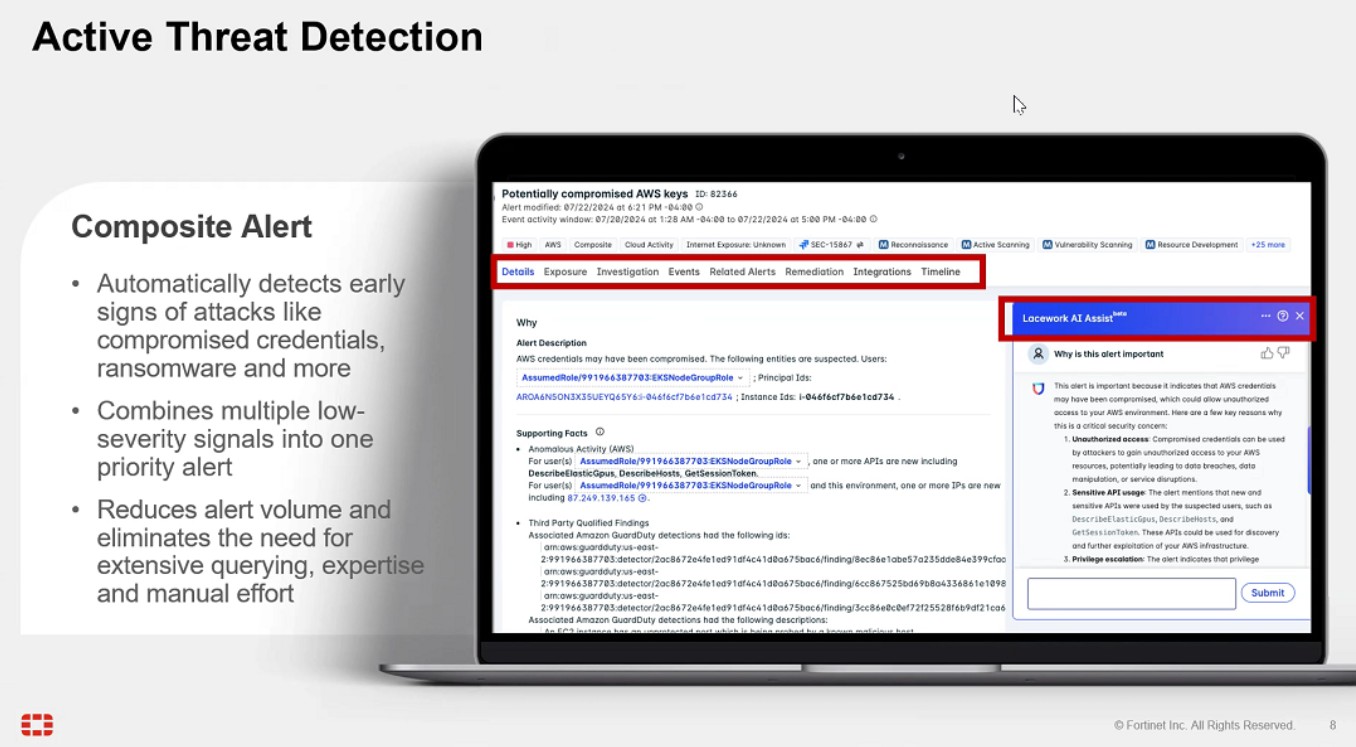
Rather than simply aggregating security data, CNAPP uses machine learning to correlate low-level signals into composite risk insights—multi-source, high-confidence threat narratives. This AI-powered threat detection helps teams separate real attacks from benign anomalies and respond faster, with fewer false positives.
Built for Security Operators: AI + Context
A standout feature is the integration of large language model (LLM) assistants into the analyst workflow. These LLMs provide pre-investigation context, explain attack chains, and suggest tailored remediation actions. It’s like having a virtual teammate triaging alerts in real-time.
CNAPP also supports:
Software Composition Analysis (SCA) for code-level vulnerabilities
Infrastructure monitoring for cloud misconfigurations
Pipeline inspection for DevSecOps visibility
Runtime protection across containers, VMs, and serverless apps
Whether identifying CVEs in Kubernetes clusters or flagging anomalies in your VPC, Fortinet delivers a holistic view of cloud risk.
Final Thoughts
As organizations scale across multi-cloud and hybrid environments, cloud-native threat detection and security automation become critical. Fortinet’s CNAPP shows what’s possible when AI meets cloud security—turning volumes of raw data into clarity, action, and real-time resilience.
Earlier this year, I had the opportunity to participate as a delegate at Cloud Field Day in Santa Clara. As delegates, we engaged directly with the presenting companies, offering feedback on what resonated, what needed clarification, and how their strategies could evolve.
The first presenter was Infoblox, a company that merges networking and security into a unified solution, more specifically they are focused on DDI — that’s DNS, DHCP, and IPAM. Other than an acronym of acronyms, what exactly is DDI? I soon found out as Chief Product Officer Mukesh Gupta explained how this combination of “boring” network services is critical in today’s messy, manual, and fragmented hybrid multi-cloud environments.
What Really Is DDI and Why Does It Matter?
DDI is about managing the “naming,” “numbering,” and “locating” of everything connected to a network — whether it’s a laptop, server, phone, or cloud service. Specifically it is made up of three foundational network services:
DNS (Domain Name System): Translates human-readable domain names (like google.com) into IP addresses.
DHCP (Dynamic Host Configuration Protocol): Automatically assigns IP addresses to devices on a network.
IPAM (IP Address Management): Manages the allocation, tracking, and planning of IP addresses across an organization.
These services form the invisible infrastructure behind every enterprise network. Mukesh described DDI as the “electricity” of networking — when it goes down, everything stops.
Multi-Cloud Challenges and DDI
Mukesh outlined three key trends currently reshaping enterprise infrastructure:
Hybrid multi-cloud adoption Most organizations now operate across a mix of public cloud providers and on-premises infrastructure.
SaaS-first, cloud-first strategies Enterprises are rapidly moving off legacy systems (especially post-VMware acquisition) in favor of cloud-native approaches.
Increasing cybersecurity threats Attackers are more frequent, more sophisticated, and more damaging than ever before.
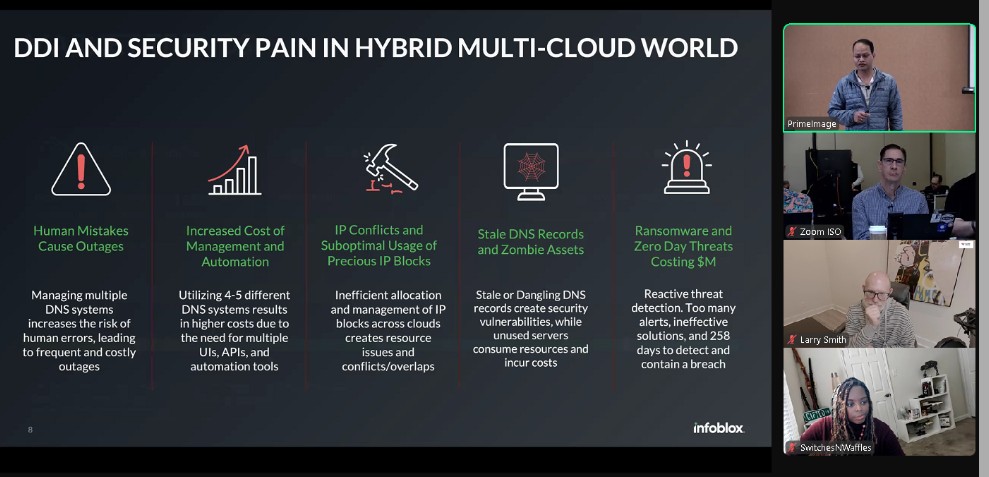
These trends introduce real complexity for DDI. Key challenges include:
Fragmented DNS systems across multiple clouds
Inconsistent APIs that make automation difficult and expensive
IP address conflicts due to disconnected systems
Stale DNS records that introduce security vulnerabilities
Real-world example: A major New York bank allowed cloud teams to use native DNS tools. One day, a simple typo in a DNS entry brought down the entire bank for four hours, costing them millions.
Infoblox’s Answer: An Integrated Platform
To address these pain points, Infoblox introduced the Infoblox Universal DDI™ Product Suite. This integrated platforms provides a centralized, automated, and cloud-managed way to run critical network services (DNS, DHCP, IPAM) across complex hybrid and multi-cloud environments.
Key Features:
Unified management layer Manage DNS across on-prem, branch, and cloud from a single interface.
Universal IPAM & asset visibility Real-time insights into IP usage and resource status.
Conflict detection & stale record resolution Automatically identify and resolve subnet overlaps and outdated DNS entries.
Built-in security Use DNS as a security control point to detect and block threats.
The platform supports physical, virtual, and cloud-based DNS servers, and integrates with automation tools like Terraform and Ansible. It also maintains backward compatibility via API replication, ensuring existing workflows stay intact.
Security Through DNS
One of the most compelling elements of Infoblox’s platform is how it uses DNS as a security layer.
Since nearly every internet communication starts with a DNS query, Infoblox can analyze DNS traffic patterns to:
Detect ransomware activity
Prevent data exfiltration
Block malicious domains in real time
By combining DNS logs with threat intelligence feeds, Infoblox transforms a foundational service into a proactive security shield.
The Future is Unified DDI
As enterprises deepen their multi-cloud investments, unified management and visibility across distributed infrastructure becomes invaluable. Infoblox’s Universal DDI™ Product Suite delivers this allowing organizations to manage DNS, DHCP, and IP address assignments consistently across data centers, cloud providers, and edge environments — all from a single interface.
While DNS, DHCP, and IPAM may seem behind-the-scenes, they are essential to:
Prevent outages
Accelerate cloud operations
Strengthen enterprise security
In a world where spreadsheets and siloed tools can bring down billion-dollar operations, Infoblox’s Universal DDI is something definitely worth checking out.
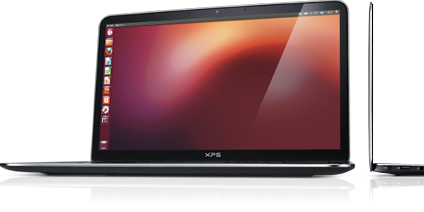
10 years ago, Dell’s first developer system, the Ubuntu-based XPS 13 developer edition became available in the US and Canada. What made this product unique was not only that it had been developed out-of-process and by a team largely made up of volunteers, but it targeted a constituency completely new to Dell. On top of that, nine months prior to launch the offering was nothing more than a recommendation supported by a handful of slides.
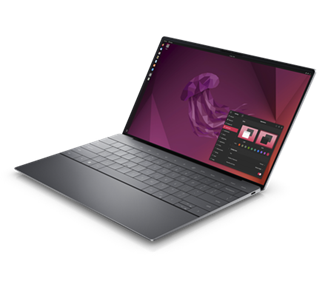
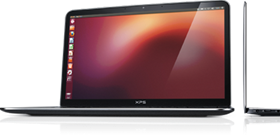
Today’s 12th generation Dell XPS Plus developer edition
Fast forward a decade and that initial developer edition is in now its 12th generation and has grown into an entire portfolio of developer systems. In addition to the XPS 13 developer edition, this portfolio now includes the Linux-based Precision mobile and fixed workstations, targeted not only at developers but data scientists as well.
You may be wondering not only how this volunteer-driven effort, targeted at what was seen as a niche audience, has survived, and thrived over the last 10 years. To learn this and what’s next for Dell and developers, read on….
Whey are all the best ideas impractical?
Our story begins back in the second half of 2011 with an impractical idea. At that time, myself and a couple of others had been tasked with finding ways Dell could serve web companies beyond infrastructure. To help us think through opportunities, we brought in Stephen O’Grady of the analyst firm, Redmonk to discuss potential approaches and solutions. An idea Stephen brought up was to deliver a Linux-based laptop that “just worked” and was targeted at application developers While Dell had been offering laptops preloaded with Linux for years, those offerings had been lower-end systems positioned as value solutions. If the idea was to target application developers, the offering would need to be based on a top-of-the-line system.
We loved the idea! Unfortunately, we knew that our client group would never go for it. The customer segments that Dell traditionally supported required huge volumes and a developer laptop would be seen as serving a “niche” market. We filed the idea away under, “great but impractical.”
Hark, an innovation fund
A few months later however, providence shown in the form of a recently established innovation fund.We realized that if we were ever to get support for our idea, this fund would be our best shot.
In order to put together a realistic proposal we started by enlisting a couple of interested engineers to provide a technical perspective. Next, we reached out to Canonical, the commercial sponsor behind Ubuntu, to gauge their interest (they were all in). With the help of Canonical, our little team performed some back of the envelope calculations to determine the resources needed to deliver a developer laptop. Based on our quick analysis we decided that it looked do-able and that we would worry about the details later.
The pitch
The deck I ended up delivering to the innovation team was far from a typical Dell presentation. The deck contained no numbers, no cost estimates and no revenue projections. Instead, I described the influence that developers had in the IT buying process and explained that the goal of the program was not to make money* but to raise Dell’s visibility with an influential community. By delivering a high-end Linux-based developer system, not only would we have something that no other major OEM offered, but more importantly it would help us to build trust within this community. This in turn would not only benefit our client business but the broader Dell as well.
I finished my presentation and rather than a standing ovation the innovation team thanked me for my time and told me they’d get back to us.
*Note: the program has not only paid for itself but has delivered tens of millions of dollars in revenue
Don’t look stupid
A month later, on the Ides of March, we were contacted and told that we were being given 6 months and a little pot of money to prove the value and viability of a developer laptop. We immediately formed an “official” core team and circled back with Canonical. Together we dug in and began determining what was needed to ensure that, directly out of the box, Ubuntu would run flawlessly on the XPS 13.
At the same time, we needed to make doubly sure that if we went public the community wouldn’t see Dell as tone deaf and “not getting it.” To help us determine this, we enlisted three local application developers, aka “alpha cosmonauts,” to act as sanity checkers and to provide early guidance. In parallel I headed to the west coast and met with both Google and Amazon and told them what we were proposing. While neither company placed an order for 10,000 units, I wasn’t laughed out of the room. Seeing this as a positive sign and with the support of our alpha cosmonauts, our team had the confidence to move forward.
Drivers, patches and contributing code
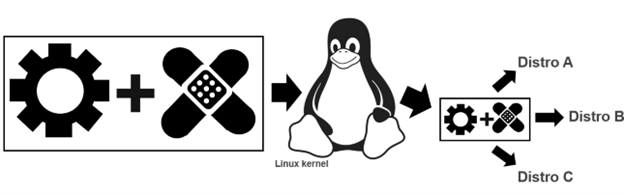
To ensure that Ubuntu works flawlessly on a Dell system, Dell, Canonical and device manufacturers need to work together. The process starts when the device manufacturers write open source drivers, allowing their devices (eg wireless cards, trackpads etc) to work on a specific Dell laptop or workstation. Next, to go from “works pretty well” to “just works“ these drivers need to be tweaked.
Tux attribution: gg3po, Iwan Gabovitch, GPL , via Wikimedia Commons
This tweaking comes in the form of open source patches which are jointly created by Dell and Canonical. These patches are then added to the original driver code and all of which is contributed upstream to the mainline Linux kernel.
While these drivers and corresponding patches are initially created to be used with Ubuntu, because code from the mainline kernel makes its way back downstream, all distros eg Fedora, OpenSuSE, Arch, Debian etc. can use it. This sharing of the code gives the community the ability to run the distro of their choice beyond Ubuntu.
After a couple of frantic months of coding and patching together internal support, the team was ready to get public feedback. To reflect the project’s exploratory nature, rather than issuing a press release or posting an announcement on Dell’s corporate blog, we decided to post the announcement on my blog.
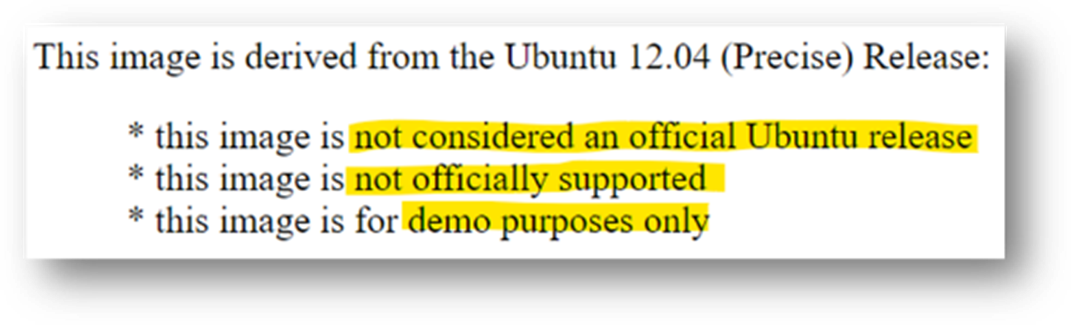
So that developers knew what they were getting into the OS image was clearly marked
We explained that the image was based on Ubuntu 12.04 LTS and came with a basic set of tools and utilities along with the requisite drivers/patches. The exception being the touchpad driver which at that point didn’t provide full support and lacked, among other things, palm rejection. This meant that if the user’s palm brushed the pad the cursor would leap across the page. We clearly stated the issue explaining that we had contacted the vendor and in parallel we were working with Canonical to deliver an interim solution.
Our ask of the community was to provide their feedback on the system, the OS and the overall project. More specifically we wanted to know what they most wanted to see in a developer laptop.
From there, interest kept growing and over the next few weeks we received global coverage from publications including The Wall Street Journal, Hacker News, Venture Beat, ZDNet, The Register, Forbes, USA Today, and Ars Technica.
Community input.
When Project Sputnik was announced, developers were asked to tell us what they wanted in a Linux laptop. Their requests were surprisingly modest.
Top 5 requests
Don’t make it more expensive than Windows
Make it work with the vanilla Ubuntu image
At least 8GB of RAM
No Windows Preinstalled
No CD/DVD
Based on the response, along with the amount of input we received from the community, we quickly sketched out a beta program. This turned out to be the tipping point. We asked that anyone interested in participating in the program submit an online form. We expected a few hundred responses, we got over 6,000.
Hello world
This overwhelming response convinced senior management that the project was viable. We were given the go ahead and four short months later the Dell XPS 13 developer edition debuted in the US and Canada.
The 1st generation Dell XPS 13 developer edition. For this initial launch the team erred on the side of caution and offered only one configuration. The config they chose was the highest available at the time: 3rd gen Intel core i7, 8GB RAM, 256GB SSD and a screen resolution of 1366×768.
At launch the product received more attention and coverage than our original announcement.There were however two complaints, the screen resolution was too low (1366×768), and the system wasn’t available outside the US and Canada. We took this input to heart and two and a half months later we introduced a Full HD (FHD) display (1920 x 1080), and the XPS 13 developer edition debuted in Europe.
Going big with Precision
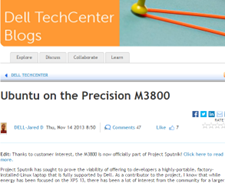
Something else we started hearing from a segment of the community was, although they liked the idea of a developer system, the svelte XPS 13 developer edition wasn’t powerful enough for their needs. They were looking for a bigger screen, more RAM and storage, and beefier processors. The system they had their eye on was the Dell Precision 3800 mobile workstation. Unfortunately, at that point our little team didn’t have the resources to enable and support an additional developer system. Realizing this, team member Jared Dominguez, whose official job was on the server side of the house, took a 3800 home and got to work enabling Ubuntu on the mobile workstation. Not only did Jared get the system up and running but he carefully documented the process and posted a step-by-step installation guide on Dell’s Tech blog. People ate it up.
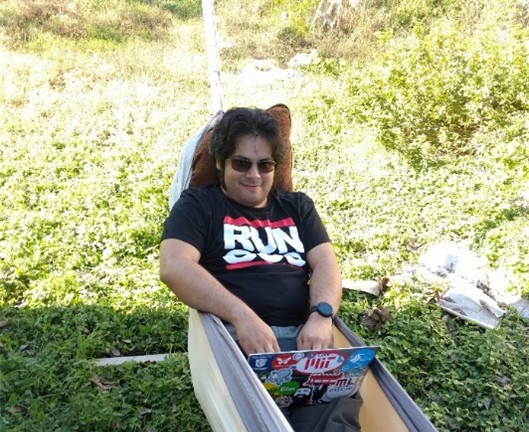
Jared hacking in his hammock
How to get Ubuntu up and running on your Precision workstation
Instead of satisfying their desire for a more powerful system, Jared’s post only served to increase the demand for an officially price-listed offering.
Community feedback in hand, the project Sputnik team took our learnings to the workstation group and convinced them of the opportunity. The Precision team dug in and a year later the Ubuntu-based Dell M3800 Precision mobile workstation became available (virtually doubling Dell’s developer product line). Not long after that, the developer portfolio more than doubled again when the Precision team expanded their mobile line up from one to four systems, each of which was available as a developer edition.
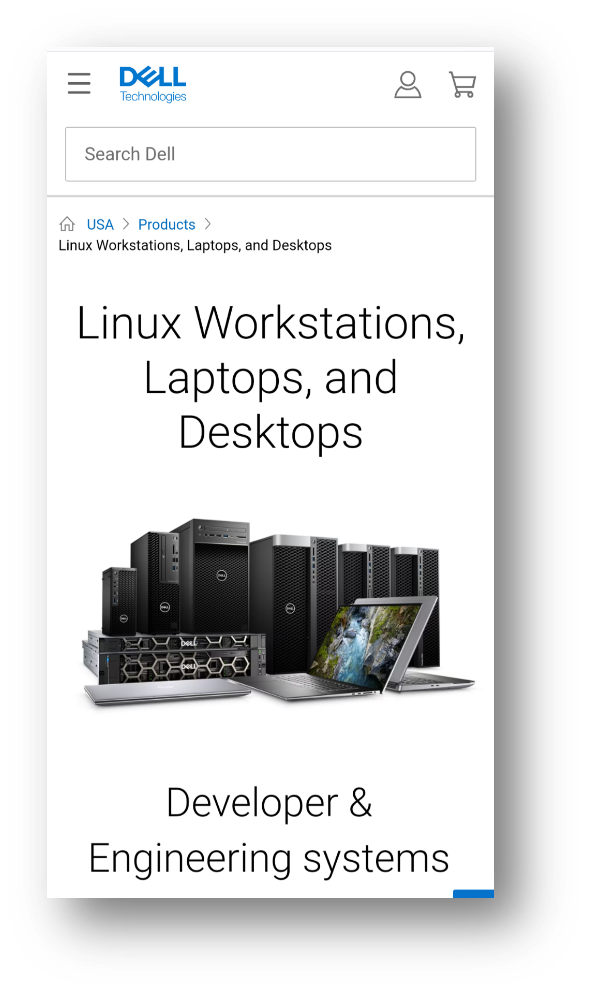
Today the Dell XPS 13 developer edition is in its 12th generation. On the Precision side, the mobile workstation line is in its 8th generation and has been joined by the fixed workstation line. Besides Ubuntu, both the fixed and mobile workstations are certified to run Red Hat and, in the case of the fixed systems, they are available from the factory with Red Hat preloaded. Additionally, the Precision portfolio now contains both developer-targeted systems as well as Data Science and AI-ready workstations.
And while Dell’s developer line is its most visible Linux-based offerings, these offerings make up only a fraction of the over 100 systems that comprise Dell’s broader Linux portfolio.
Not always a cake walk
Over the last 10 years, while the project has gone from a single product to a broad portfolio, the first years weren’t exactly smooth sailing. While there were always a variety of individuals and teams who were willing to help out, there were also many who saw the effort as a waste of resources. In fact, in the first few years the team found themselves more than once in the cross hairs of one department or another.
When we reached the three-year mark, it looked like Project Sputnik had finally used up its nine lives. Dell was looking to focus resources and planned to pare down across the board. Given the previous few years it was no surprise when we were told it was almost certain that the developer line would not make the cut. At that point I remember thinking, we’ve had a good run and can be proud of having made it as far as we did.
We still don’t know what happened, but once again providence shown and, for some reason, the axe never fell.
Going forward
As we head into our next decade, we find ourselves in a different environment. Ten years ago, most Dell employees saw developers as a niche market at best, today that’s changed. With the continuous rise of DevOps and platform engineering, the broader Dell has recognized the importance of developers alongside operations.
In light of this, Dell’s overall product portfolio, from laptops, to server and storage solutions is now being designed with developers in mind. To ensure that developers’ requirements are being accurately reflected, Dell has recently established a developer relations team and has brought in key figures from the community to serve as developer advocates.
In the case of the existing developer portfolio, besides looking for more opportunities to connect client systems to back-end systems, Dell is looking at various ways to broaden the portfolio on the client side. The team is currently in the early stages of brainstorming and are looking at a variety of options. Stay tuned!
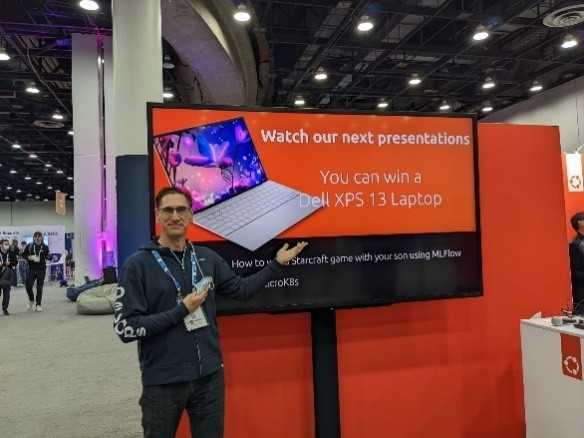
At Kubecon NA 2022 I came across the Dell XPS 13 Plus developer edition being offered as the grand prize at the Canonical booth
Thank you
A few groups that need to be called out for making this possible:
A big thank you to Canonical who has worked hand in hand with us to deliver and expand our developer line and a shout out to those at Dell who, on top of their day jobs, have given their time and support. Finally, a huge thank you the developer community for making project Sputnik a reality. Over the last ten years you in the community have let us know what you’ve liked and where we could do better. It’s because of this amazing support that not only are we still here 10 years later, but it looks like we’ll be around for awhile 😊
Epilogue — 5 things we learned
Over the last 10 years the team has learned quite a bit and has the scars to prove it. Here are our top five leanings
You’re good enough… No one knows it all so build a great team and take the leap
Get a champion, be a champion – You need to have someone high up to go to bat for you at critical moments but on a day-to-day basis it’s you who must be a tireless champion
Leverage, execute – It doesn’t matter if it’s your idea or not, delivery is what counts
Start small – Don’t over promise, stay focused and err on the side of caution
Communicate, communicate, communicate – Stay in constant contact with the community, speak directly and with empathy and when you screw up or fail to deliver, own it
Post Script – Why “Sputnik”?
You may be asking yourself, why did they name it “Sputnik” in the first place? The project name is a nod to Ubuntu founder and Canonical CEO, Mark Shuttleworth who, 10 years before the project itself, spent 8 days craft orbiting the earth in a Soviet space (while the ship was actually Soyuz, it didn’t have an inspiring ring to it so we went with “Sputnik” instead.)
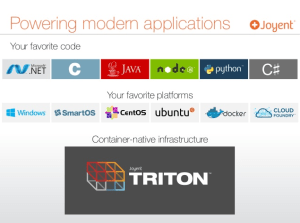
As we’ve talked about before, a few of us in Dell’s CTO group have recently been working with our friends at Joyent. This effort is a part of the consideration of platforms capable of intelligently deploying workloads to all major infrastructure flavors – bare-metal, virtual machine, and container.
Today’s post on this topic comes to us complements of Glen Campbell — no, not that one, this one:
Glen has recently come from the field to join our merry band in the Office of the CTO. He will be a part of the Open Source Cloud team looking at viable upstream OSS technologies across infrastructure, OS, applications, and operations.
Cloud, allows customers to take advantage of the technologies and scale Joyent leverages in their Public Cloud.
On the Triton Elastic Container Infrastructure (which I’ll call “Triton” from now on) bare-metal workloads are intelligently sequestered via the use of the “Zones” capabilities of SmartOS. Virtual machines are deployed via the leveraged KVM hypervisor in SmartOS, and Docker containers are deployed via the Docker Remote API Implementation for Triton and the use of the Docker or Docker Compose CLIs.
What’s the Dell/Joyent team doing?
As part of interacting with Triton we are working to deploy a Dell application, our Active System Manager (ASM), as a series of connected containers.
The work with Triton will encompass both Administrative and Operative efforts:
Administrative
Investigate user password-based authentication via LDAP/Active Directory
in conjunction with SSH key-based authentication for CLI work
Track/Monitor Triton logging via Elasticsearch
use Joyent’s pre-packaged build of Elastic’s (http://elastic.co) Elasticsearch
Newer Triton node client to see next-gen of “sdc-X” tools
Docker Compose
build a multi-tier Docker application via Docker Compose, deploy on Triton via its Docker Remote API endpoint
Triton Trident…
deploy a 3-tier application composed of:
Zone-controlled bare-metal tier (db – MySQL)
Docker-controlled container tier (app – Tomcat)
VM-based tier (presentation – nginx)
Dell Active System Manager — a work in progress
aligning with Dell’s internal development and product group to establish a container architecture for the application
Stay tuned
Our test environment has been created and the Triton platform has been deployed. Follow-on blog posts will cover basic architecture of the environment and the work to accomplish the Admin and Ops tasks above. Stay tuned!
Extra-credit reading
Instructions: Installing Triton Elastic Container Infrastructure (updated to reflect learnings from setting up Triton in the Dell CTO lab)
Last week at Dell World I interviewed a bunch of folks and will be posting these videos in the upcoming days. On the last day of the event however I got to sit on the other side of the camera and talk about Digital Transformation.
Take a listen below as I explain what I’ve learned and how Digital Transformation is affecting organizations today.
Some of the ground we cover
What is “Digital Transformation?” Why all of a sudden does it seem to be the buzz word du jour?
The importance of placing the customer in center of your thinking.
Which organizations have transformed successfully and why and who has become digital prey.
How does it leverage technologies like cloud, social, mobile and big data/analytics?
Digital transformation may seam like the latest in a long line of marketecture-based high tech concepts but it actually is pretty straight forward. In a nutshell, digital transformation is about adopting and often combining the digital technologies of Cloud, Mobility, Social Media and Analytics to better serve customers.
More generally, digital transformation, is about extreme customer-centricity and engaging customers digitally at every point throughout the customer life cycle. And it is key to remaining competitive today.
Big at the Bazaar
A few weeks ago I attended the Bazaarvoice summit here in Austin. The topic of digital transformation was woven through out the two day event. My favorite illustration of this was a very cool keynote on the first day demonstrating what a mobile personalized retail experience might like look in the year 2020.
While at the show I grabbed some time with Scott Anderson, SVP of marketing at Bazaarvoice to get his thoughts on digital transformation. Take a listen:
Some of the ground Scott covers:
The customer is in control
How does Digital Transformation map to Social, Mobile, Analytics and Cloud?
How would you advise a CEO looking to digitally transform his or her organization?
How does digital transformation work in a B2B, vs. B2C, context?
Where Dell plays
Dell Services has been involved with digital transformation for a while. We consolidated our capabilities and created a dedicated service line to help customers achieve digital transformation. The service line uses a consulting-led approach to help them leverage any/all of these technologies to drive business outcomes and better serve their customers.
As an example, here is one our earlier case studies where we worked with the American Red Cross to help them leverage social media to aid in disaster relief.
Stay tuned in the weeks ahead as I post more about what we are doing in the realm of digital transformation.
This is the final video clip from the Dell Services Application think tank held earlier this year. Today’s clip features the always enlightening and entertaining Jimmy Pike. Jimmy, who is a Senior Fellow at Dell and was once called the Willy Wonka of servers, was one of the 10 panelists at the Think Tank where we discussed the challenges of the new app-centric world.
In this clip, Jimmy talks about the fundamental differences between “purpose-built hyperscale” and the cloud environments that most organizations use.
As Jimmy points out, when moving to the cloud it is important to first understand your business requirements and what your SLAs need to be.
Today we conclude the mini-series of videos around the topic of application and software strategy. Today’s segment features Barry Libenson, SVP and CIO at Safeway talking about legacy platforms vs. modern cloud-based systems like the loyalty platform they have implemented. Take a listen as Barry talks about the differences between the two.
While it might not make sense to cloud-enable everything, when you’ve got a 20-year old mainframe system like Barry describes you’ll want to look to app modernization and moving to a standard and open architecture.
Stay tuned
Next week is the last topic culled from our App Think Tank: cloud and infrastructure thoughts. You’ll want to tune in to see how CIOs and tech companies are viewing and thinking about these areas 🙂
The Think Tank, Sessions one and two
Think Tank Session 1– Welcome to the application-centric world – best practices in the ‘greenfield’
Think tank Session 2– Nexus of forces – CIOs under pressure and the rise of the enterprise developer
Today, Das Kamhout, IT Principal Engineer at Intel and their lead cloud architect talks about Intel IT’s program to make all of their traditional applications into services. (This video was taken from the Application think tank that Dell Services held back in January.)
The world is turning to services. As Das points out, after you rationalize your application portfolio you want put together a strategy to start modifying at least some of your traditional applications to be services based.
Stay tuned
Tomorrow is the last entry on the topic of software and application strategy. Safe’s CIO will discuss legacy applications and which you want to modify and which you want to leave alone.
The Think Tank, Sessions one and two
Think Tank Session 1– Welcome to the application-centric world – best practices in the ‘greenfield’
Think tank Session 2– Nexus of forces – CIOs under pressure and the rise of the enterprise developer
The week before last Dell Services held a think tank out in Silicon Valley at the venture firm, NEA. We had 10 panelists representing both old school and new school organizations: Intel, Safeway, American Cancer Society, Puppet Labs, NGINX, Stormpath, Stanford Business School, 451 Research and TechCrunch (see complete list of participants below). I had the honor of moderating the panel.
The group discussed the challenges of the new app-centric world as well as how to leverage both the “Four horsemen of IT du jour”: Cloud, Mobile, Social and Big Data, and the “three enablers”: Open Source, DevOps and APIs.
You can see more pictures from the event as well as watch the entire think tank, which ran a bit under three and half hours, here. Additionally, over the next few days I will be posting blogs around four short video snippets from the event.
Video 1: What do customers expect
Video 2: IT is facing competition for the first time ever
Video 3: The persistently, ubiquitously connected to the network era
Video 4: The web of C level relationships
Some Take-aways
I was really impressed how well the participants gelled as a group, with just the right amount of tension :). Below are a few of the interesting tidbits I took away (I was surprised how much of the conversation came back to culture) You can also check out SDNCentral’s summary of the event .
Q: What are the customer expectations of services today?
They are personalized and immediate (friction is a killer)
They are agile and rapidly improve
Available from any device, anywhere and are always on
Q: What big bets are you making?
“Open Source all the way” — Barry Libenson, CIO, Safeway
Mobile first, platform agnostic – Jay Ferro – CIO American Cancer Society
Hire learners, not vertical experts, we want entrepreneurial problem solvers – Ranga Jayaraman – CIO, Stanford Business School
Everything must be services – Das Kamhout – IT Principal Engineer, Intel
Set up a learning culture, that is tolerant of failure – Luke Kanies, Puppet CEO
Clean APIs and modularity – Alex Salazar – CEO, Stormpath
Q: If your son or daughter wanted to be a CIO, what advice would you give them?
First, a little background. Nearly a year ago today we launched the first Dell XPS 13 Developer Edition. This Ubuntu-based client-to-cloud platform was the result of an internal skunkworks effort, Project Sputnik. Thanks to strong community input and support the project became a product.
Within a few months of launching the initial XPS 13 Developer Edition (Sputnik 1), we introduced “Sputnik 2” solving for the biggest issue with the first release, monitor resolution.
Today we are announcing the availability of Sputnik 3, the XPS 13 Developer Edition featuring the 4th generation Intel processors. This laptop, which is touch-enabled, will replace the existing XPS 13 Developer Edition.
And since we’re talking about systems and Ubuntu, in response to the continuous requests for a more powerful version of the Developer Edition, we have taken the first steps by doing some testing on the Precision M3800 and posting the results.
This system news is on the back of our announcement earlier this week about the relaunching of the Profile Tool effort and our request for input from you all.
The Sputnik 3 Product specs are as follows:
Processor: 4th generation Intel i7
Display: 13.3″ Full High Definition touch display (1080p)
System memory: 8GB
Graphics: Intel HD graphics 4440 (HD 5000 in the case of the enterprise version)
Hard drive: 256GB SSD drive
Standard Service: 1 year Dell ProSupport and onsite service after remote diagnostics
Operating system: Ubuntu 12.04 LTS
Community projects: Cloud launcher and Profile tool (for more info see Tuesday’s update)
Availability of Sputnik 3
Starting today the updated XPS 13 Developer Edition is available in the
Pricing for the system will not increase and will remain $1,549.99
Early next week the Developer Edition will be available in Canada.
For North America, the US and Canada, in addition to the i7 configuration, there will also be an i5/128GB config that will be available on a build-to-order basis and priced at $1249.99.
By the end of November, the Developer Edition will be available in
Testing Ubuntu on the Precision M3800 mobile workstation
While the XPS 13 has proven to be very popular with developers, since we started
Dell Precision M3800
project Sputnik there has been a group in the community that has been asking for a “big brother” for the XPS 13 developer edition, i.e. a system with 16GB of RAM that offered a larger screen and more horsepower.
With the above in mind, when Project Sputnik team member Jared Dominguez learned about the sleek new Precision M3800 that was coming out, he finagled his way into getting a system to do some testing.
You can find Jared’s detailed results here but the net is “For the most part, everything [he] tested works,” the one exception being the SD card reader. The resourceful Jared then shipped his system to Chris Ball, a buddy of his that maintains the SD/MMC/SDIO subsystem of the Linux kernel, and who graciously agreed to volunteer time debugging the Linux driver for this card reader. We will keep you updated on the progress.
So while Jared’s testing is not official it should be enough to get most devs going running Ubuntu on the M3800. And like the initial project Sputnik offering, if we get enough positive feedback, we might be able to offer it as an official pre-installed offering.
In the cloud you can turn on 100s or 1000s of servers at the click of a mouse, but what happens when you want to configure them? If you do it by hand it will take you months if not longer. That’s where Puppet comes in, an automation tool that allows you to configure and manage legions of servers.
Back in September, at Venture Beat’s CloudBeat I moderated a session with Stan Hsu of Paypal and Luke Kanies, CEO and Founder of Puppet labs. During the session Stan talked about how Paypal used Puppet to automate their processes and increase responsiveness to the business.
After the session I grabbed some time with Luke to learn more about Puppet.
As Luke explained, as we have moved to cloud-scale the need for automation has continued to rise. With the cloud the rate of change continues to increase and time to value is what you compete on. As a result, shortening the amount of time between when your developers finish coding and your customers get access to those services is critical. Anything that lengthens that time is friction and the name of the game is reducing friction and increasing velocity. As Stan of paypal explained during our session you want to constantly examine your processes for bottle necks and then automate them.
With a tool like Puppet sysadmins can automate processes and move beyond the table stakes of providing a stable and secure environment and become more responsive to the business and ultimately the customer.
Some of the ground Luke covers in the above video:
How did Luke get in the automation game and where did the idea for Puppet come from? How form the start his goal was to make a tool that the vast majority of people could use, not just the gurus.
2:38 How have things changed in the eight and half years since he started Puppet?
4:46 Who are the primary users of Puppet? Why DevOps is poorly named and why it’s so important for sysadmins and operations.
Here’s the next in my series of interviews from VentureBeat’s CloudBeat, held last week in San Francisco.
After his panel, I got a chance to chat with Andres Bang, head of global sales and operations systems at Linkedin. I talked to Andres about how they used Dell Boomi to integrate their cloud and on premise applications, along with their CRM platform SalesForce.
Andres told me, “Dell Boomi is doing to the integration industry what SalesForce did to the CRM industry 10 years ago,” hear what else he had to say:
Some of the ground Andres covers:
What Andres does and the goals of his group within LinkedIn
Looking for a way to expand their SalesForce platform with custom applications
Stitching together SalesForce, databases, tools and custom apps with Dell Boomi. “Integrations which used to take months or years are now talking days or weeks.”
What specific apps and data types is LinkedIn using Boomi to connect to SalesForce to provide a “single pane of glass” for sales
Im now at the penultimate interview in my video series from OSCON 13. Today’s installment features Puppet Labs‘ Andrew Parker, team lead for the core platform team. Check out what Andrew has to say:
Some of the ground Andrew covers
What is Puppet and how does it work?
DevOps: How does Puppet help bridge the divide between Dev and Ops?
Puppet’s key crowd is hands-on operation types but business and devs play big roles as well.
As we get further into a cloudy world, what implications does that have for the Puppet platform?
For more Puppet goodness, check out PuppetConf this week in San Francisco. If you cant make it there is also a live stream set up.
Last month at OSCON, after his keynote “Creating communities of Inclusion,” I caught up with Mark Hinkle, Senior Director of Open Source Solutions at Citrix. We chatted about about the talk he delivered and what he and Citrix are up to in the world of Open Source.
Some of the ground Mark covers:
Getting in ruts in the open source community and how we can refactor
Open source is not a zero sum game
Open source developers are not always the best at asking for help
Mass collaboration like that seen in open source can benefit other industries as well
A couple weeks ago Dell put on a half-day Cloud summit on BrightTALK. The event, led out of our services group, was made up of six hour-long presentations that ranged from Cloud security to compliance to HPC.
John Willis, who recently joined Dell via the Enstratius acquisition, and I presented the deck below. We began with the rise of the developer and their key role in cloud. From there we talk about how IT can best work with developers to drive innovation, while at the same time maintaining stability (spoiler alert: the answer is DevOps).
If you want to listen to recordings of any of the six presentations that made up the cloud summit, check out the links below:
At the OpenStack summit last month we caught up with Ubuntu and Canonical founder Mark Shuttleworth.
Below is a quick snippet taken from our chat with Mark where he talks about the Dell XPS 13 developer edition aka Project Sputnik. Mark dubs the system “freakin’ awesome” and the “environment of choice for anyone doing web or cloud development.” 🙂
Extra-credit reading
Laptop Week Review: The Dell XPS 13 Developers Edition With Ubuntu – TechCrunch
It just works: Dell XPS 13 Developer Edition Linux Ultrabook review – Ars Technica
On Monday, we announced the new 1080p display for the XPS 13 developer edition and its upcoming availability in Europe and beyond. To support that launch, here is the official spec sheet as well as a brief presentation on the project and resulting product.
A little over six months ago we announced a scrappy skunkworks project to pilot a developer solution based on Ubuntu 12.04LTS and our sleek XPS 13 laptop. Thanks to the amazing feedback and support we have received from the community, today we are announcing the availability of the resulting official product – the Dell XPS 13 laptop, developer edition.
What’s exactly is it?
Here is an overview of the components of this client-to-cloud solution and some key facts:
Hardware: XPS 13 laptop, high-end config
I7 CPU, 8GB RAM, 256GB SSD
Software
Ubuntu 12.04 LTS
Basic set of drivers, tools and utilities (complete list)
*Updated 11/30/12: the community pointed out we had not priced consistently across our online stores, this has been fixed. This offering was always intended to be priced less than Windows.
Availability
Small office/consumer – U.S.
Enterprise – U.S./Canada
Outside the US – early 2013
Community projects: Profile tool and Cloud Launcher
The profile tool and cloud launcher are beta open source projects that we have just kicked off on github. These projects are quite nascent at this point and we are looking for more people to get involved and help get them going (hint, hint 🙂 ) .
Profile Tool: The idea behind the profile tool is to provide access to a library of community created profiles on github, such as Ruby and Android, to quickly set up your development environments and tool chains.
Cloud launcher: The cloud launcher enables you to create “microclouds” on your laptop, simulating an at-scale environment, and then deploy that environment seamlessly to the cloud. Today the launcher utilizes Linux Containers to model your environment on your laptop and then uses Juju to jettison that environment to the cloud. The launcher project on github will allow for community expansion on this concept using different technologies and approaches.
How did we get here?
As I mentioned at the beginning, project Sputnik began as a skunkworks effort. It was made possible by internal incubation fund designed to bring wacky ideas from around the company to life in order to tap innovation that might be locked up in people’s heads.
Just weeks after the basic concept was greenlighted by the innovation team, it was publically announced as a pilot project at the Ubuntu developer summit. The big focus of our efforts, particularly in the beginning, has been to work with Canonical to make sure that we had the appropriate drivers for all functionality including the pesky touchpad.
From the start, the idea was to conduct project Sputnik out in the open, soliciting and leveraging direct input from developers via our Project Sputnik StormSession, comments on this blog, threads on the Sputnik tech center forum as well as the project Sputnik beta program. In fact it was the tremendous interest in the beta program that convinced us to take Project Sputnik from pilot to product.
I would like to give a special shout out to the beta cosmonauts who signed on. They were an intrepid lot who were patient and diligent working through issues to help make sure that when we went to production we had a product that developers would want.
Where do we go from here?
The next big thing for XPS 13 developer edition is availability outside the United States. We are working with teams inside of Dell to make this so as quickly as we can. The other direction we are looking at potentially expanding is offering a bigger beefier platform for developers. The XPS 13 is perfect for those who want an ultra light and mobile system but we have heard from a bunch of devs who would also like an offering that was more workstation-like with a bigger screen and more RAM.
Today is a very proud moment for our team, putting together an official Dell offering for developers with their input and suggestions through out the process. Stay tuned for more to come!


 Posted by Barton George






 Barton's Blog