I listen to a lot of podcasts. Like many people, I listen in the car, in the morning while getting ready, at night before bed, and when doing things around the house. They run the gamut. Some are built around short stories, others take deep dives into individual songs, some are interview-based, others focus on world news, and, last but not least, a handful focus on tech.
When it comes to tech podcasts, there are five that I listen to religiously and want to share. What follows are my quick thoughts on each. (FYI they’re listed from the least technical to the most, although none of these are really that technical).
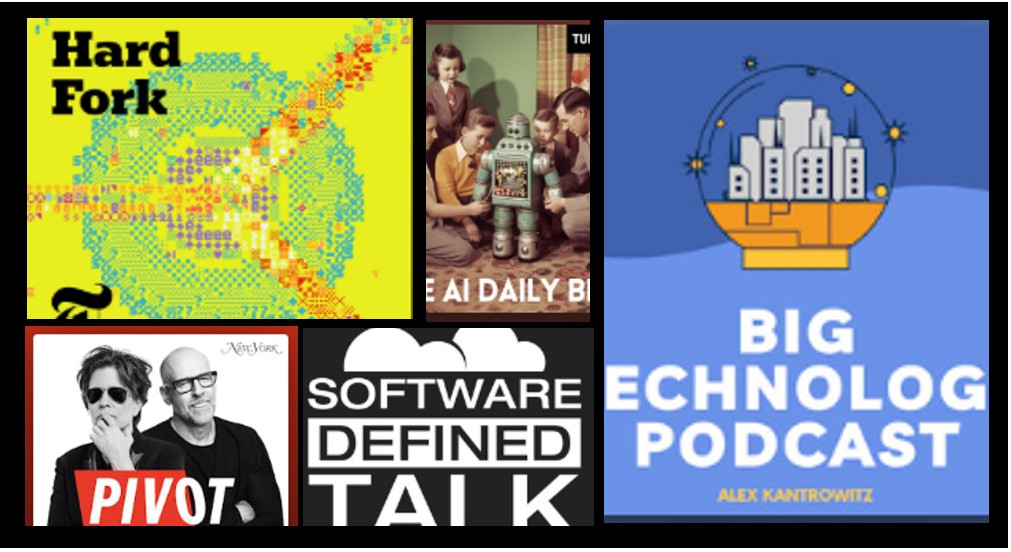
The first is Pivot, starring Scott Galloway and Kara Swisher. Scott is a marketing professor and former industry titan, and Kara is one of the premier journalists in Silicon Valley. Like most podcasts I enjoy, the appeal is really about chemistry and balance. Kara steers the show, while Scott offers insights and, at times, off-color jokes (though he’s toned that down a fair bit). Kara often takes the lead on the key topics, and they’re refreshingly willing to disagree with each other.
Kara, who’s a big fan of Kara, plays the “older sister” role in the relationship, usually keeping a cooler head while not suffering fools gladly. Scott, by contrast, can be goofy, and is unafraid to be vulnerable; he also comes to each show armed with a boatload of stats. When warranted, both can go off on people and topics, dropping f-bombs and letting loose invective.
The show is billed as covering “All things tech and business,” but they regularly dip into politics and social issues. (My one peeve is that they can spend too much time discussing media conglomerates and streaming services. I like to watch Netflix, not talk about it.) The podcast drops on Tuesdays and Fridays and typically runs a bit over an hour.
The second is Hard Fork, with Casey Newton from Platformer and Kevin Roose from The New York Times. Their banter is excellent. Casey plays the instigator, while Kevin laughs at Casey’s antics and bad jokes (props to Kevin for being able to laugh heartily at the drop of a hat). The show was supposed to be focused on crypto but AI happened and, like everywhere else, became the central focus.
While they tend to align in their views, they do a good job explaining complex topics by having one take the lead while the other asks clarifying questions. Most episodes feature just the two of them, but they also bring on guests, including journalists with deep expertise and people from industry. When they talk to industry guests, they’re really good at asking tough questions and pressing them instead of simply tossing softballs. Hard Fork comes out on Fridays and usually runs about an hour.
The third is imaginatively entitled, Big Technology Podcast. It’s hosted by Alex Kantrowitz, a journalist and frequent tech commentator on outlets like CNN. Most weeks he does a single interview, some I listen to and some I skip, and on Fridays he hosts a show with Ranjan Roy from Margins. Ranjan brings a finance background and tends to be more technical than Alex who steers the conversation. Although it took me a bit, I’ve come to appreciate Alex’s dry delivery, and I like the way the two play off each other. The shows run about an hour with regular Friday deliveries as well as interviews that drop at different times when they become available.
Number four is The AI Daily Brief which is the only podcast with a solo host. For a long time, I was convinced the host was AI-generated – the delivery was flawless, there are no “you knows,” “ums,” or verbal stumbles. It turns out however that it’s actually hosted by a human, Nathaniel Whittemore. I don’t know who edits the show but they should get a medal. (Of course that could be where the AI comes in).
The shows tend to run about 25 minutes, with the first five minutes covering AI news, followed by a longer segment that goes deeper on a specific topic. The tone is more formal than the others, but he does a solid job backing up his points with tweets, articles, and other sources.
As the name suggests, it comes out daily (I don’t know how he keeps up the pace). I don’t listen to every episode, but I usually try to catch at least the first five minutes. Some episodes are better watched on YouTube, especially when he’s showing apps, demos, or stats. (I should have mentioned that all these pods can also be watched on YouTube)
Last but not least is Software Defined Talk. Clocking in at 500+ episodes this one tends to focus on developers, open source, corporate culture, and a mix of topics that range from arcane to mundane. It stars Michael Coté, Brandon Whichard, and Matt Ray, all three of whom are or were developers. They’re the only trio in my top five, though all three aren’t always on every episode depending on the week (I’ve even had the opportunity to sit in a couple of times, so you know it’s got to be good).
Each person brings a distinct area of expertise and style. Matt Ray is the most technical and also the primary investor voice. Brandon brings product management experience, corporate culture insight, and a steady, rational perspective. Coté rounds things out with strategic insights, thoughtful musings, and occasional stories about life in the Netherlands. Coté also typically handles the closing of the show where they list upcoming conferences, give their recommendations for the week (usually books or TV shows) and Brandon gives a shout out to those around the world who he’s sent SDT stickers to. When I wake on Fridays SDT is waiting there for me among my Spotify podcasts. With regards to runtime, they tend to be a bit over an hour.
So there you are and there you have it, my top five. I’m curious to know how many folks out there listen to one or more of these and if you have any not on the list and why?
TL;DR: The market’s trillion-dollar AI boom is built on one assumption: whoever spends most on infrastructure wins. DeepSeek briefly exposed how fragile that belief is, and how quickly the system could unravel if it’s wrong. It could happen again.
On the last Monday of January, markets lost over a trillion dollars in value. Nvidia alone shed roughly $593 billion, the largest single-day drop in U.S. stock market history.
The cause: DeepSeek R1, an open-source model from China trained for a fraction of the cost of frontier systems. Its release shook market confidence by calling into question the industry maxim that whoever has the most infrastructure wins. (This reevaluation didn’t last long, and by the next day the markets had recovered.)
Nine months later, the market sits at new highs, and infrastructure spending has gone from big to absurd. OpenAI alone has pledged over $1 trillion for computing infrastructure over the next decade—against just $13 billion in annual revenue, a staggering 1:77 ratio.
We’ve entered the age of circonomics: a closed-loop economy where companies are simultaneously customers, suppliers, and investors in each other’s ecosystems. Instead of paying cash, they trade equity, warrants, and GPU access, often leasing back what they’ve sold in increasingly circular agreements. The system resembles a tangled web of interdependence, so tightly coupled that the failure of a few players could destabilize the entire ecosystem.
A single breakthrough, whether in architecture, algorithmic efficiency, or data movement, could render these trillion-dollar bets obsolete overnight. DeepSeek already proved that “bigger is better” isn’t a law of nature. A new open-source model that’s merely “good enough” could shift value upward, from infrastructure to applications, undermining the capital structure beneath today’s AI giants.
This in turn could ripple through markets, exposing how much of today’s prosperity depends on the myth of infinite scale.
AI is unquestionably a once-in-a-generation technological shift. The question is whether it truly requires mythic levels of capital expenditure to get there. When the correction eventually comes, AI won’t die; it will evolve. The next phase will reward efficiency over magnitude: smaller, modular models, decentralized compute, open source and open architectures.
In short, disruption won’t end AI, it will force it to grow up.
Note (April 2025): This post was originally written in early February, just after DeepSeek’s R1 model sent shockwaves through the AI world. Since then, the model has been downloaded thousands of times, sparked forks and spinoffs, and raised serious questions about the future of proprietary AI. The original post has been lightly updated for clarity and SEO.
Surprise!
Last Sunday’s market chaos didn’t come out of nowhere. It had been quietly building throughout the week—until it suddenly exploded. The trigger? A little-noticed announcement from a small Chinese firm. That firm, DeepSeek, had just unveiled its R1 large language model, claiming it was built for less than $6 million.
At first, most shrugged. But over the following days, analysts began to dig in. And what they found changed everything.
By the end of the week, prominent news outlets like The Wall Street Journal were sounding alarms with headlines like “China’s DeepSeek AI Sparks U.S. Tech Sell-Off Fears.” The market opened Monday with investors on edge—and by the close, the NADAQ had lost over $1 trillion and Nvidia, the world’s most valuable company, had lost $589 billion in market value in a single day. It was the biggest one-day drop for a company in U.S. stock market history.
Let that sink in: A MIT-licensed, open source model posted on Hugging Face had just upended the most important tech arms race in decades.
Industry Myopia
It’s staggering to think that the world’s most powerful innovation engines—stacked with elite technical talent and billions in R&D—were blindsided by an open-source release.
This wasn’t a stealthy attack on a niche. It happened in arguably the most watched and capital-intensive domain of the last 20 years. People have compared generative AI to the internet, the printing press, even the invention of sliced bread. Yet the industry failed to anticipate this kind of disruption.
The mindset in the AI world had become singular: whoever could hoard the most NVIDIA GPUs and scale up the largest data centers would win. While the major players doubled down on that narrative, a quant research firm in China quietly remixed open models using reinforcement learning, bundled the result under a permissive license, and published it for anyone to use.
And just like that, the rules changed.
Open Source Has Disrupted Before—But Never This Fast
Open source is no stranger to disruption. We’ve seen it again and again with Linux, MySQL, Kubernetes, PyTorch—technologies that slowly but surely redefined their markets.
But those shifts took years.
Linux: Nearly a decade to gain serious enterprise traction
MySQL: Several years to replace proprietary databases
Kubernetes/PyTorch: 4–5 years to reshape containers and machine learning
DeepSeek’s impact? Days.
A Historic Turning Point for AI
I can’t think of the last time an emerging technology blindsided the entire industry and shattered consensus thinking overnight.
Yes, you can argue about DeepSeek’s actual development cost. You can debate the sustainability of open models. You can even pull out Jevons Paradox and talk about GPU demand skyrocketing anyway. But none of that erases this simple fact:
An open-source model triggered a $1 trillion market correction.
Whatever happens next, DeepSeek R1 has already earned a place in the history books—and quite possibly a future HBS case study.
Join the Conversation
Was this a short-term overreaction, or the first real crack in the foundation of proprietary AI? Let me know what you think in the comments.
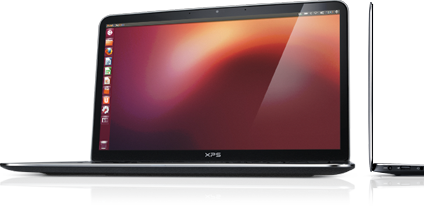
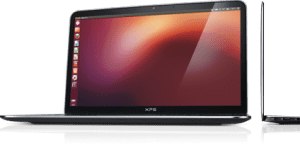
10 years ago, Dell’s first developer system, the Ubuntu-based XPS 13 developer edition became available in the US and Canada. What made this product unique was not only that it had been developed out-of-process and by a team largely made up of volunteers, but it targeted a constituency completely new to Dell. On top of that, nine months prior to launch the offering was nothing more than a recommendation supported by a handful of slides.
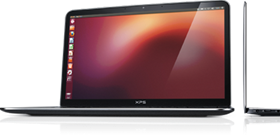
Today’s 12th generation Dell XPS Plus developer edition
Fast forward a decade and that initial developer edition is in now its 12th generation and has grown into an entire portfolio of developer systems. In addition to the XPS 13 developer edition, this portfolio now includes the Linux-based Precision mobile and fixed workstations, targeted not only at developers but data scientists as well.
You may be wondering not only how this volunteer-driven effort, targeted at what was seen as a niche audience, has survived, and thrived over the last 10 years. To learn this and what’s next for Dell and developers, read on….
Whey are all the best ideas impractical?
Our story begins back in the second half of 2011 with an impractical idea. At that time, myself and a couple of others had been tasked with finding ways Dell could serve web companies beyond infrastructure. To help us think through opportunities, we brought in Stephen O’Grady of the analyst firm, Redmonk to discuss potential approaches and solutions. An idea Stephen brought up was to deliver a Linux-based laptop that “just worked” and was targeted at application developers While Dell had been offering laptops preloaded with Linux for years, those offerings had been lower-end systems positioned as value solutions. If the idea was to target application developers, the offering would need to be based on a top-of-the-line system.
We loved the idea! Unfortunately, we knew that our client group would never go for it. The customer segments that Dell traditionally supported required huge volumes and a developer laptop would be seen as serving a “niche” market. We filed the idea away under, “great but impractical.”
Hark, an innovation fund
A few months later however, providence shown in the form of a recently established innovation fund.We realized that if we were ever to get support for our idea, this fund would be our best shot.
In order to put together a realistic proposal we started by enlisting a couple of interested engineers to provide a technical perspective. Next, we reached out to Canonical, the commercial sponsor behind Ubuntu, to gauge their interest (they were all in). With the help of Canonical, our little team performed some back of the envelope calculations to determine the resources needed to deliver a developer laptop. Based on our quick analysis we decided that it looked do-able and that we would worry about the details later.
The pitch
The deck I ended up delivering to the innovation team was far from a typical Dell presentation. The deck contained no numbers, no cost estimates and no revenue projections. Instead, I described the influence that developers had in the IT buying process and explained that the goal of the program was not to make money* but to raise Dell’s visibility with an influential community. By delivering a high-end Linux-based developer system, not only would we have something that no other major OEM offered, but more importantly it would help us to build trust within this community. This in turn would not only benefit our client business but the broader Dell as well.
I finished my presentation and rather than a standing ovation the innovation team thanked me for my time and told me they’d get back to us.
*Note: the program has not only paid for itself but has delivered tens of millions of dollars in revenue
Don’t look stupid
A month later, on the Ides of March, we were contacted and told that we were being given 6 months and a little pot of money to prove the value and viability of a developer laptop. We immediately formed an “official” core team and circled back with Canonical. Together we dug in and began determining what was needed to ensure that, directly out of the box, Ubuntu would run flawlessly on the XPS 13.
At the same time, we needed to make doubly sure that if we went public the community wouldn’t see Dell as tone deaf and “not getting it.” To help us determine this, we enlisted three local application developers, aka “alpha cosmonauts,” to act as sanity checkers and to provide early guidance. In parallel I headed to the west coast and met with both Google and Amazon and told them what we were proposing. While neither company placed an order for 10,000 units, I wasn’t laughed out of the room. Seeing this as a positive sign and with the support of our alpha cosmonauts, our team had the confidence to move forward.
Drivers, patches and contributing code
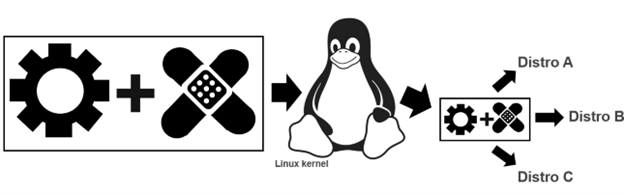
To ensure that Ubuntu works flawlessly on a Dell system, Dell, Canonical and device manufacturers need to work together. The process starts when the device manufacturers write open source drivers, allowing their devices (eg wireless cards, trackpads etc) to work on a specific Dell laptop or workstation. Next, to go from “works pretty well” to “just works“ these drivers need to be tweaked.
Tux attribution: gg3po, Iwan Gabovitch, GPL , via Wikimedia Commons
This tweaking comes in the form of open source patches which are jointly created by Dell and Canonical. These patches are then added to the original driver code and all of which is contributed upstream to the mainline Linux kernel.
While these drivers and corresponding patches are initially created to be used with Ubuntu, because code from the mainline kernel makes its way back downstream, all distros eg Fedora, OpenSuSE, Arch, Debian etc. can use it. This sharing of the code gives the community the ability to run the distro of their choice beyond Ubuntu.
After a couple of frantic months of coding and patching together internal support, the team was ready to get public feedback. To reflect the project’s exploratory nature, rather than issuing a press release or posting an announcement on Dell’s corporate blog, we decided to post the announcement on my blog.
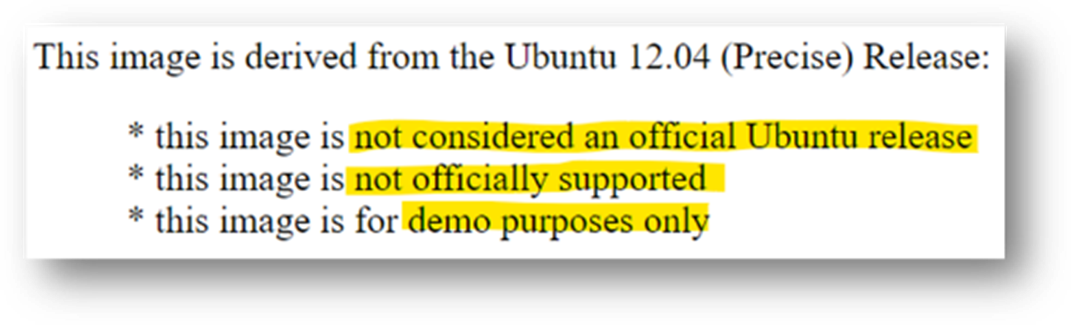
So that developers knew what they were getting into the OS image was clearly marked
We explained that the image was based on Ubuntu 12.04 LTS and came with a basic set of tools and utilities along with the requisite drivers/patches. The exception being the touchpad driver which at that point didn’t provide full support and lacked, among other things, palm rejection. This meant that if the user’s palm brushed the pad the cursor would leap across the page. We clearly stated the issue explaining that we had contacted the vendor and in parallel we were working with Canonical to deliver an interim solution.
Our ask of the community was to provide their feedback on the system, the OS and the overall project. More specifically we wanted to know what they most wanted to see in a developer laptop.
From there, interest kept growing and over the next few weeks we received global coverage from publications including The Wall Street Journal, Hacker News, Venture Beat, ZDNet, The Register, Forbes, USA Today, and Ars Technica.
Community input.
When Project Sputnik was announced, developers were asked to tell us what they wanted in a Linux laptop. Their requests were surprisingly modest.
Top 5 requests
Don’t make it more expensive than Windows
Make it work with the vanilla Ubuntu image
At least 8GB of RAM
No Windows Preinstalled
No CD/DVD
Based on the response, along with the amount of input we received from the community, we quickly sketched out a beta program. This turned out to be the tipping point. We asked that anyone interested in participating in the program submit an online form. We expected a few hundred responses, we got over 6,000.
Hello world
This overwhelming response convinced senior management that the project was viable. We were given the go ahead and four short months later the Dell XPS 13 developer edition debuted in the US and Canada.
The 1st generation Dell XPS 13 developer edition. For this initial launch the team erred on the side of caution and offered only one configuration. The config they chose was the highest available at the time: 3rd gen Intel core i7, 8GB RAM, 256GB SSD and a screen resolution of 1366×768.
At launch the product received more attention and coverage than our original announcement.There were however two complaints, the screen resolution was too low (1366×768), and the system wasn’t available outside the US and Canada. We took this input to heart and two and a half months later we introduced a Full HD (FHD) display (1920 x 1080), and the XPS 13 developer edition debuted in Europe.
Going big with Precision
Something else we started hearing from a segment of the community was, although they liked the idea of a developer system, the svelte XPS 13 developer edition wasn’t powerful enough for their needs. They were looking for a bigger screen, more RAM and storage, and beefier processors. The system they had their eye on was the Dell Precision 3800 mobile workstation. Unfortunately, at that point our little team didn’t have the resources to enable and support an additional developer system. Realizing this, team member Jared Dominguez, whose official job was on the server side of the house, took a 3800 home and got to work enabling Ubuntu on the mobile workstation. Not only did Jared get the system up and running but he carefully documented the process and posted a step-by-step installation guide on Dell’s Tech blog. People ate it up.
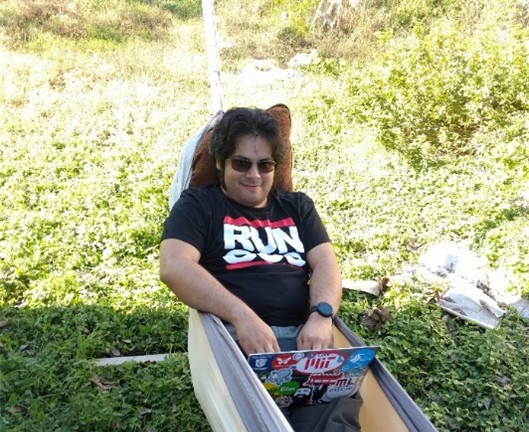
Jared hacking in his hammock
How to get Ubuntu up and running on your Precision workstation
Instead of satisfying their desire for a more powerful system, Jared’s post only served to increase the demand for an officially price-listed offering.
Community feedback in hand, the project Sputnik team took our learnings to the workstation group and convinced them of the opportunity. The Precision team dug in and a year later the Ubuntu-based Dell M3800 Precision mobile workstation became available (virtually doubling Dell’s developer product line). Not long after that, the developer portfolio more than doubled again when the Precision team expanded their mobile line up from one to four systems, each of which was available as a developer edition.
Today the Dell XPS 13 developer edition is in its 12th generation. On the Precision side, the mobile workstation line is in its 8th generation and has been joined by the fixed workstation line. Besides Ubuntu, both the fixed and mobile workstations are certified to run Red Hat and, in the case of the fixed systems, they are available from the factory with Red Hat preloaded. Additionally, the Precision portfolio now contains both developer-targeted systems as well as Data Science and AI-ready workstations.
And while Dell’s developer line is its most visible Linux-based offerings, these offerings make up only a fraction of the over 100 systems that comprise Dell’s broader Linux portfolio.
Not always a cake walk
Over the last 10 years, while the project has gone from a single product to a broad portfolio, the first years weren’t exactly smooth sailing. While there were always a variety of individuals and teams who were willing to help out, there were also many who saw the effort as a waste of resources. In fact, in the first few years the team found themselves more than once in the cross hairs of one department or another.
When we reached the three-year mark, it looked like Project Sputnik had finally used up its nine lives. Dell was looking to focus resources and planned to pare down across the board. Given the previous few years it was no surprise when we were told it was almost certain that the developer line would not make the cut. At that point I remember thinking, we’ve had a good run and can be proud of having made it as far as we did.
We still don’t know what happened, but once again providence shown and, for some reason, the axe never fell.
Going forward
As we head into our next decade, we find ourselves in a different environment. Ten years ago, most Dell employees saw developers as a niche market at best, today that’s changed. With the continuous rise of DevOps and platform engineering, the broader Dell has recognized the importance of developers alongside operations.
In light of this, Dell’s overall product portfolio, from laptops, to server and storage solutions is now being designed with developers in mind. To ensure that developers’ requirements are being accurately reflected, Dell has recently established a developer relations team and has brought in key figures from the community to serve as developer advocates.
In the case of the existing developer portfolio, besides looking for more opportunities to connect client systems to back-end systems, Dell is looking at various ways to broaden the portfolio on the client side. The team is currently in the early stages of brainstorming and are looking at a variety of options. Stay tuned!
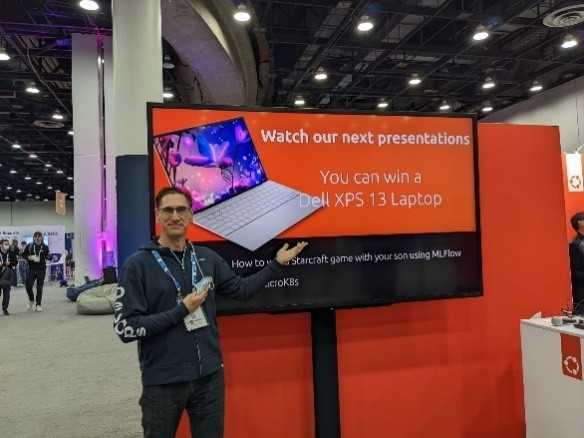
At Kubecon NA 2022 I came across the Dell XPS 13 Plus developer edition being offered as the grand prize at the Canonical booth
Thank you
A few groups that need to be called out for making this possible:
A big thank you to Canonical who has worked hand in hand with us to deliver and expand our developer line and a shout out to those at Dell who, on top of their day jobs, have given their time and support. Finally, a huge thank you the developer community for making project Sputnik a reality. Over the last ten years you in the community have let us know what you’ve liked and where we could do better. It’s because of this amazing support that not only are we still here 10 years later, but it looks like we’ll be around for awhile 😊
Epilogue — 5 things we learned
Over the last 10 years the team has learned quite a bit and has the scars to prove it. Here are our top five leanings
You’re good enough… No one knows it all so build a great team and take the leap
Get a champion, be a champion – You need to have someone high up to go to bat for you at critical moments but on a day-to-day basis it’s you who must be a tireless champion
Leverage, execute – It doesn’t matter if it’s your idea or not, delivery is what counts
Start small – Don’t over promise, stay focused and err on the side of caution
Communicate, communicate, communicate – Stay in constant contact with the community, speak directly and with empathy and when you screw up or fail to deliver, own it
Post Script – Why “Sputnik”?
You may be asking yourself, why did they name it “Sputnik” in the first place? The project name is a nod to Ubuntu founder and Canonical CEO, Mark Shuttleworth who, 10 years before the project itself, spent 8 days craft orbiting the earth in a Soviet space (while the ship was actually Soyuz, it didn’t have an inspiring ring to it so we went with “Sputnik” instead.)
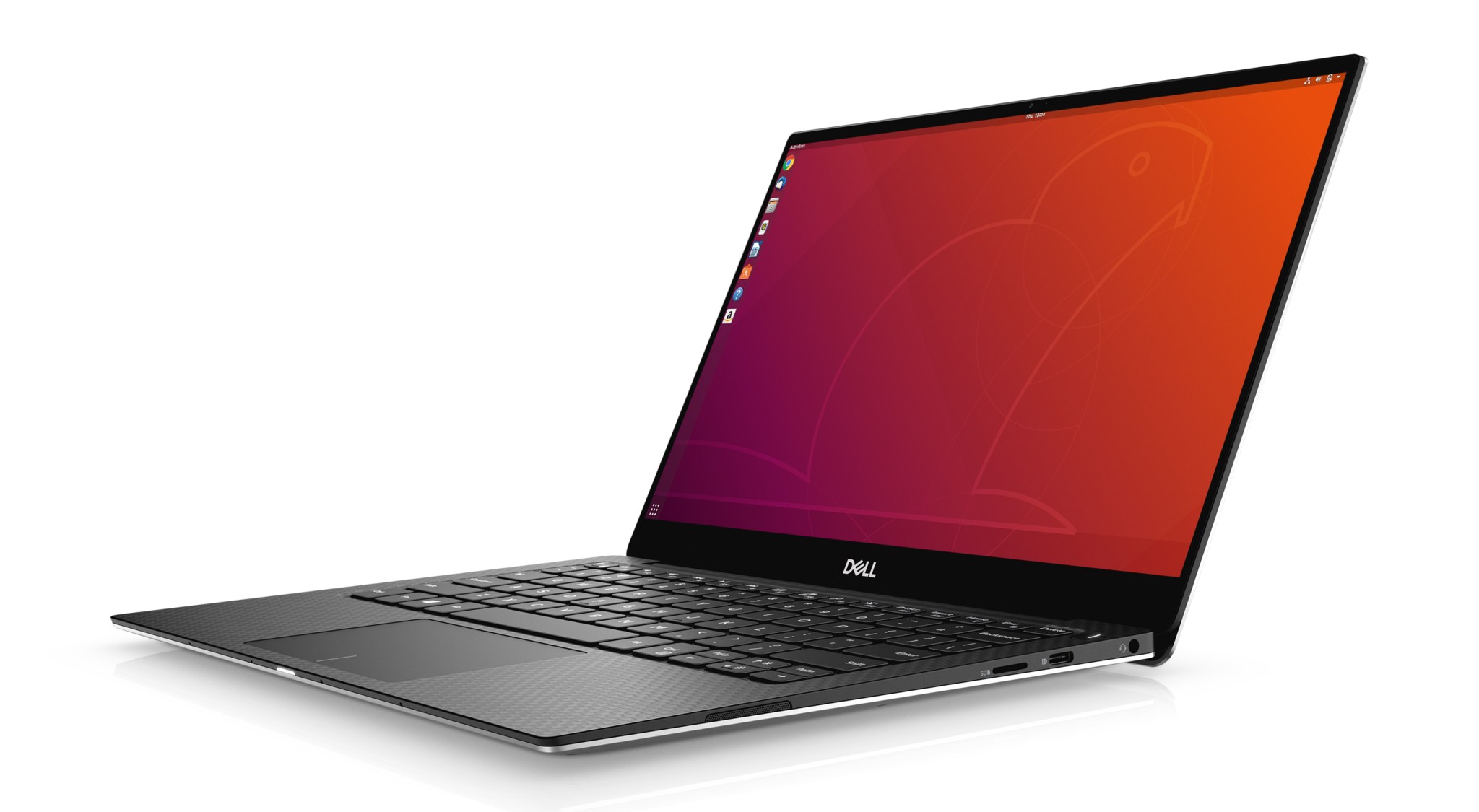
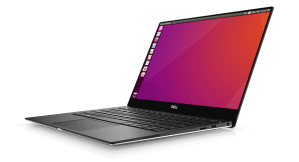
We are proud to announce the latest and greatest Dell XPS 13 Developer Edition. The system, which is based on 10th Gen Intel® Core™ 10nm mobile processors, represents the 10th generation of the XPS 13 Developer Edition (see a list of the previous nine generations below).
This 10th generation system features an updated design and comes with Ubuntu 18.04 LTS preloaded. Two areas of note are that the new XPS 13 will be available with up to 32GB of RAM as well fingerprint-reader support. (suppport for the fingerprint-reader support will be available post launch and initially as an update.)
The Dell XPS 13 Developer Edition, 10th generation
The Developer Edition, as well as the 32GB Windows configs, will be available in February (initial Windows configs will be available on January 7). When the Developer Edition launches next month it will be available in the US, Canada and Europe and start at US $1,199.99 (this represents an i5-based Developer Edition with 8GB of RAM, a 256GB SSD, an FHD display and with Ubuntu 18.04 LTS preloaded).
But wait, there’s more: Latitudes and monitors
As with the preceding generation, today’s announcement of the latest XPS 13 Developer Edition is not a decoupled event but is part of a broader Dell product unveiling. In addition to the XPS 13 Developer Edition and its Windows counterpart, Dell Technologies is introducing new products and software across its premium Latitude 9000 series and display portfolios.
Dell UltraSharp 43 4K USB-C Monitor
Latitude 9000 series: Featured as the first devices within the new 9000 series, the Latitude 9510 notebook and 2-in-1 laptops represent a new ultra-premium class of products targeted at executives and mobile professionals. The 15” commercial PC delivers 5G mobile broadband capabilities, AI-based productivity capabilities, and targets 30-plus hours of battery life.
UltraSharp 27” 4K monitor: In addition, the new family of monitors includes an 86”4K interactive touch monitor, an UltraSharp 27” 4K USB-C Monitor for creatives with VESA DisplayHDRTM 400 for true color reproduction, and the new Alienware 25” Gaming Monitor with 240Hz refresh rate and 1ms response time.
Returning to the Dell XPS 13 Developer Edition, as mentioned in the opening, many will be happy to know that when it debuts next month, it will be available with up to 32GB of RAM. The addition of an option above 16GB is something is a direct request from the community and we are happy to be able to deliver on it.
Fingerprint-reader support: Another awaited feature is fingerprint-reader support. While not available at launch, support will soon follow, first as an OTA (over-the-air) update and then as part of the preloaded image.
Dell XPS 13 Developer Edition, 10th gen
4-sided InfinityEdge display: What’s also very cool is that the latest XPS 13 boasts the first-ever 4-sided InfinityEdge display, which means it is virtually borderless. In addition, the new display features a 16:10 aspect ratio (up from 16:9 on the prior gen) and while this may seem like a small detail, the extra screen space is noticeable.
Keycaps and trackpad: A larger display, along with larger keycaps, and trackpad are all contained within a form factor both smaller and thinner than the previous generation.
Unboxing experience: As a result of customer feedback, both the XPS 13 Developer Edition and Windows variant will ship with an improved unboxing experience. This experience is cleaner, simpler and based on more sustainable packaging. While all Dell packaging is sustainable, the new design greatly increases the ease of recyclability by eliminating foam and single use packaging.
XPS 13 Developer Edition specs in brief
The 2020 XPS 13 developer edition will be available with
10th Gen Intel® Core™ 10nm mobile processors
Ubuntu 18.04 LTS
Fingerprint reader support (driver initially available via OTA update)
Up to 32GB memory
Up to 3x faster wireless with Killer™ AX1650 built on Intel WiFi 6 Chipset, supports up to 2TB PCIe SSD
Up to 4K Ultra HD+ (3840 x 2400) display
Project Sputnik and Dell’s Linux portfolio – from then to now
The first generation of the XPS 13 developer edition debuted over eight years ago and represents the first system in the Project Sputnik portfolio of developer systems. (See the list of the initial nine generations below).
Guided by feedback: Project Sputnik, it began as an exploratory effort to find out what the community wanted in a developer-focused laptop. Since the project’s beginning it has been guided by direct input from the developer community and in fact it was the power of the community that pushed the effort from project to product.
Precision joins: Three years after it launched, the svelte XPS 13 developer edition was joined by a beefy Ubuntu-based Precision Mobile workstation. Within a year this initial power system became a set of four systems and are now in their fourth generation. Today the Sputnik portfolio consists of the 2020 XPS 13 developer edition along with the Ubuntu-based Dell Precision 5540, 3540, 3541, 7540 and 7740 mobile workstations.
150+ Linux systems: While project Sputnik is the most visible Linux-based offerings from Dell, it is only a small fraction of the over 150 systems that make up Dell’s Linux portfolio.
The Dell XPS 13 Developer Edition through the generations
Passionate about Linux? About Developers? We’ll have we got the opportunity for you. 😊
The Project Sputnik team is planning to beef up our efforts and we’re looking for a passionate soul to join the cause and help drive Dell’s line of developer laptops and workstations.
This individual would have an opportunity to handle community engagement, represent Dell at developer and open source events as well as shape the future of Dell’s Sputnik program. Live in Austin? Even better!
Operators are standing by
If the above sounds exciting to you and you are diplomatic, intuitive, have a passion for coding and Linux please DM me at @barton808 on Twitter. At this point we are gathering names of interested individuals and will reach back out in the new year.
Extra-credit reading
Dell Opens Up About Its Linux Efforts And Project Sputnik – Forbes
One subject we often get feedback on, and it doesn’t tend to be the positive kind, is the difficulty in finding Linux systems on Dell.com. The following tweet does a good job of summing up people’s frustrations
Im sure you get this all the time – but I dont understand why it’s so hard to just search for and find detail on which laptops ship with @ubuntu on a beautiful understandable page.
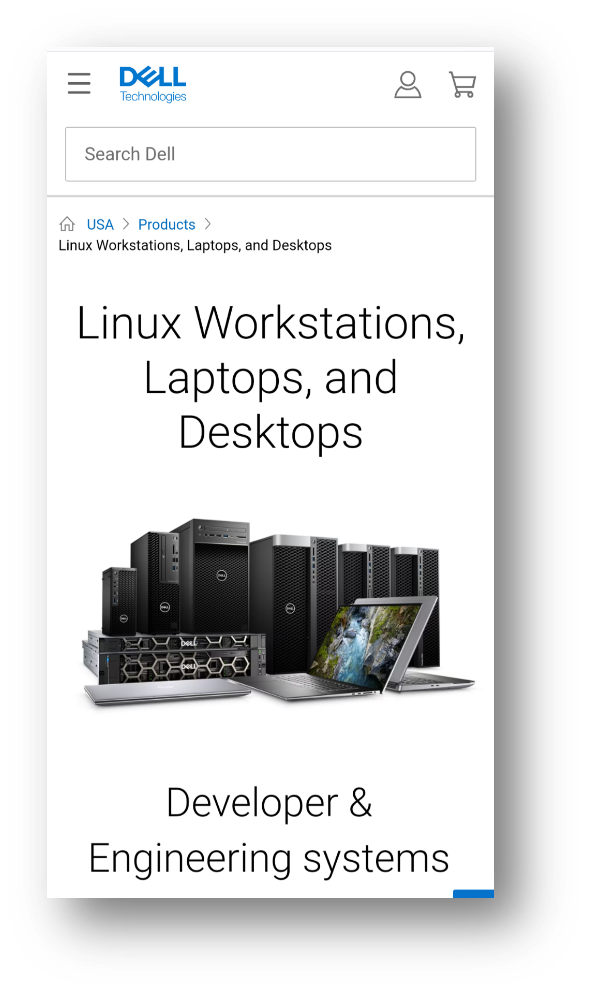
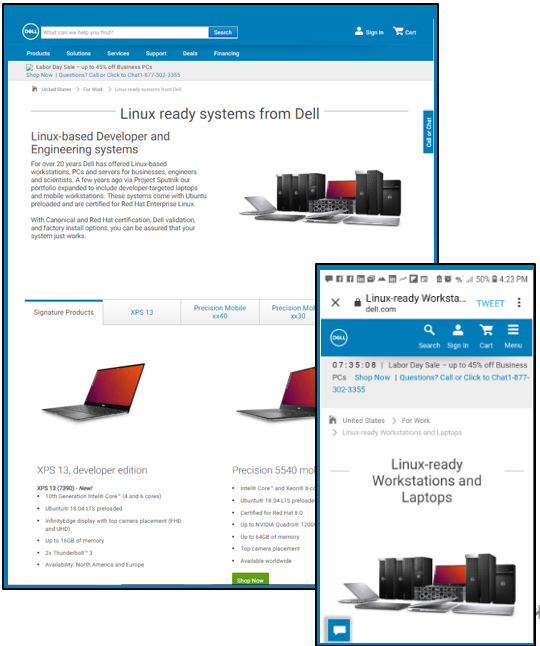
Earlier this month we took a big step in addressing this issue when launched the new Linux landing page, http://www.dell.com/linux.
Dell’s new responsive landing page as viewed on a mobile or desktop
Out with the old
While we had a previous landing page, it wasn’t anything to write home about and it certainly didn’t leverage the slick and responsive new dell.com template. When our old page was taken down in a recent web clean up it gave us the push we needed to bump it up on our list of things to do. The web team who helped us through the process was awesome and we got the new page up in record time.
The page features the following product lines (we plan to add products over time):
Dell XPS 13 developer edition
Dell Precision Mobile workstations, developer edition
Ubuntu-based and Red Hat-certified Dell Precision fixed workstations
All roads lead to…
Besides dell.com/linux you can get to the page using any of the following:
dell.com/sputnik
dell.com/developer
dell.com/developers
A journey of a thousand miles
While we still have more to do to make Linux systems easy to find on dell.com we see this as a great first step and are looking forward to bringing you more good news in the future!
Extra-credit reading:
The new site
Dell Has A New Dedicated Site For Ubuntu And RHEL-Certified Linux Desktops And Laptops – Forbes
Dell Makes It Easier to Find Its Growing Linux Range – omg!ubuntu!
Dedicated Linux site for DELL (starts @20:33)- LWDW 187
Dell’s new web page makes finding Linux laptops and desktops easier – Liliputing
Forbes
Linux Laptop Buyer’s Guide 2019: Tips And Resources To Find A Laptop That Meets Your Needs – Forbes
Dell’s Beautiful New Linux Laptop Features Ubuntu, 10th Gen Intel CPUs And Super Fast WiFi – Forbes
Dell Launches New Ubuntu-Powered XPS 13 9380. Nose Cam Not Included – Forbes
Exclusive: Dell Opens Up About Its Linux Efforts And Project Sputnik – Forbes
Dell Shipped Linux On 162 Unique Platforms In Fiscal Year 2019 – Forbes
Ditching Windows: 2 Weeks With Ubuntu Linux On The Dell XPS 13 – Forbes
Last January the Dell XPS 13 developer edition (9370) made its debut. Today we’re excited to announce that one year later its successor, the XPS 13 developer edition (9380), is now available in the US, Canada and Europe. (Note: both the 9370 and 9380 will coexist for a period of time.)
Project Sputnik
The 9380 represents the eighth generation of Dell’s Ubuntu-based XPS 13 developer edition series. The first generation of the developer edition debuted over six years ago and it, along with the Ubuntu-based Precision mobile workstations that launched in 2015, make up Project Sputnik. In case you’re not familiar with it, Project Sputnik is Dell’s skunkworks initiative driven by input from the developer community (see the timeline at the end of the post for the complete XPS 13 developer edition progression).
Although there are many great features and specs that characterize the latest developer edition (see below), the one that will likely bring the most joy is the new placement of the webcam. In the 9370 the camera is located directly below the screen. In the new 9380 the camera has been moved to the top, providing a much more flattering view of the user while still maintaining the system’s sleek, compact design.
Not only that but the 8th generation developer edition supports Suspend-to-idle natively which allows the system to resume much more quickly from sleep.
9380 Specifications
Intel 8th generation i3, i5 and i7 processors (Intel Whiskey Lake U, 15W, non-vPro)
Ubuntu 18.04 LTS preloaded
InfinityEdge display with top camera placement
Easier to open
FHD and UHD resolution support
Up to 16GB of LPDDR3 memory at 2133MHz
1 x NVMe slot for 2230-128GB / 2280 up to 2TB
Thunderbolt 3 (x2) with USB3.1 Gen2 + type-C x1 with USB3.1 Gen2 speed
Improved Thunderbolt runtime power management
Killer® 1435 802.11ac [2×2] + Bluetooth 4.2
The United States and Canada
In the US and Canada there are four base configs that can be configured in a multitude of ways, yielding 22 configurations. These base configs are:
i7 QC|8GB|256GB|FHD T
i7 QC|8GB|256GB|UHD T
i7 QC|16GB|512GB|UHD T
i7 QC|16GB|256GB|UHD T
(Note: unlike Europe, in the United States and Canada the developer edition can only be purchased in the “For Work” section.)
Europe
Beating the US and Canada to the punch, on January 9th the first configurations of the new XPS 13 developer edition became available in Europe. At the end of last week two more joined to complete the lineup:
i7 QC|16GB|512GB|UHD T
i7 QC|16GB|1TB|UHD T
i7 QC|8GB|256GB|FHD NT
i7 QC|16GB|512GB|FHD NT
The above configurations are available in both the “For Home” and “For Work” sections on Dell.com and are available online in the following countries:
Austria
Belgium (Dutch and French)
Switzerland (German and French)
Germany
Denmark
Spain
France
Ireland
Italy
The Netherlands
Norway
Sweden
The United Kingdom <- The developer editions will be added to shortly to the 9380 product page. Until then, the systems can be purchased via chat on the product page or by calling the number that pops up.
Stay tuned
Being able to announce the next generation of the XPS 13 developer edition is a great way to begin the year. Watch this space to see what is next on the agenda for 2019.
Six years ago today the first Project Sputnik system appeared on dell.com.
It all started at the beginning of 2012 with a pitch to an internal innovation committee. A month after the pitch, on the ides of March, the committee gave the go ahead for an exploratory project to test out the idea of a developer laptop.
The original XPS 13 developer edition
Thanks to the interest and support of the community, eight months later, the project became a product.
On November 29, 2012 the Dell XPS 13 developer edition was born.
It takes a village
Beyond the developer community, the reason why Project Sputnik is alive and thriving today is because of the support, both official and unofficial, from dozens of people across Dell.
These individuals have come from marketing, engineering, sales, finance, PR, operations… Here are some of the key contributors over the last six years
Xiao Liang, Wendy, Abby, Lihua, David, Zorro
Aidan
Amber Huang
Amit
Barton George
Brett
Cami Collins
Casey Downing
Chris D
Chris W
Clement
Damon
Derek
Eric
Erin
Frank
Geoff Dunlap
James Jones
Jared Dominguez
Jason
John
Jon
Johnathon Boyd
Juan Martinez
Justin X
Kerry
Lester
Luke Presley
Mano
Mario
Matt
Melissa
Munira
Ray
Ryan
Peter
Sandra
Sarah
Theresa Thomas
Justin Cowan
Eoin
Lauren
Marek
Meg (Mei Kuen, Tusi)
Michal
Patrick Griffin
Randall
Shawn Burton
From then to now
With help from the folks above, Project Sputnik has continued to evolve.
The XPS 13 developer edition, which debuted with only one config and Ubuntu 12.04 LTS, is now in its 7th generation, comes with Ubuntu 18.04 and boasts multiple configurations. Along the way the project also expanded when the Linux-based mobile Precision workstation line joined the effort.
This year was a particularly busy one for the project with new versions of all five Sputnik platforms launching:
Not long ago I introduced the next gen of Project Sputnik’s Linux-based Dell Precision Mobile workstations: the 3530, 5530, 7530 and the 7730. At that time the 3530 was available for purchase.
Today I’m happy to announce that the uber-powerful 7530 and 7730 are now live on dell.com
Note: to get to the Ubuntu option, hit “more” in the Operating System section.
These new thinner, lighter, premium-built Precision mobile workstations come preloaded with Ubuntu and have been RHEL certified. The 7530 and 7730 feature the latest Intel Core and Xeon processors, blazing-fast memory and professional graphics.
Of particular note is the increased core count and memory. In fact the maximum memory has doubled to 128GB which helps with cloud developer local workloads. In the case of the 7730, it supports up to 8TB of PCIe NVME storage, the most PCIe storage on the market today. The 7730 is also the first AI/ML ready mobile workstation available.
A double click on the specs
Although the following information was in the previous blog, I wanted to include it here so that you had all the info in one place.
Dell Precision 7530 Mobile Workstation, developer edition
The world’s most powerful 15″ mobile workstation, redesigned to be thinner, lighter
8thGen Intel® Core™ and Xeon® processors
AMD Radeon Pro WX and NVIDIA Quadro® professional graphics
1st 15” Ready for VR mobile workstation with the NVIDIA Quadro P3200 graphics card
Largest & fastest memory on the market for mobile workstations up to 128GB of system memory & SuperSpeed memory of 3200MHz
Largest PCIe SSD storage capacity available for a 15-inch mobile workstation: up to 6TB
Single cable docking and Thunderbolt™ 3 connectivity
Ubuntu 16.04 LTS preinstalled
RHEL 7.5 certified (details below)
Available worldwide
Dell Precision 7730 Mobile Workstation, developer edition
The world’s most powerful 17″ mobile workstation, redesigned to be thinner, lighter
AI developer platform
8thGen Intel® Core™ and Xeon® processors
AMD Radeon Pro WX and NVIDIA Quadro® professional graphics
Largest & fastest memory on the market for mobile workstations up to 128GB of system memory & SuperSpeed memory of 3200MHz
Largest PCIe storage capacity available for a mobile workstation (up to 8TB)
Single cable docking and Thunderbolt™ 3 connectivity
Ubuntu 16.04 LTS preinstalled
RHEL 7.5 certified (details below)
Available worldwide
RHEL 7.5 certification and drivers
As mentioned above, these systems will be certified for RHEL 7.5 and the needed drivers will be included in the distro. That being said, the AMD and NVIDIA drivers that come with 7.5 are inbox drivers. We will be posting drivers for both graphic cards that will include professional features not included in the inbox drivers. Stay tuned!
Next up, the 5530. Stay tuned!
Extra-credit reading
Introducing the Dell Precision 7530 and 7730 with Ubuntu — Ubuntu blog
Developer Editions of Precision Workstations Now Available — Direct2DellEMC
Today I’m proud to announce the new the Linux-based Dell Precision Mobile workstation line: the 3530, 5530, 7530 and the 7730. These systems, which represent the fourth generation of the Precision developer editions, come preloaded with Ubuntu and have been RHEL certified.
These new thinner, lighter, premium-built Precision mobile workstations feature the latest Intel Core and Xeon processors, blazing-fast memory and professional graphics.
Dell Precision 5530 Mobile Workstation, developer edition
Dell Precision 7530 Mobile Workstation, developer edition
Dell Precision 7730 Mobile Workstation, developer edition
A double click on the specs
Dell Precision 3530 Mobile Workstation, developer edition
15-inch fully customizable and high-performance mobile workstation at an entry-level price point
8th Gen Intel® Core™ and next-generation Xeon® processors
Memory speeds up to 2666MHz up to 32GB
PCIe storage capacity up to 2TB
NVIDIA Quadro® P600 professional graphics cards with 4GB of memory
Support for 4K video to an external monitor at 60fps via HDMI 2.0
Ports include HDMI 2.0, Thunderbolt and VGA
Ubuntu 16.04 LTS preinstalled
RHEL 7.5 certified (details below)
Available worldwide
Dell Precision 5530 Mobile Workstation, developer edition
Dell’s thinnest, lightest and smallest 15″ mobile workstation with enhanced graphics, and a stunning design and display
Available in Platinum Silver or Brushed Onyx, with a 15.6-inch display fit into a 14-inch chassis.
Next-gen graphics up to NVIDIA® Quadro P2000.
8th Gen Intel® Core™ and next-generation Xeon® processors
Enhanced 2666MHz memory speeds up to 32GB
Up to 4TB of SSD storage
USB Type C with x4 PCIe, Thunderbolt™ and HDMI 2.0 ports
Ubuntu 16.04 LTS preinstalled
RHEL 7.5 certified (details below)
Available worldwide
Dell Precision 7530 Mobile Workstation, developer edition
The world’s most powerful 15″ mobile workstation, redesigned to be thinner, lighter
8th Gen Intel® Core™ and Xeon® processors
AMD Radeon WX and NVIDIA Quadro® professional graphics
Largest & fastest memory on the market for mobile workstations up to 128GB of system memory & SuperSpeed memory of 3200MHz
Largest PCIe SSD storage capacity available for a 15-inch mobile workstation: up to 6TB
Single cable docking and Thunderbolt™ 3 connectivity
Ubuntu 16.04 LTS preinstalled
RHEL 7.5 certified (details below)
Available worldwide
Dell Precision 7730 Mobile Workstation, developer edition
The world’s most powerful 17″ mobile workstation, redesigned to be thinner, lighter
8th Gen Intel® Core™ and Xeon® processors
AMD Radeon WX and NVIDIA Quadro® professional graphics
Largest & fastest memory on the market for mobile workstations up to 128GB of system memory & SuperSpeed memory of 3200MHz
Largest storage capacity available for a mobile workstation (up to 8TB)
Single cable docking and Thunderbolt™ 3 connectivity
Ubuntu 16.04 LTS preinstalled
RHEL 7.5 certified (details below)
Available worldwide
RHEL 7.5 certification and drivers
As mentioned above, all four developer editions will be certified for RHEL 7.5 and the needed drivers will be included in the distro. That being said, the AMD and NVIDIA drivers that come with 7.5 are inbox drivers. We will be posting drivers for both graphic cards that will include professional features not included in the inbox drivers. Stay tuned!
How did we get here?
Project Sputnik launched at the end of 2012 with the svelte XPS 13 developer edition. While this fit the bill for a lot of folks, there was a set of folks who needed something beefier. The demand stayed steady so Sputnik team member Jared Dominguez decided to take it upon himself to get Ubuntu up and running on the Precision M3800.
Jared hammock hacking
From this he created step-by-step instructions and posted them to Dell Tech Center for community members to follow.
While customers were excited to be able get Ubuntu going on their systems, they wanted more. Given this sustained demand, in early in 2015 the M3800 developer edition became an official product.
In Spring of the following year our Linux-based Precision offering went from one system to four and the 5510, 3510, 7510 and 7710 developer editions debuted. Last year this line was revved and the next gen, the 5520, 3520, 7520, 7720 were announced along with the addition of the Precision 5720 All-in-One. And today… (see above)
Stay tuned
Watch this space for the upcoming availability of the Dell Precision 5530, 7530 and 7730 developer editions as well as the AMD and NVIDIA graphics drivers for RHEL 7.5 .
Extra-credit reading
The History of the Ubuntu-based Dell Precision mobile workstation line
November 15, 2013 — Instructions posted to get Ubuntu up and running on a Precision M3800 mobile workstation
January 27, 2015 — Precision M3800 officially joins Project Sputnik
March 3, 2016 — Ubuntu-based Precision line 5510, 3510, 7510, 7710 announced
January 9, 2017 — Next gen Ubuntu-based Precision line-up announced, 5520 and 3520 available
-> Updated June 22, 2018 – Three 16GB/FHD configs added to the line up in the US
-> Updated Jan 26, 2018 – Added list of countries that offer the XPS 13 developer edition offline.
Today I am excited to announce the availability of the 7th generation of the Ubuntu-based XPS 13 developer edition. Project Sputnik’s latest and greatest system is now simultaneously available in Europe, Canada and the United States.
The new XPS 13 developer edition (9370)features the 8th Generation Intel Quad Core, a brand new chassis, an improved display and smaller borders.
The 9370 is even thinner, lighter and smaller than its already svelte predecessor, the 9360. (Note, the 9370 does not replace the 9360, as the two will coexist.) If you want more detailed specs, please scroll down dear reader. Before we get to the product details however, here’s a quick Project Sputnik backgrounder.
Project Sputnik, a recap
It all started back in 2012 with the wacky idea of creating a high-end Linux laptop targeted at developers. An internal innovation fund gave the scrappy project team a little bit of money and six months to see if this idea would fly.
From day one, project Sputnik publically solicited input from the developer community. It was this input and the tremendous community support that pushed the effort from project to a product.
The initial XPS 13 developer edition, available only as one configuration, debuted on November 29, 2012. Fast forward five years and not only are we announcing the 7th generation of that initial product but the project itself has now expanded to become a full line of developer-targeted systems.
US and Canadian configurations
In North America, as mentioned above, the new XPS 13 developer edition is available in both the US and Canada. The following are the available configurations in the two countries (Note: the links below point to the US configurations).
The new XPS 13 developer edition is available online in Europe in the following countries:
Online: UK, Ireland, Germany, Austria, France, Italy, Spain, Switzerland (French and German), Belgium, Netherlands, Sweden, Norway, Denmark.
In the following countries you can get a hold of the XPS 13 developer edition offline (phone or chat):
Offline: Czech Republic, Denmark, Emerging countries , Finland, Greece , Luxembourg, Poland, Portugal, Russia, Slovakia, Turkey, South Africa.
The following configurations are available both online and offline.
CPU | Memory | Storage | Display
i7 | 16GB | 1TB | UHD touch (3840 x 2160)
i7 | 16GB | 512GB | UHD touch (3840 x 2160)
i7 | 16GB | 512GB | FHD non-touch (1920 x 1080)
i7 | 8GB | 256GB | FHD non-touch (1920 x 1080)
9370 Specifications
Here’s a bit more detail behind the system specs. These options are available as noted above.
8th Generation Intel® Quad Core™, i5 (US and Canada only) and i7 versions
Memory options: 4GB, 8GB or 16GB Dual Channel SDRAM
Storage options: 128GB, 256GB, 512GB or 1TB
Ports
2x Thunderbolt™ 3
Noble lock slot
Headset jack
DC-In & DisplayPort 1x USB-C 3.1
MicroSD card reader
Display options
UltraSharp 4K Ultra HD (3840×2160) InfinityEdge touch display
FHD (1920 x 1080) InfinityEdge display
Ubuntu 16.04 LTS preloaded
1 year ProSupport
Who’d a thunk it
I gotta admit that five years ago the team and I would never have thought that we would be posting a blog announcing the 7th generation of the XPS 13 developer edition. The thought of even a third generation would have bogled our minds.
Five years ago, thanks to the support of the community, Project Sputnik reached escape velocity. This support, input and direction has not only continued but has grown over the last five years, enabling the Sputnik team to stop focusing on survival and instead focus on supporting a broader range of developer needs.
As we go forward, please keep driving us by sharing your input and experiences, be they be good, bad or ugly. 🙂
Thanks!
Barton
Extra-credit reading
2018 starts with the best Linux laptop by Dell – Swap and I discuss the new system – VIDEO
Meet the New XPS 13: Stylish, Powerful and Better by Every Measure – Direct2Dell
It was five years ago today, on November 29, 2012, that the first Project Sputnik system was launched. Who would have thought we would have made it this far.
The reason why Project Sputnik is not only still around but keeps growing is because of the developer community.
In fact, without the input and support of the community, Project Sputnik would have been an interesting idea that disappeared after six months.
So how did we get here?
In the beginning
The project began back in early 2012 when I pitched the idea of creating a Linux-based developer laptop. My audience was three guys in Dell who had put together an innovation fund and were asking employees to bring them their ideas.
When I made my pitch I stressed that in order to be successful, equally as important as what we created, was how we created it. Development of the system needed to be in the open, and based on input directly from the developer community. The committee asked me a few questions and told me they’d get back to me.
Ready, set, go
A month later I heard back from the committee. They had given me the thumbs up, a little pot of money and six months to see if the idea of a developer laptop would fly. From there I recruited some top and passionate talent and we had ourselves a team.
We started by cobbling together an initial install image that people could test. In parallel we also sanity checked the idea with a local developers and a couple of web companies. Since nobody threw up on the idea, on May 7, 2012 we went public.
The power of the community
In the blog post that introduced Project Sputnik we explained that project was “a six month effort to explore the possibility of creating an open source laptop targeted directly at developers.” We pointed people at our rough install image and asked them to head to the Storm Session we had created and submit feedback, comments and ideas.
The amount of interest and input our initial post generated far exceeded anything we expected. From there interest kept growing. The tipping point however, came in response to our beta program. We asked interested individuals to submit an online form. We expected a few hundred responses, we got over 6,000. Senior management was convinced and from there it was the march to launch.
Lift off and beyond
On November 29, 2012, a little over 6 months after the initial blog post, the first XPS 13 developer edition became available. This first system, which came preloaded with Ubuntu 12.04 LTS and 1 year pro support, was available only as one configuration. We chose to go with the highest end config we offered: 3rd gen Intel core i7 (Ivy Bridge), 8GB RAM, 256GB SSD and a screen resolution of 1366×768.
Less than two months later the second generation XPS 13 developer edition was launched. From there the line has continued to grow and grow (see timeline below). We will soon be introducing the 7th generation XPS 13 developer edition and over this past year we have rolled out four Ubuntu-based Precision mobile workstations as well as the new Precision All in One.
Thank you
On behalf of myself and the whole Sputnik team we would like to thank the developer community for making project Sputnik possible. Over the last five years you have let us know what you’ve liked and where we could do better. It’s because of this amazing support that we are still here today.
Last month at the Cloud Foundry Summit Europe, not only did I attend various sessions, but I got to deliver one myself. The talk, entitled “EdgeX Foundry – Open Interop Platform for the IoT Edge,” gives a high level overview of the EdgeX Foundry which is an open source effort hosted by the Linux Foundation. The presentation talks about the IoT roadblocks the Foundry addresses and how they plan to tackle them.
Here is a recording of the talk. Directly below the video I have put an EdgeX Foundry cheat sheet and further down I have included my slides.
Enjoy!
EdgeX Foundry — The basics
Vision: Create a common interoperability framework that enables an ecosystem of plug-and-play, “EdgeX certified” components.
A vendor-neutral, open source project hosted by The Linux Foundation — launched in April 2017
125,000 lines of code, 50+ members at launch
The result of customer and industry feedback
Goals
Build and promote EdgeX as unifying the IoT edge via a common open platform.
Enable plug-and-play components to allow solutions providers to create ecosystem of interoperable components around EdgeX platform architecture.
Certify components to ensure interoperability and compatibility.
Provide tools to quickly create EdgeX-based IoT edge solutions that can easily adapt to changing business needs.
Collaborate with relevant open source projects, standards groups, and industry alliances to ensure consistency and interoperability across the IoT.
Dell goes big on IoT
Coincidentally the same week as the summit Dell announced our new IoT division and how we plan to spend $1 billion over the next three years. My talk doesn’t mention the announcement but I have put a few related articles below.
A few weeks ago I attended Cloud Foundry summit Europe 2017 held in Basel, Switzerland. One of the more interesting topics that came up was the “Cloud Foundry Container Runtime,” an effort formerly known as “Kubo.”
Kubo, which comes from “Kubernetes on Bosh,” was created jointly by Pivotal and Google in order to provide a simple way to deploy and operate production-ready Kubernetes clusters on premise and in the cloud. Back in June, the Kubo code was donated to the Linux Foundation as an open source project.
To learn more about Cloud Foundry Container Runtime (nee Kubo) and the larger context it fits within I sat down with Ian Andrews, Vice President of Products at Pivotal. Armed with only a pen and paper Ian provides an overview of the container runtime and explains how it differs from the Cloud Foundry application runtime, as well as which workloads are most appropriate for each.
Ian ends by walking us through the recently announced, Pivotal Container Service (PKS) that VMware and Pivotal worked on together with help from the Google cloud team (PKS is based on the Cloud Foundry container runtime with extra goodies thrown in).
Time markers
00:00 –07:25 Intro/background: How Kubo came about and how it and Cloud Foundry (CF) elastic runtime were renamed “Cloud Foundry container runtime” and “Cloud Foundry application run time”
07:25 – 24:00 Sketches out the CF architecture. From there he goes through each of the two components that sit on top of BOSH: CF container runtime and CF application run time. He then compares the two runtimes
24:00 – 28:55 Goes through Pivotal’s implementation of the above: Pivotal Cloud Foundry and Pivotal Container Service.
Extra-credit reading
Take Kubernetes, and bish bash BOSH, you’ve got Container Runtime – The Register
Cloud Foundry Morphs Kubo into Container Runtime – sdxcentral
VMware teams up with Pivotal, Google Cloud on new container service – ZDNet
Google, VMware and Pivotal team for on-premises Kubernetes – The Register
Choosing the Right Tool for Your App Modernization Project – VMware | Blogs
Last month I attend Open Source Summit (OSS) North America which was held in Los Angeles from September 11- 14.
This year the Linux Foundation brought four conferences under the umbrella name, “The Open Source Summit” (OSS). The four conferences were LinuxCon, ContainerCon, CloudOpen plus the new “Open Community Conference.”
Interviewing and being Interviewed
While at the conference, besides giving away an Ubuntu-based XPS 13 developer edition aka “project Sputnik,” I found myself on both sides of the camera. I was interviewed by Swapnil Bhartiya around the history of Project Sputnik and I in turn interviewed representatives of ARM, Red Hat’s OpenShift, and Bitnami’s Kubernetes effort.
Enjoy!
Project Sputnik
Here I am holding forth with regards to the origins and ideas behind Project Sputnik, our line of Linux-based developer systems.
Bitnami and Kubeless
Sebastian Goasguen’s Kubernetes-focused company SkipBox was recently acquired by Bitnami – the name comes from “(Skip)per” like Kubernetes and Tool(box) — which helps onboard people to Kubernetes.
Bitnami acquired SkipBox as a way to get into the Kubernetes space. SkipBox’s key offering was “Kubeless,” a Kubernetes-native serverless framework which helps people move from Physical machines/VMs/cloud to containers and then to Kubernetes.
ARM’s development platform
Julio Suarez of ARM walks us through their demo at the Open Source summit. The team was demoing their server enterprise development platform “Mali.” Unlike Raspberry Pi, Mali is pretty beefy with 10GB Ethernet ports, SATA, PCI etc.
The platforms are clustered into a group of three using Docker Swarm (could also use Kubernetes, Marathon Mesos). The swarm is running an ecommerce website, ported to ARM from x86. The website is composed of 14 microservices.
Red Hat’s OpenShift
Harish Pillay talks about Red Hat’s Container as a Service offering, OpenShift. While OpenShift began life with its own version of containers, they have pivoted to employ industry standard containers and Kubernetes.
Different pieces and technology can be swapped in and out as long as they are written to standards.
Conference reflections
Given the continued growth in the number of Linux Foundation projects and the number of sub events, the attendance of little over 1,900, albeit from 37 different countries, seemed a bit light. Additionally the show floor seemed sparse compared to past.
I’m guessing that high level Open Source events don’t have the allure they once did, particularly since open source is a given in most environments today. In turn, people are seeking out more targeted events around specific technologies eg DockerCon, KubeCon. All that said it was a valuable conference thanks to the always interesting hallway track.
Dell EMC’s presence
I would be remiss if I didn’t at least mention my employer’s presence at the summit.
Dell EMC was represented by the rebranded “{code}” team who now represents the open source efforts across Dell Technologies. While {code}’s press release introduced their new name and remit, the news they led with concerned REX-Ray:
REX-Ray, an established open source container orchestration engine that enables persistence for cloud-native workloads, now includes plugins for 15 storage integrations, with the addition of NFS, local block services and VFS, immediately making those storage platforms CSI-compatible.
Extra-credit reading
Open Source guides: At the event the Linux foundation introduced a set of succinct Open Source guides targeted at enterprises to help
guide their use of and contribution to open source software and communities
explain the value of open source to management
formalize and organize their existing open source efforts
Videos: The keynote sessions were recorded and are available to watch.
Event Photos: To view a selection of photos from the events visit the Linux Foundation’s website.
Back in June I attended the Cloud Foundry Summit in Santa Clara, CA and grabbed a bunch of interviews. As an example, here is a quick summary of the summit as seen through the eyes of Tech evangelist and commentator Ben Kepes:
Ben Kepes
Ben talks about the great vibe and community as well as how Cloud Foundry and “serverless” computing do or do not fit together.
He also gives his thoughts about what over the next year, Cloud Foundry needs to do and watch out for.
Ben ends by talking about what he thinks is the most exciting technology/development out there today (spoiler alert, its developer tools).
Some context
Before we get to the rest of the videos here are some quick notes:
There was a bunch of announcements at the event, two of the biggest being Microsoft joining the Cloud Foundry Foundation and the announcement of the Foundation’s inclusion of the Kubo project which is designed to help manage containers using Kubernetes by applying Cloud Foundry’s BOSH.
On the Dell EMC side we gave a bunch of talks and had a booth where we showed of the work that our “Dojo” is doing in writing and contributing code to the Cloud Foundry foundation. We also featured our Native Hybrid Cloud offering, which is a turnkey developer platform based on Pivotal Cloud Foundry.
Interviews from the front
Below are the rest of the videos I captured at Cloud Foundry Summit. Featured are representatives of Google, Datadog, GE Predix, the Cloud Foundry foundation, anynines and Dell EMC.
Enjoy!
Datadog:
Ray Colletti of Datadog talks about what they do, where they’ve been and where they’re going. (Datadog is infrastructure monitoring platform that plays well with everyone from Cloud Foundry to AWS to Azure to Google Cloud and more).
Ray discusses how Datadog has adapted to the changes in the industry over the last four years, the announcement of Datadog’s official Cloud Foundry integration and general integrations with other ecosystem players.
He ends by discussing their focus on alerts over the next year.
Native Hybrid Cloud:
Drew Dimmick of Dell EMC’s Native Hybrid Cloud team talks about what this Pivotal Cloud Foundry-based offering is made of and what it allows organizations to do.
Drew talks about Dell EMC’s value-add on top of Pivotal Cloud Foundry, the Developer Workbench. The Workbench is made up of the Access tool as well as Fractal.
He also explains the different focuses of Native Hybrid Cloud and Enterprise Hybrid Cloud.
Kubo:
Chip Childers, CTO of the Cloud Foundry Foundation talks about Kubo which just joined the Cloud Foundry Foundation.
Kubo is a packaging of Kubernetes that can be deployed by Cloud Foundry’s “BOSH” onto any cloud infrastructure.
Chip also discusses Microsoft joining the Cloud Foundry Foundation.
anynines:
Talking to Julian Fischer, founder and CEO of anynines which is based in Germany. AnyNines’ main focus is building data services around Cloud Foundry.
Julian see’s the Cloud Foundry runtime as one of its key assets but became aware of its need for production grade data services. As a result they have chosen to focus on these services.
Key segments they focus on are insurance and manufacturing which are currently undergoing digital transformation.
Google Cloud Platform
Colleen Bryant of Google talks about her team which handles Open source integration with google cloud platform as well as her specific focus on the GCP service broker for Cloud Foundry.
She explains how Cloud Foundry, GCE (Google’s VM offering) and GCP all work together as well as what the heck’s a “tile.”
GE Predix
Talking with Ryan Bohm, a Developer evangelist within GE digital, focusing on their Predix Platform.
Ryan talks about their Cloud Foundry-based platform and its focus on the Industrial Internet of Things and specifically the analysis of big data.
She explains their efforts to build their developer program and the dev certification program they launched recently.
Last night as I was surfing the interwebs, I came across a “Tech Pills” video that covers the XPS 13 developer edition (9350). [The 9350 is the generation that proceded the current offering (9360) which came out in October. The two systems utilize the same chassis and the former features the Skylake processor whereas the latter comes with Kabylake.]
The host does a great job of running through the developer edition from both a hardware and software perspective. In his case, his distro of choice is Arch and the review was originally posted on the Arch Wiki.
Earlier this summer I was out in Seattle for DockerCon. Among the people I interviewed was Taylor Brown of Microsoft. While Microsoft may not be the first company you think of when talking containers, they actually have a bunch going on. Taylor in fact leads the team focusing on the server container technology coming out of Windows e.g. Hyper-V containers and Windows server containers.
Taylor and I sat down and he took me through what his team has been up to and their goals for the future.
Take a listen
Some of the ground Taylor covers
Taylor and his team support customers running Windows on Azure, Amazon, Google and others.
The team has been working closely with Docker and the community contributing code to allow Docker to work with Windows
Windows Server 2016 will come with full container support
Following on Azure’s container services with Linux, they’re adding Windows support
Goals for the future: performance and scaling are a big focus; security around authentication and authorization; also thinking about Linux containers on Windows
Extra-credit reading
Docker’s Close Integration with Windows Server – Redmond magazine
Microsoft PowerShell Goes Open Source, Arrives On Linux, Mac – InformationWeek
VIDEO: Ubuntu comes to the Windows desktop — OpenStack summit – Barton’s Blog
A couple of months ago at the Cloud Foundry summit I tried to grab Sam Ramji, CEO of the Cloud Foundry Foundation, to do a short interview. Unfortunately the stars didn’t align and it didn’t happen. At SpringOne Platform however I had better luck.
Sam, who lead off the keynotes on day two, sat and talked to me about Cloud Foundry’s origins, what’s going on today and what its goals are for the future.
Take a listen
Some of the ground Sam covers:
Cloud Foundry began at VMware in 2009 and was open sourced back in 2011. The foundation itself was set up a year and half ago.
CloudFoundry.org wa established to increase the velocity of contributions (over the last year, over 2000 individuals outside of the core companies have contributed.)
While they want to grow the foundation, they need to be thoughtful on how they grow.
What drew Sam to the CEO opportunity and the role that APIs and Warner music played in his decision.
The foundation’s goals: 1) increase diversity of contributions, 2) increase the foundation’s population, predominantly via end users, 3) determine how best to build a framework that will allow to the effort to survive and thrive over the next 20 years.
Extra-credit reading
Talking Cloud Foundry Foundation – OpenStack summit Austin – Youtube
SpringOne: The Spring Platform, Where its Been and Where its Going – Barton’s Blog
SpringOne: Native Hybrid Cloud — The Pivotal Cloud Foundry Developer Platform in a Box – Barton’s Blog
SpringOne: When Web Companies grow up they turn into Java Shops –Barton’s Blog


 Posted by Barton George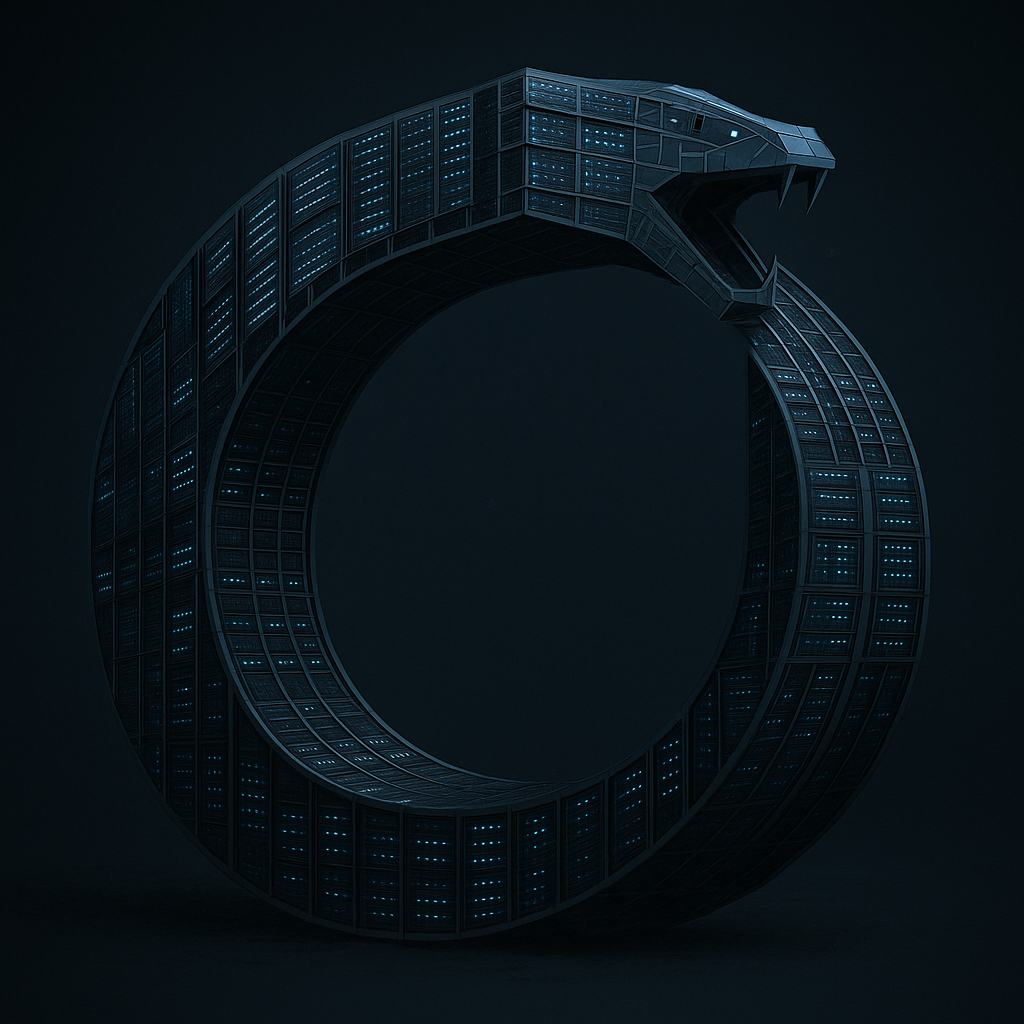












 Barton's Blog