Originally published February 3, 2023
10 years ago, Dell’s first developer system, the Ubuntu-based XPS 13 developer edition became available in the US and Canada. What made this product unique was not only that it had been developed out-of-process and by a team largely made up of volunteers, but it targeted a constituency completely new to Dell. On top of that, nine months prior to launch the offering was nothing more than a recommendation supported by a handful of slides.
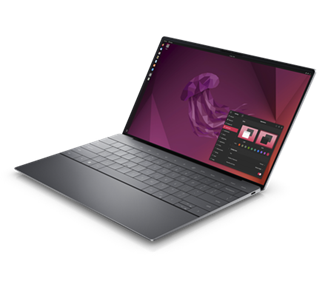
Today’s 12th generation Dell XPS Plus developer edition
Fast forward a decade and that initial developer edition is in now its 12th generation and has grown into an entire portfolio of developer systems. In addition to the XPS 13 developer edition, this portfolio now includes the Linux-based Precision mobile and fixed workstations, targeted not only at developers but data scientists as well.
You may be wondering not only how this volunteer-driven effort, targeted at what was seen as a niche audience, has survived, and thrived over the last 10 years. To learn this and what’s next for Dell and developers, read on….
Whey are all the best ideas impractical?
Our story begins back in the second half of 2011 with an impractical idea. At that time, myself and a couple of others had been tasked with finding ways Dell could serve web companies beyond infrastructure. To help us think through opportunities, we brought in Stephen O’Grady of the analyst firm, Redmonk to discuss potential approaches and solutions. An idea Stephen brought up was to deliver a Linux-based laptop that “just worked” and was targeted at application developers While Dell had been offering laptops preloaded with Linux for years, those offerings had been lower-end systems positioned as value solutions. If the idea was to target application developers, the offering would need to be based on a top-of-the-line system.
We loved the idea! Unfortunately, we knew that our client group would never go for it. The customer segments that Dell traditionally supported required huge volumes and a developer laptop would be seen as serving a “niche” market. We filed the idea away under, “great but impractical.”
Hark, an innovation fund
A few months later however, providence shown in the form of a recently established innovation fund. We realized that if we were ever to get support for our idea, this fund would be our best shot.
In order to put together a realistic proposal we started by enlisting a couple of interested engineers to provide a technical perspective. Next, we reached out to Canonical, the commercial sponsor behind Ubuntu, to gauge their interest (they were all in). With the help of Canonical, our little team performed some back of the envelope calculations to determine the resources needed to deliver a developer laptop. Based on our quick analysis we decided that it looked do-able and that we would worry about the details later.
The pitch
The deck I ended up delivering to the innovation team was far from a typical Dell presentation. The deck contained no numbers, no cost estimates and no revenue projections. Instead, I described the influence that developers had in the IT buying process and explained that the goal of the program was not to make money* but to raise Dell’s visibility with an influential community. By delivering a high-end Linux-based developer system, not only would we have something that no other major OEM offered, but more importantly it would help us to build trust within this community. This in turn would not only benefit our client business but the broader Dell as well.
I stressed that to succeed, equally as important as what we delivered, was how we delivered it. Guiding our execution would be three simple principles (these still guide our project today):
- Involve the community
- Be transparent
- Contribute back
I finished my presentation and rather than a standing ovation the innovation team thanked me for my time and told me they’d get back to us.
*Note: the program has not only paid for itself but has delivered tens of millions of dollars in revenue
Don’t look stupid
A month later, on the Ides of March, we were contacted and told that we were being given 6 months and a little pot of money to prove the value and viability of a developer laptop. We immediately formed an “official” core team and circled back with Canonical. Together we dug in and began determining what was needed to ensure that, directly out of the box, Ubuntu would run flawlessly on the XPS 13.
At the same time, we needed to make doubly sure that if we went public the community wouldn’t see Dell as tone deaf and “not getting it.” To help us determine this, we enlisted three local application developers, aka “alpha cosmonauts,” to act as sanity checkers and to provide early guidance. In parallel I headed to the west coast and met with both Google and Amazon and told them what we were proposing. While neither company placed an order for 10,000 units, I wasn’t laughed out of the room. Seeing this as a positive sign and with the support of our alpha cosmonauts, our team had the confidence to move forward.
Drivers, patches and contributing code
To ensure that Ubuntu works flawlessly on a Dell system, Dell, Canonical and device manufacturers need to work together. The process starts when the device manufacturers write open source drivers, allowing their devices (eg wireless cards, trackpads etc) to work on a specific Dell laptop or workstation. Next, to go from “works pretty well” to “just works“ these drivers need to be tweaked.
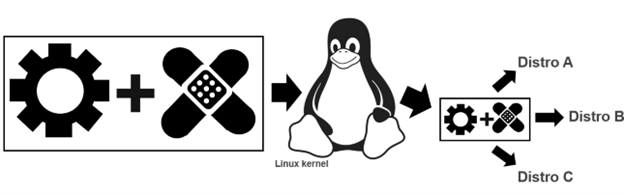
This tweaking comes in the form of open source patches which are jointly created by Dell and Canonical. These patches are then added to the original driver code and all of which is contributed upstream to the mainline Linux kernel.
While these drivers and corresponding patches are initially created to be used with Ubuntu, because code from the mainline kernel makes its way back downstream, all distros eg Fedora, OpenSuSE, Arch, Debian etc. can use it. This sharing of the code gives the community the ability to run the distro of their choice beyond Ubuntu.
After a couple of frantic months of coding and patching together internal support, the team was ready to get public feedback. To reflect the project’s exploratory nature, rather than issuing a press release or posting an announcement on Dell’s corporate blog, we decided to post the announcement on my blog.
On May 7, 2012, we revealed “project Sputnik.” We explained that the project was a 6-month exploratory effort to determine the viability of an open-source laptop targeted at developers. The system would be based on Dell’s high end XPS 13 laptop and would run Ubuntu Linux. So that the community could get a true feel of what was being developed, we provided a link to a work-in-progress OS image.
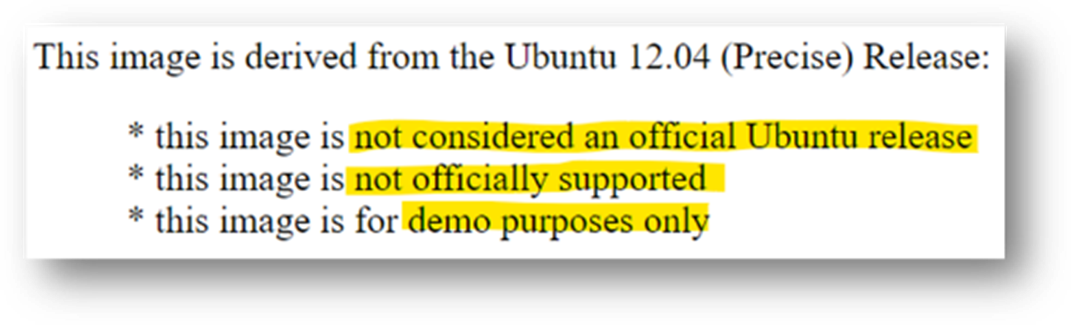
We explained that the image was based on Ubuntu 12.04 LTS and came with a basic set of tools and utilities along with the requisite drivers/patches. The exception being the touchpad driver which at that point didn’t provide full support and lacked, among other things, palm rejection. This meant that if the user’s palm brushed the pad the cursor would leap across the page. We clearly stated the issue explaining that we had contacted the vendor and in parallel we were working with Canonical to deliver an interim solution.
Our ask of the community was to provide their feedback on the system, the OS and the overall project. More specifically we wanted to know what they most wanted to see in a developer laptop.
The response from the community
Leading up to the announcement we didn’t know what type of response to expect but assumed that it would be modest at first and would hopefully build over time. We were therefore blown away by the response we received. To put it in context, in the week leading up to the announcement my blog averaged 80 page views per day. In contrast, the day of the launch my blog received close to 6,000 page views, the next nearly 9,000 and on the third day the number of page views was just shy of 15,000.
From there, interest kept growing and over the next few weeks we received global coverage from publications including The Wall Street Journal, Hacker News, Venture Beat, ZDNet, The Register, Forbes, USA Today, and Ars Technica.
Community input.
When Project Sputnik was announced, developers were asked to tell us what they wanted in a Linux laptop. Their requests were surprisingly modest.
Top 5 requests
- Don’t make it more expensive than Windows
- Make it work with the vanilla Ubuntu image
- At least 8GB of RAM
- No Windows Preinstalled
- No CD/DVD
Based on the response, along with the amount of input we received from the community, we quickly sketched out a beta program. This turned out to be the tipping point. We asked that anyone interested in participating in the program submit an online form. We expected a few hundred responses, we got over 6,000.
Hello world
This overwhelming response convinced senior management that the project was viable. We were given the go ahead and four short months later the Dell XPS 13 developer edition debuted in the US and Canada.
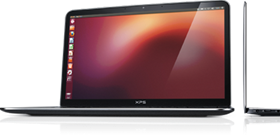
At launch the product received more attention and coverage than our original announcement. There were however two complaints, the screen resolution was too low (1366×768), and the system wasn’t available outside the US and Canada. We took this input to heart and two and a half months later we introduced a Full HD (FHD) display (1920 x 1080), and the XPS 13 developer edition debuted in Europe.
Going big with Precision
Something else we started hearing from a segment of the community was, although they liked the idea of a developer system, the svelte XPS 13 developer edition wasn’t powerful enough for their needs. They were looking for a bigger screen, more RAM and storage, and beefier processors. The system they had their eye on was the Dell Precision 3800 mobile workstation. Unfortunately, at that point our little team didn’t have the resources to enable and support an additional developer system. Realizing this, team member Jared Dominguez, whose official job was on the server side of the house, took a 3800 home and got to work enabling Ubuntu on the mobile workstation. Not only did Jared get the system up and running but he carefully documented the process and posted a step-by-step installation guide on Dell’s Tech blog. People ate it up.
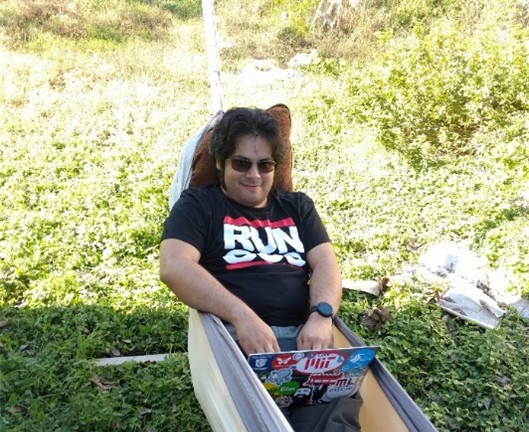
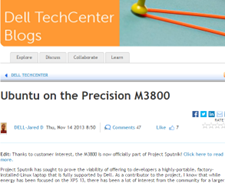
Instead of satisfying their desire for a more powerful system, Jared’s post only served to increase the demand for an officially price-listed offering.
Community feedback in hand, the project Sputnik team took our learnings to the workstation group and convinced them of the opportunity. The Precision team dug in and a year later the Ubuntu-based Dell M3800 Precision mobile workstation became available (virtually doubling Dell’s developer product line). Not long after that, the developer portfolio more than doubled again when the Precision team expanded their mobile line up from one to four systems, each of which was available as a developer edition.
Today
Since then, Dell’s Developer line has continued to grow and evolve.
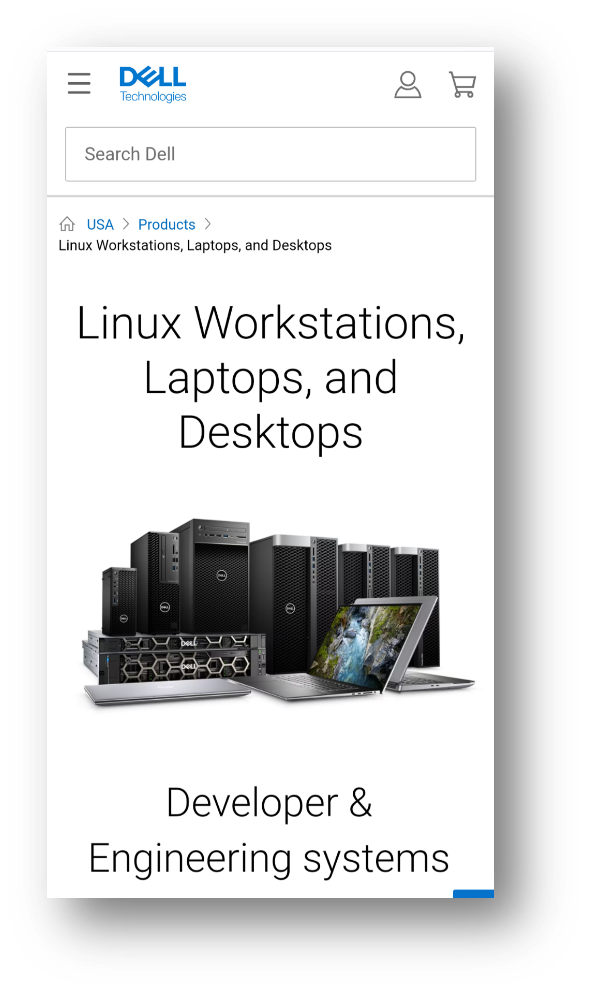
Today the Dell XPS 13 developer edition is in its 12th generation. On the Precision side, the mobile workstation line is in its 8th generation and has been joined by the fixed workstation line. Besides Ubuntu, both the fixed and mobile workstations are certified to run Red Hat and, in the case of the fixed systems, they are available from the factory with Red Hat preloaded. Additionally, the Precision portfolio now contains both developer-targeted systems as well as Data Science and AI-ready workstations.
And while Dell’s developer line is its most visible Linux-based offerings, these offerings make up only a fraction of the over 100 systems that comprise Dell’s broader Linux portfolio.
Not always a cake walk
Over the last 10 years, while the project has gone from a single product to a broad portfolio, the first years weren’t exactly smooth sailing. While there were always a variety of individuals and teams who were willing to help out, there were also many who saw the effort as a waste of resources. In fact, in the first few years the team found themselves more than once in the cross hairs of one department or another.
When we reached the three-year mark, it looked like Project Sputnik had finally used up its nine lives. Dell was looking to focus resources and planned to pare down across the board. Given the previous few years it was no surprise when we were told it was almost certain that the developer line would not make the cut. At that point I remember thinking, we’ve had a good run and can be proud of having made it as far as we did.
We still don’t know what happened, but once again providence shown and, for some reason, the axe never fell.
Going forward
As we head into our next decade, we find ourselves in a different environment. Ten years ago, most Dell employees saw developers as a niche market at best, today that’s changed. With the continuous rise of DevOps and platform engineering, the broader Dell has recognized the importance of developers alongside operations.
In light of this, Dell’s overall product portfolio, from laptops, to server and storage solutions is now being designed with developers in mind. To ensure that developers’ requirements are being accurately reflected, Dell has recently established a developer relations team and has brought in key figures from the community to serve as developer advocates.
In the case of the existing developer portfolio, besides looking for more opportunities to connect client systems to back-end systems, Dell is looking at various ways to broaden the portfolio on the client side. The team is currently in the early stages of brainstorming and are looking at a variety of options. Stay tuned!
Thank you
A few groups that need to be called out for making this possible:
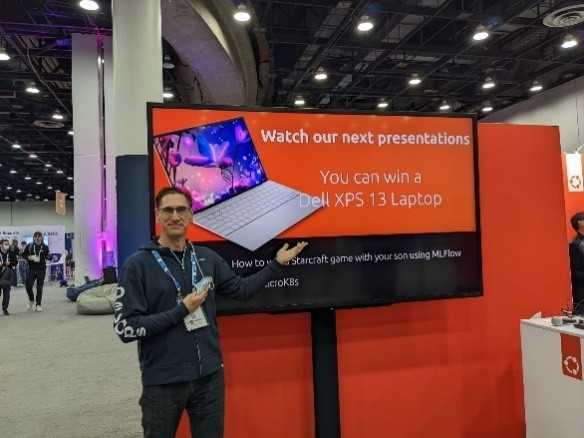
A big thank you to Canonical who has worked hand in hand with us to deliver and expand our developer line and a shout out to those at Dell who, on top of their day jobs, have given their time and support. Finally, a huge thank you the developer community for making project Sputnik a reality. Over the last ten years you in the community have let us know what you’ve liked and where we could do better. It’s because of this amazing support that not only are we still here 10 years later, but it looks like we’ll be around for awhile 😊
Epilogue — 5 things we learned
Over the last 10 years the team has learned quite a bit and has the scars to prove it. Here are our top five leanings
- You’re good enough… No one knows it all so build a great team and take the leap
- Get a champion, be a champion – You need to have someone high up to go to bat for you at critical moments but on a day-to-day basis it’s you who must be a tireless champion
- Leverage, execute – It doesn’t matter if it’s your idea or not, delivery is what counts
- Start small – Don’t over promise, stay focused and err on the side of caution
- Communicate, communicate, communicate – Stay in constant contact with the community, speak directly and with empathy and when you screw up or fail to deliver, own it
Post Script – Why “Sputnik”?

You may be asking yourself, why did they name it “Sputnik” in the first place? The project name is a nod to Ubuntu founder and Canonical CEO, Mark Shuttleworth who, 10 years before the project itself, spent 8 days craft orbiting the earth in a Soviet space (while the ship was actually Soyuz, it didn’t have an inspiring ring to it so we went with “Sputnik” instead.)
Pau for now…
 Barton's Blog